
Visualize and build your Azure architecture diagrams in Vani
Vani's Azure diagramming Kit lets your team create a clear, scalable Azure architecture diagram to discuss and evolve together, letting you build better solutions.
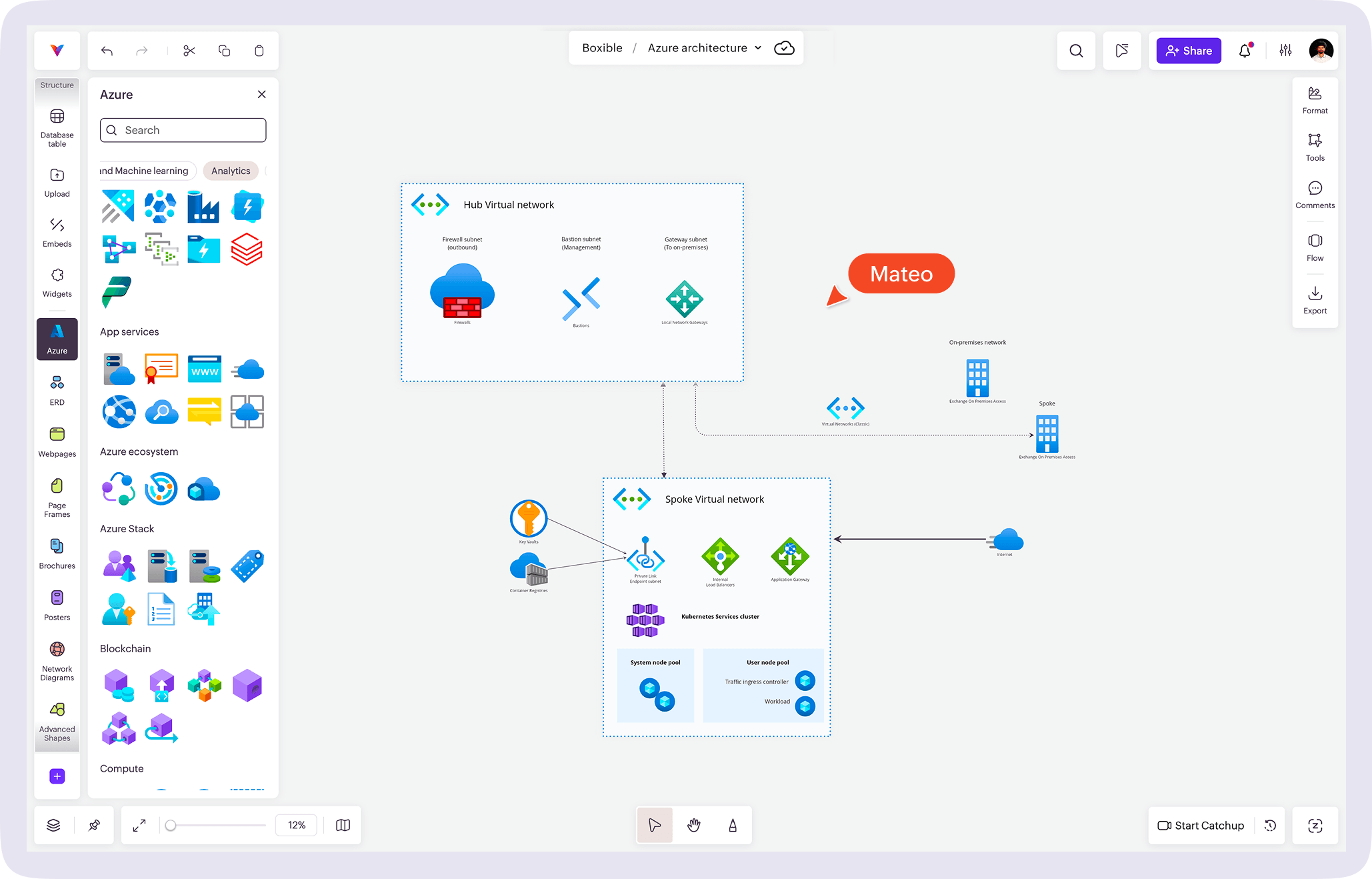
What is an Azure architecture diagram?
An Azure architecture diagram is a visual representation of how applications, services, and infrastructure are built and hosted on Microsoft Azure. It helps teams understand cloud system design, document processes, and implement the architecture better.
In Vani, you can use the standard Azure service icons Kit to show components, connections, and data flow in a clear, structured way.
Why architects choose Vani for Azure diagramming
Map complex Azure architecture visually, from the ground up
Vani's Azure diagramming Kit comes with standard Azure cloud icons that help you visualize components like subnets, VMs, and databases. Design even complex Azure architectures in minutes using simple drag-and-drop tools on an infinite canvas.
Easily create network topologies, web apps, and other Azure solutions in one shared visual Space, giving stakeholders a clear view of dependencies, network boundaries, and request flows.
Collaborate in real time for better architecture decisions
Co-create Azure architecture diagrams with your team on a shared canvas in real time. Comment directly on Azure components, @mention teammates to track dependencies, and review changes together to iterate faster and make better architecture decisions.
Keep your architecture as a living document
Your architecture diagram in Vani acts as a living document that helps onboard new engineers faster; surface bottlenecks, security risks, and capacity issues; and scale systems confidently without disrupting existing flows.
What is in the Vani Azure diagramming Kit?
The Vani Azure diagramming Kit includes a comprehensive library of official Azure service icons, organized by category and ready to use.
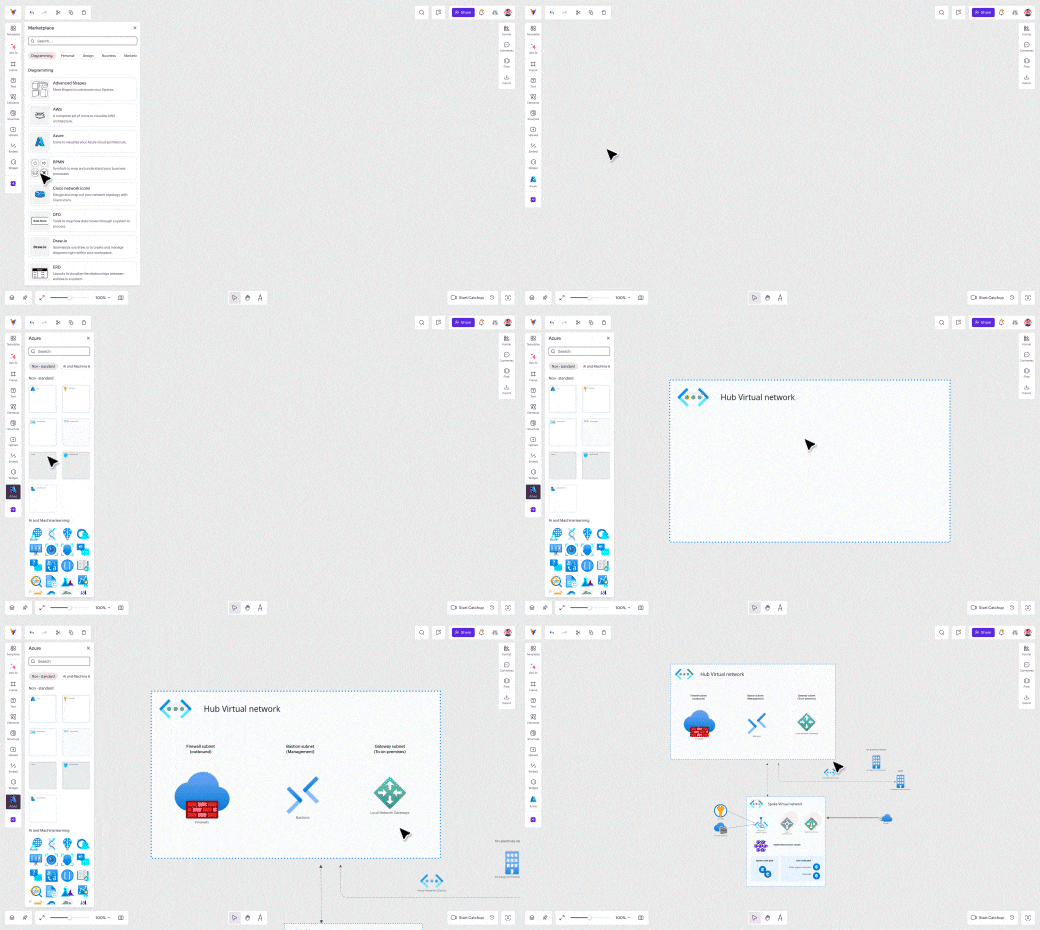
How to create an Azure architecture diagram in Vani
-
Start with a purpose
Open Vani and create a new Space for your architecture. Rename the Zone with your project name to keep multiple projects organized.
-
Add the Azure diagram Kit
Open the marketplace, search for the Azure Kit, and add it to your toolbar. You'll see a full set of standard Azure service icons on the left side of the canvas, ready to use.
-
Map your cloud architecture visually
Drag and drop the Azure components you need directly onto the infinite canvas. Arrange services, connect components, and use sticky notes to document data flow, dependencies, and decisions as you design.
-
Collaborate with stakeholders
Invite stakeholders to co-edit the Space. Collect feedback through comments or jump into a real-time video session to review and refine the architecture together.
-
Share your architecture diagram
Once finalized, export your diagram as a PDF or PNG or share it using an external link. You can also embed the Vani Space into documents or presentations to keep architecture documentation connected.