
Create and collaborate on draw.io diagrams in Vani
Use draw.io within your Vani Space to create, edit, and manage diagrams without switching tools. Keep them connected to your work and collaborate with your team in the same place.
What is draw.io in Vani?
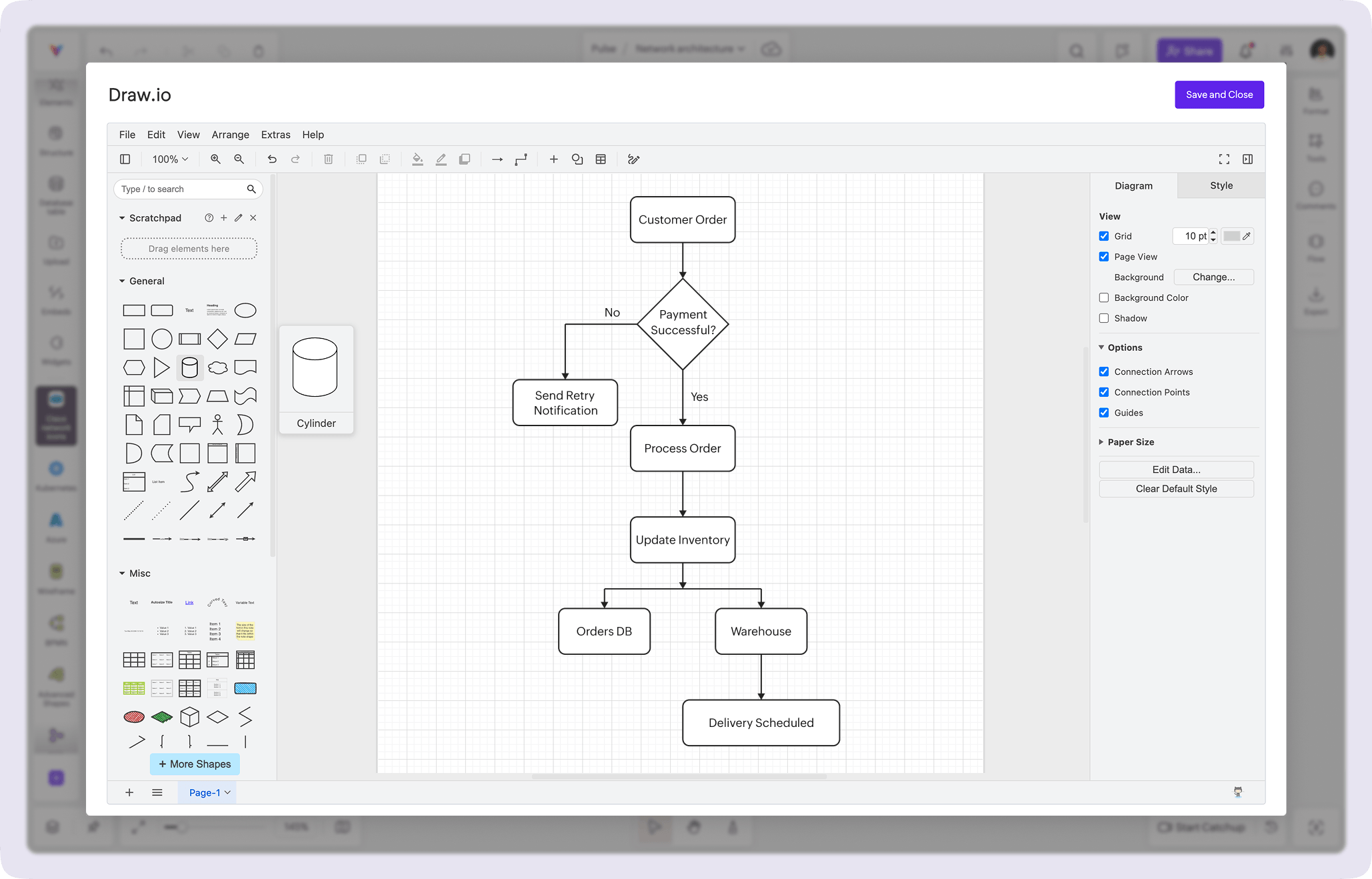
draw.io in Vani lets you use the full draw.io editor directly inside your Space. You can create diagrams using its familiar interface, then add them to your canvas without leaving your workflow.
Once saved, your diagram becomes part of your Space. You can double-click it anytime to reopen the editor, make changes, and keep it updated as your work evolves.
Why use the draw.io Kit in Vani
Use draw.io without leaving your Space
Work with the full draw.io editor right inside Vani. Whether you're creating flowcharts, system diagrams, or decision trees, you can use a familiar tool without switching tabs or losing context.
Keep diagrams connected to your work
Your diagrams don't live separately. They sit alongside your notes, ideas, and discussions in the same Space, making it easier to reference and build on them as your work progresses.
Collaborate with your team on diagrams
Since diagrams live directly on the canvas, your Spacemates can collaborate on them easily. Start a video Catchup to discuss changes, or add comments and reactions to share feedback.
Edit and update anytime
Saved diagrams stay editable. Just double-click to reopen draw.io, make updates, and keep them in sync with your latest ideas.
What's included in the draw.io Kit
The draw.io Kit gives you access to the full draw.io editor inside Vani, including:
- A complete diagramming interface within your Space
- A wide range of shapes and templates for different diagram types
- The ability to save your work directly to your canvas and edit it anytime
- Built-in collaboration once it's added to the canvas
This makes it easy to work on detailed diagrams without leaving your Space.
How to use draw.io in Vani
-
Add the draw.io Kit from the marketplace.
-
Open the Kit to launch the draw.io editor inside your Space.
-
Create your diagram using the available shapes and tools.
-
Click Save and Close to add the diagram to your canvas.
-
Double-click it anytime to reopen and edit.
-
Share your Space, collaborate with your team, and discuss changes around your work.