
Create and collaborate on ER diagrams in Vani
Vani's ERD Kit helps teams design clear, structured entity relationship diagrams to plan database schemas, visualize data relationships, and document systems together on a shared visual canvas
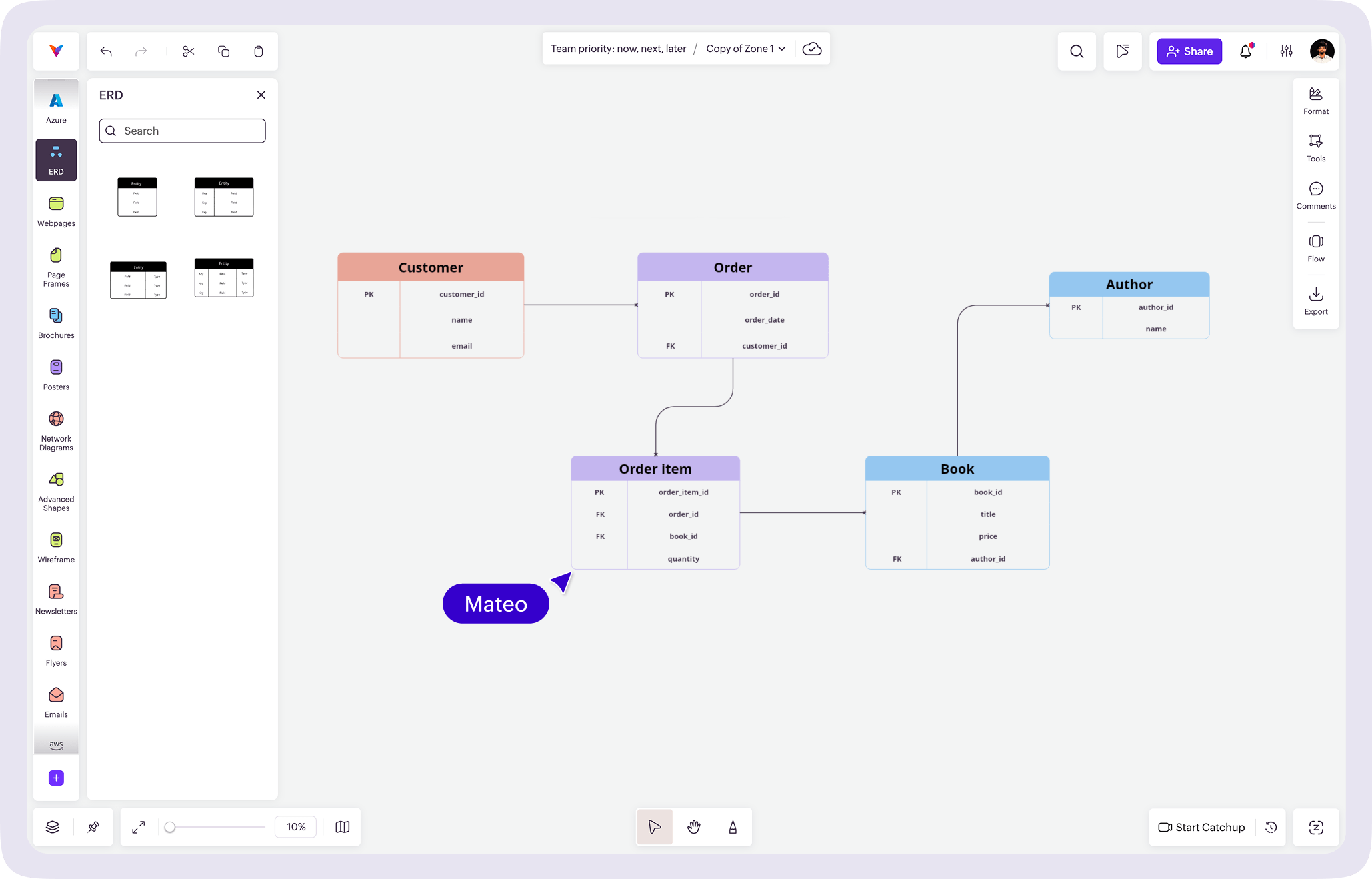
What is an ER diagram?
An ER diagram, or entity relationship diagram, visually shows how data is organized within a system. It shows entities, their attributes, and how they connect, helping teams understand how data is organized before building a system.
Entities usually represent real-world objects such as users, orders, or products. Attributes describe details about those entities, like name, email, or price. Relationships show how these entities connect, whether one-to-one, one-to-many, or many-to-many.
ER diagrams are commonly used in:
- Designing database schemas
- Planning back-end system architecture
- Modeling data for SaaS products
- Documentation and onboarding
- Academic learning and DBMS coursework
With Vani's ER diagram tool, you can create structured ERDs using dedicated entity shapes, fields, key indicators, and relationship connectors so teams can understand data models more easily.
Why to use Vani for ER diagramming
Make database structure easy to understand
Use structured entity shapes with clear columns for keys, fields, and types. This helps teams visualize the database structure without confusion.
Show relationships clearly
Connect entities using flexible connectors, including crow's foot notation for one-to-many and many-to-many relationships. You can also label relationships directly on the diagram for clarity.
Collaborate while designing
Work on ER diagrams together in real time. Leave comments, start a video Catchup, review changes, and keep your data model updated on the canvas without switching tools.
What's included in the ERD Kit
The ERD Kit provides the core elements needed to create professional entity relationship diagrams:
- Entity shapes with editable fields
- Dedicated columns for primary keys and data types
- Flexible attribute rows
- Relationship connectors with multiple endpoint styles
- Support for crow's foot notation
- Connector text for naming relationships
- Styling options for clear documentation
This makes it easier to design, review, and maintain ER diagrams visually.
How to create an ER diagram in Vani
-
Start a new Space in Vani to create your ER diagram.
-
Add the ERD Kit from the marketplace to your toolbar.
-
Open the ERD Kit in the toolbar to access entity shapes.
-
Add entities, list their fields, mark primary keys, and include data types where needed.
-
Use connectors to show how entities relate. Choose appropriate endpoint styles and add labels from the formatting options if needed.
-
Invite teammates to the Space to review the diagram, start a video Catchup, collect feedback through comments, and update your data model together.
-
Export your ER diagram or share it with your team for documentation and ongoing reference.