
Give your designs a human touch with the Humaaans Kit in Vani
Creating a presentation, planning a webpage, or sketching an app experience? Add people to the picture with Humaaans Kit. Bring ready-made character illustrations into your Vani Space and build your ideas around them, with your team working alongside you.
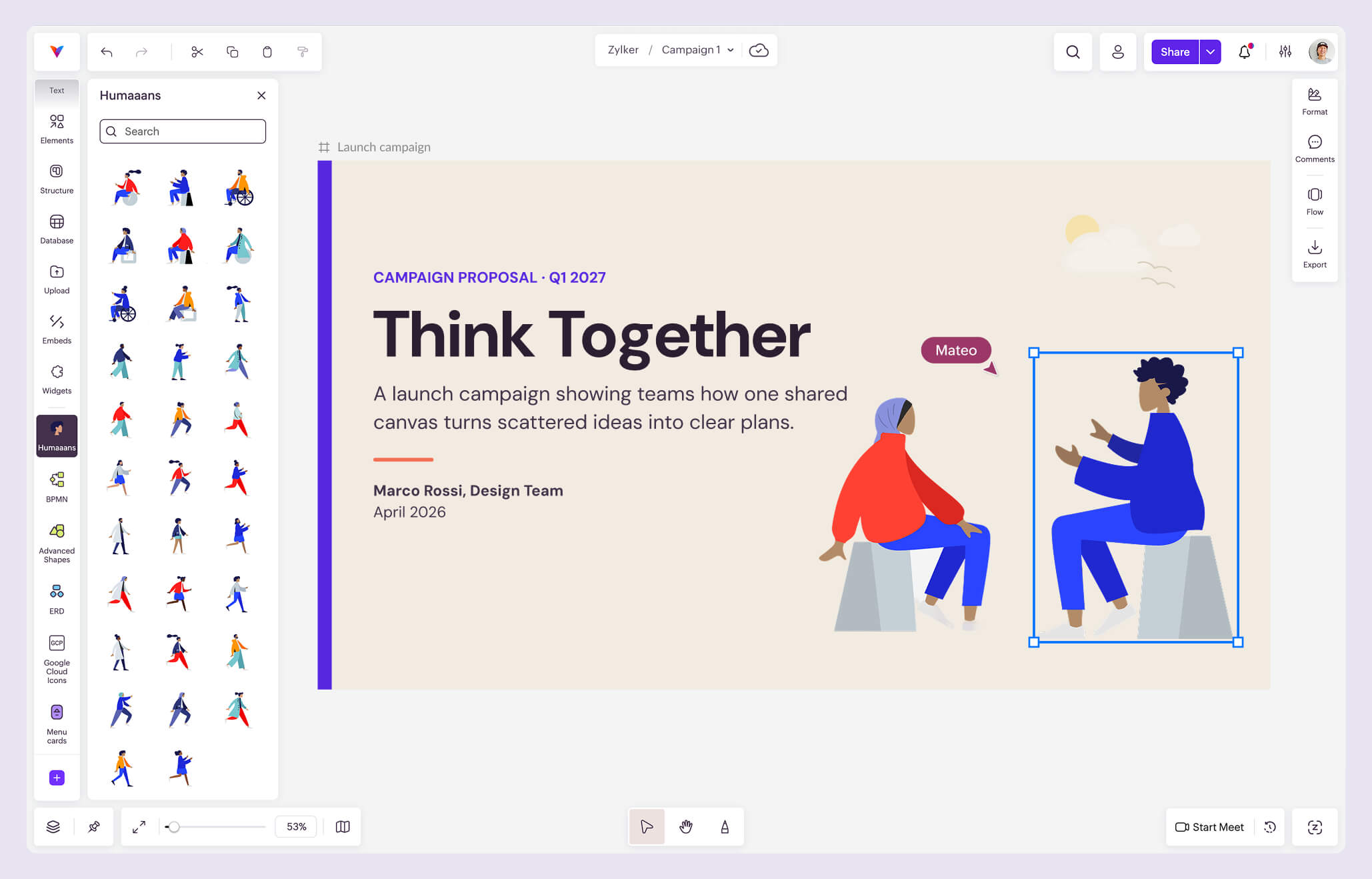
What is Humaaans Kit in Vani?
Humaaans Kit is a collection of human vector illustrations you can use directly on Vani's infinite canvas. Add characters to your designs, customer journeys, and presentations to help people understand the story you're telling.
The Kit draws on humaaans, a vector illustration library created by Pablo Stanley. The original library uses interchangeable character elements, including hairstyles, clothing, and body positions. Think of them as building blocks for creating scenes around people. Humaaans is available under a CC0 public domain license for personal and commercial use.
Who can use this Humaaans Kit?
- Marketers
- Presenters
- UI/UX designers
- Web developers
Why use Humaaans Kit in Vani?
Make presentations easier to relate to
Humaaans help your audience picture the person when you explain a problem or discuss an idea by placing it alongside your creatives or diagrams. With Flow in Vani, you can arrange your Frames into a guided presentation and walk your team through the story directly from your Space.
Build a visual concept without starting from scratch
Sometimes you need a quick way to show what you have in mind. Choose a ready-made character and build your social media concept, webpage mockup, or app screen around it. Vani has versatile Kits and templates to get started on your visual designs.
Keep creative reviews close to the design
Your illustration is one part of the bigger idea. Talk through the design during a Vani Meet session, or leave comments on the relevant elements for teammates to review later. The feedback stays connected to the work you're discussing.
How to use this Humaaans Kit in Vani
-
Create a new Space or open one where your team is already working. Give it a name that makes the project easy to find.
-
Click Marketplace at the bottom of the left toolbar. Choose Design, find Humaaans Kit, and select Add to toolbar.
-
Open the Kit from your toolbar and drag an illustration into your Space. Choose a character that fits the situation you want to show.
-
Resize and position the illustration, then combine it with text, shapes, and frames. For a customer journey, add the person's actions and questions. For a presentation, place the character beside the example you're explaining.
-
Invite your teammates to review the design in the Space. Discuss changes in Vani Meet or use comments for feedback at a different time.
-
When you're ready, present the work with Flow or export the relevant frame as a PNG or PDF. External Space sharing is also available on supported plans.
-
For detailed instructions, see how to use Humaaans Kit in Vani.