
Create professional invoices online
Design clear and organized invoices in Vani using ready-to-use invoice templates. Personalize company details, branding, pricing tables, and payment sections, then export invoices easily.
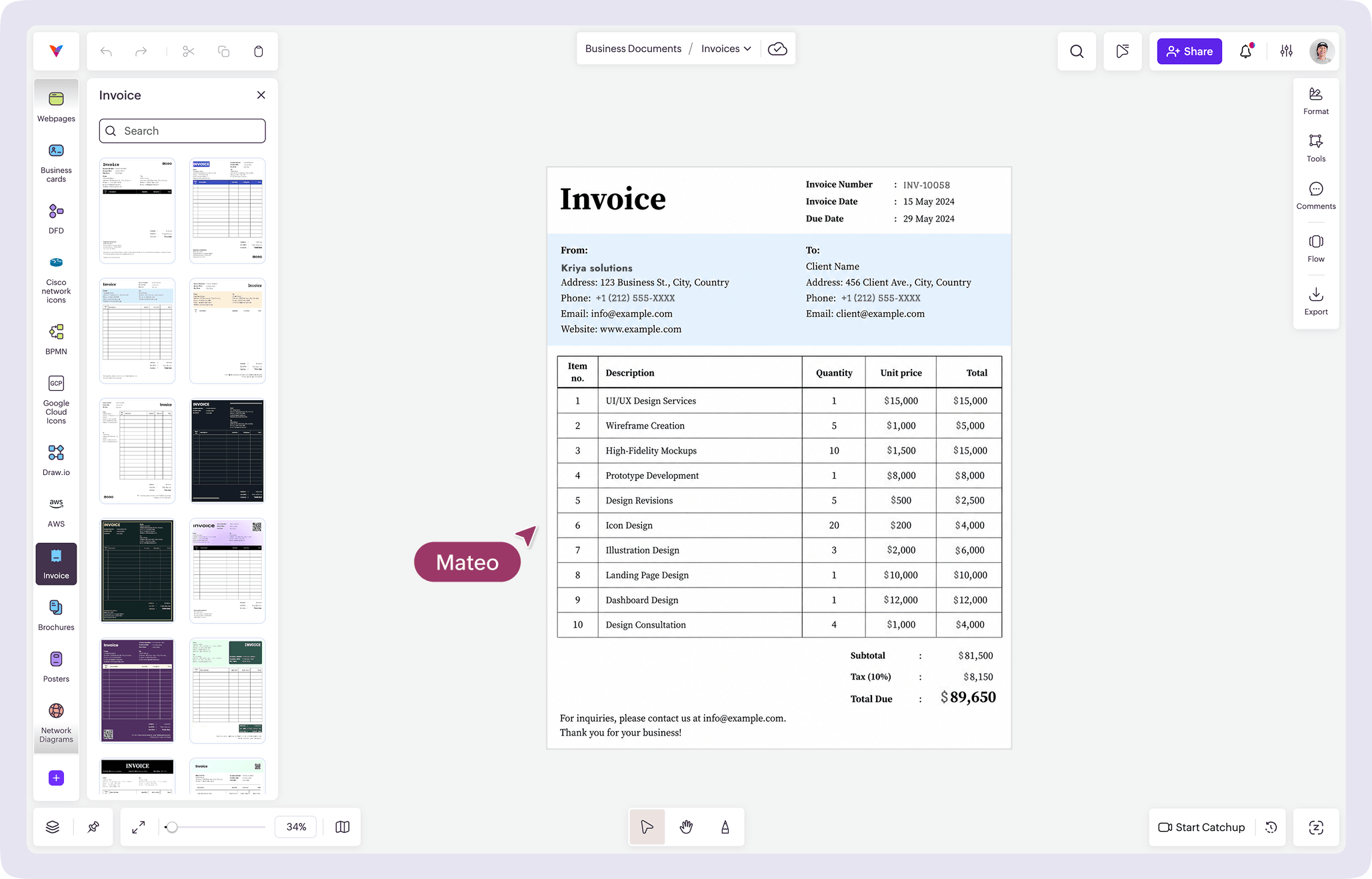
What is the Invoice Kit?
The Invoice Kit in Vani includes ready-to-use invoice layouts designed for different business and branding styles. Personalize company information, client details, pricing tables, payment sections, logos, colors, and other invoice elements directly on the canvas.
The layouts are useful for:
- Freelancers and consultants
- Small businesses and startups
- Agencies and service providers
- Finance and operations teams
- Client-based service work
Use the invoice layouts to create professional invoices for client communication, payment requests, quotations, and business documentation.
Why use the Invoice Kit in Vani
Start from a professional invoice format
Choose from professionally designed invoice formats and adapt them to match your business branding and requirements.
Customize invoice details visually
Edit company information, client details, pricing tables, payment instructions, colors, typography, and layout sections directly in Vani.
Keep invoices organized and presentable
Create structured invoices that are easy to review, share, print, and reuse across different business use cases.
Review invoices with teammates and gather feedback in real time
Work with teammates in a shared Space, discuss changes through comments or video Catchups, and review invoices together in real time.
Export and share easily
Download invoices in PNG or PDF format for sharing, documentation, or printing.
What's included in the Invoice Kit
The Invoice Kit includes:
- Ready-to-use invoice templates
- Multiple invoice design styles and layouts
- Editable company and client information sections
- Pricing tables and payment sections
This makes it easier to create clear and professional invoices visually in Vani.
How to create an invoice in Vani
-
Add the Invoice Kit to your tool bar from the marketplace.
-
Open the Kit and choose a layout that matches your business style.
-
Add company details, client information, pricing tables, and branding.
-
Edit colors, text, logos, and layout elements as needed.
-
Collaborate with teammates and review invoices in real time.
-
Export your invoice in PNG or PDF format.