
Create Mermaid diagrams directly inside Vani
Create flowcharts, UML diagrams, mind maps, charts, and technical documentation visually using Mermaid syntax with instant live previews in Vani. Build Mermaid diagrams instantly and collaborate with your team on the same infinite canvas without jumping between tools.
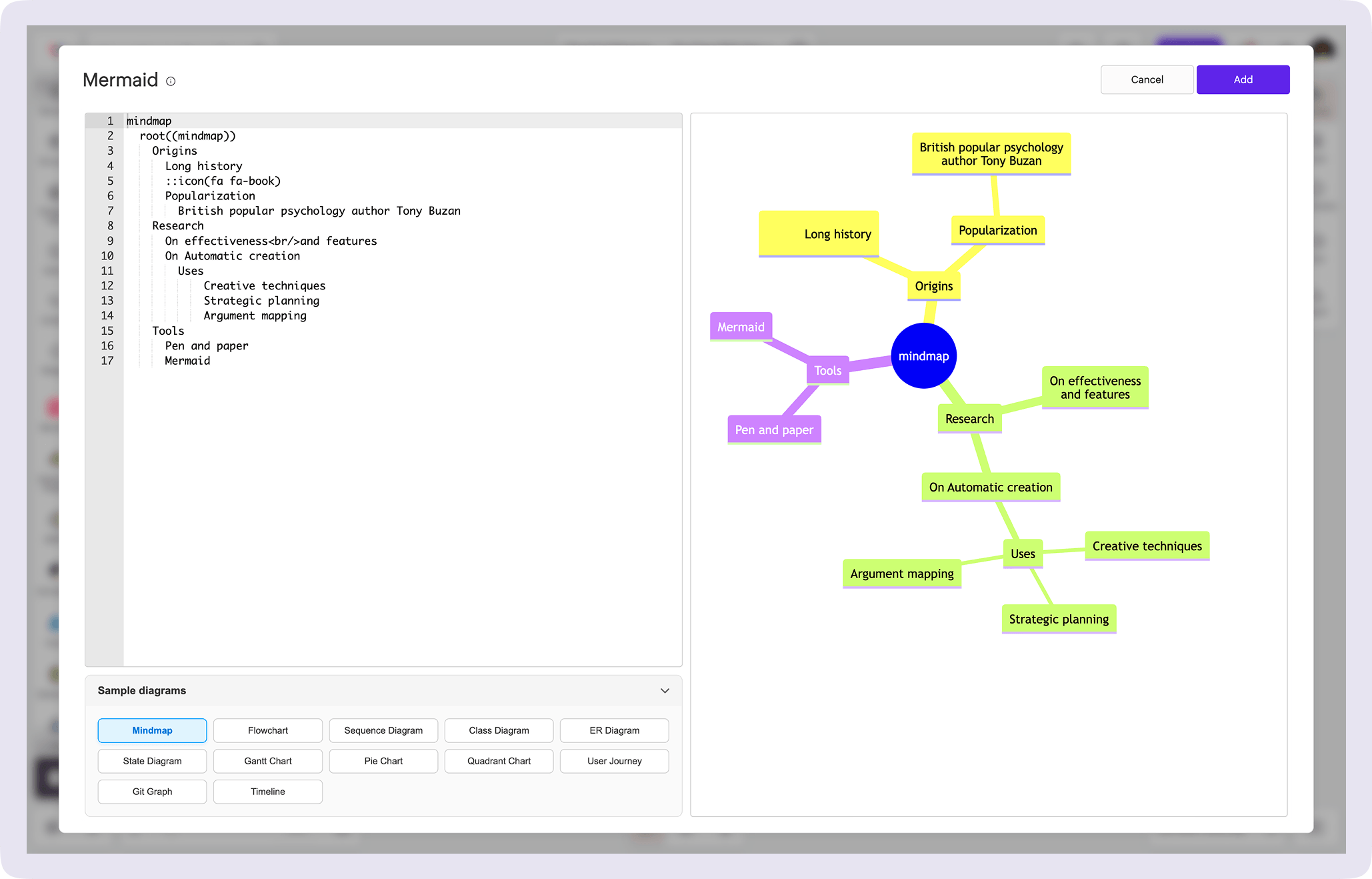
What is a Mermaid diagram?
Mermaid diagramming is a Javascript-based diagramming tool that generates UML diagrams, mind maps, flowcharts, and more using markdown-inspired text syntax code.
How is it useful inside Vani?
Inside Vani, Mermaid works directly on the infinite canvas, so your diagrams, documentation, discussions, and project planning stay in the same workspace.
You can create diagrams, review them with your team in real time, update the syntax instantly, and move from planning to execution without switching platforms.
Why software teams use Mermaid diagrams inside Vani
Keep your diagrams, documentation, and collaboration together on one infinite canvas.
Mermaid diagrams for documentation
Technical diagrams rarely live alone. Teams also need documentation, notes, tickets, requirements, and discussions around them. With Mermaid in Vani, your diagrams stay connected to the rest of your project work on one infinite canvas.
Collaborate where the diagram lives
Instead of exporting diagrams and sharing screenshots, teams can collaborate on the Mermaid diagram. Review architecture together, leave feedback, update flows in real time, present ideas during meetings, and iterate faster together in one shared Space.
Built for modern engineering workflows
Vani integrates with the tools teams already use, including Microsoft Teams, Zoho Projects, and other workplace platforms, helping teams manage communication, collaboration, and technical planning from a single workspace.
What's included in the Mermaid diagramming tool Kit?
The Mermaid syntax editor Kit inside Vani supports multiple technical and planning diagrams used by software and product teams.
Supported diagram types:
- Mind map
- Flowchart
- Sequence diagram
- Class diagram
- ER diagram
- State diagram
- Gantt chart
- Pie chart
- Quadrant chart
- User journey
- Git graph
- Timeline
How to create Mermaid diagrams online in Vani
-
Open Vani and create your project Space. Add notes, references, documentation, and project files to organize your work visually.
-
Open the marketplace inside Vani, search for "Mermaid," and add the Mermaid diagramming tool Kit to your toolbar.
-
Choose a diagram type from the tool Kit. Every diagram comes with starter syntax, which you can edit or replace with your own Mermaid code. As you type, the diagram is generated instantly. Once ready, add it directly to your canvas.
-
Invite teammates and stakeholders into the same Space to collaborate on Mermaid diagrams, review improvements, and refine it better together.