
Visualize and design your network diagrams in Vani
Vani's Network Diagrams Kit helps your team create clear, structured network diagrams to plan, design, and document systems visually.
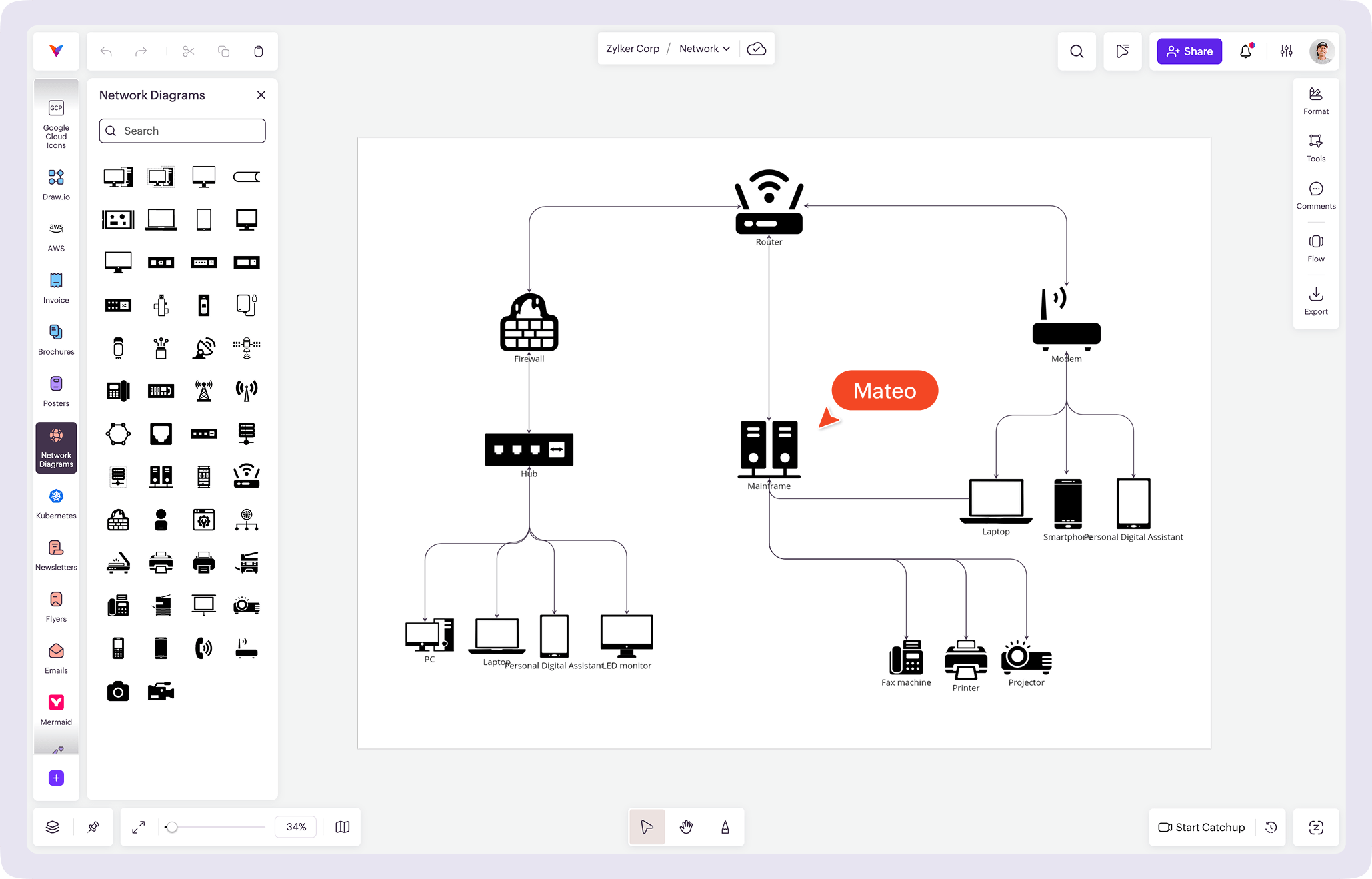
What is a network diagram?
A network diagram is a visual representation of how devices, systems, and connections are structured within a network.
It helps teams understand how components are connected, communicate system design, and document network architecture clearly.
In Vani, you can use the Network Diagrams Kit to map devices, connections, and data flow in a structured visual workspace.
Why teams choose Vani for network diagramming
Map network architecture visually
Vani's Network Diagrams Kit includes a standard library of network components to help visualize routers, switches, servers, firewalls, and connections. Design network diagrams easily using drag-and-drop elements on an infinite canvas.
Collaborate in real time
Create and review network diagrams together with your team on a shared canvas. Comment on components and discuss system design without switching tools.
Keep your documentation up to date
As your network evolves, update diagrams easily so documentation stays accurate and accessible for your team.
What's in the Vani Network Diagrams Kit?
The Vani Network Diagrams Kit includes a comprehensive library of network symbols organized by category and ready to use.
- Infrastructure components
- Connections
- Security components
- System layers
Build network diagrams using elements for infrastructure, connections, security components, and system layers.
How to create a network diagram in Vani
-
Create a new Space in Vani for your network project, based on your system, environment, or use case.
-
Open the marketplace, search for the Network Diagrams Kit, and add it to your workspace to access network components.
-
Drag components onto the canvas, arrange devices, and connect elements to represent data flow and relationships.
-
Invite teammates to review the diagram, add comments, and refine the structure together.
-
Export your diagram as a PNG or PDF to include in documentation, presentations, or internal reviews.