
Plan and create wireframes online
Plan websites, mobile apps, dashboards, and other digital interfaces using ready-made wireframe components in Vani. Build screen layouts, connect user flows, and refine ideas before moving into detailed design.
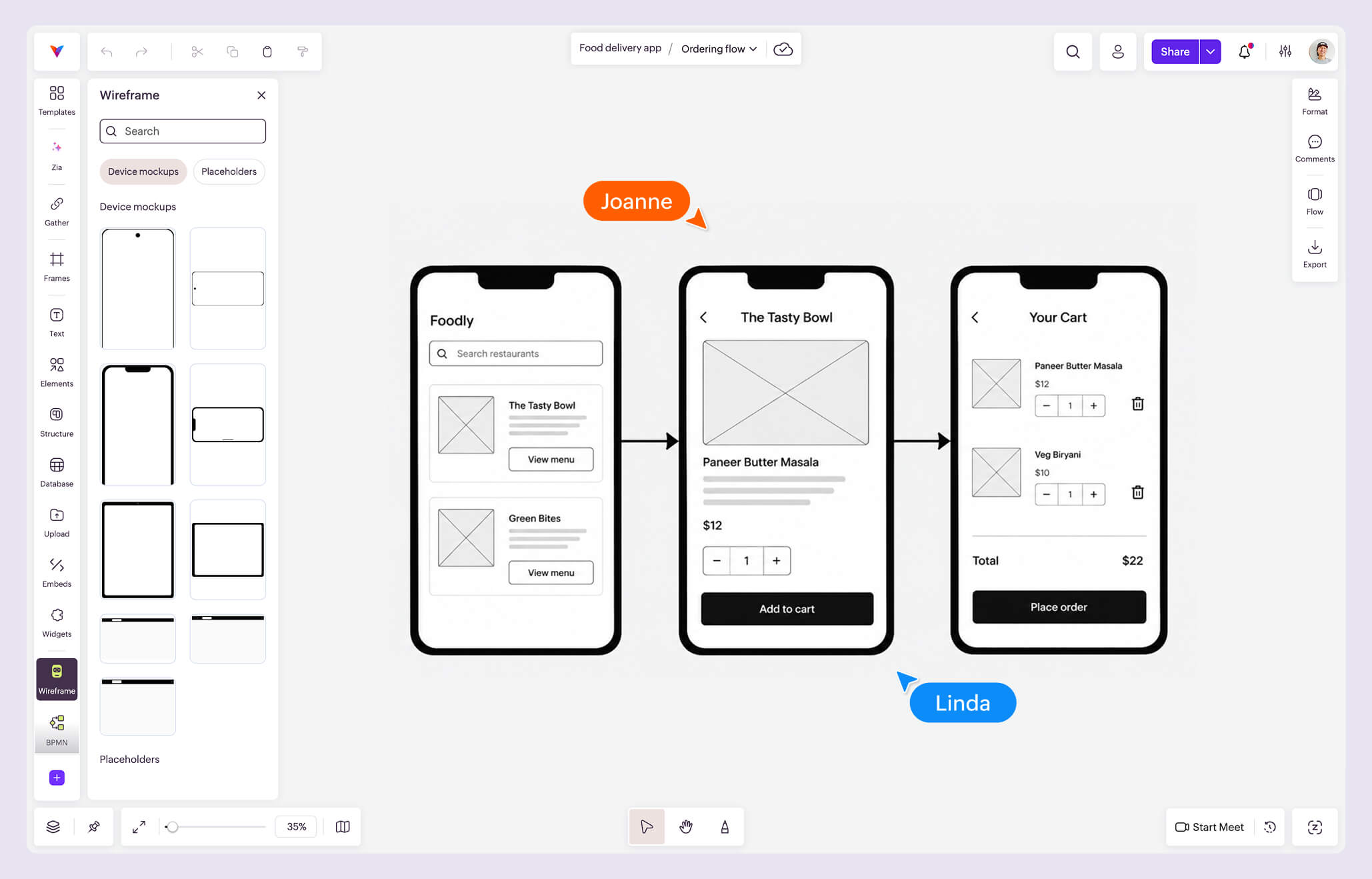
What is the Wireframe Kit?
The Wireframe Kit is a collection of ready-made components that help you plan websites, web applications, mobile apps, and other digital interfaces. Instead of creating common interface elements from scratch, you can quickly assemble screens using reusable components and adapt them to your ideas.
Whether you're planning a new feature, mapping user journeys, or discussing interface concepts with your team, the Kit provides a structured starting point for organizing ideas visually.
Why use the Wireframe Kit in Vani
Start with ready-made components
Build screen layouts using a library of commonly used interface elements instead of creating every component from scratch.
Explore layouts and user flows
Arrange multiple screens, connect them using connectors, and refine user flows as your ideas evolve.
Review interface ideas together
Share your work in a Vani Space, gather feedback through comments or video Meets, and discuss improvements with your team before moving into detailed design.
What's included in the Wireframe Kit
The Wireframe Kit includes a comprehensive library of components for planning websites, web applications, mobile apps, and other digital interfaces, including:
- Device mockups
- Placeholders
- Buttons
- Input fields
- Lists
- Dropdowns
- Search components
- Date pickers
- Cards
- Tables
- Tabs
- Pagination
- Dialogs and notifications
- Tooltips
- Loaders and progress indicators
Many components include multiple layout and style variations, making it easy to explore different interface patterns while building your wireframes.
How to create a wireframe in Vani
-
Open a new or existing Space in Vani.
-
Add the Wireframe Kit from the Marketplace.
-
Browse the available components and add them to your canvas.
-
Arrange screens and interface elements to represent your layout.
-
Use connectors to map user flows between screens.
-
Customize the content, styling, and layout to match your ideas.
-
Share your wireframe with your team, gather feedback, and continue refining it.