
About this template
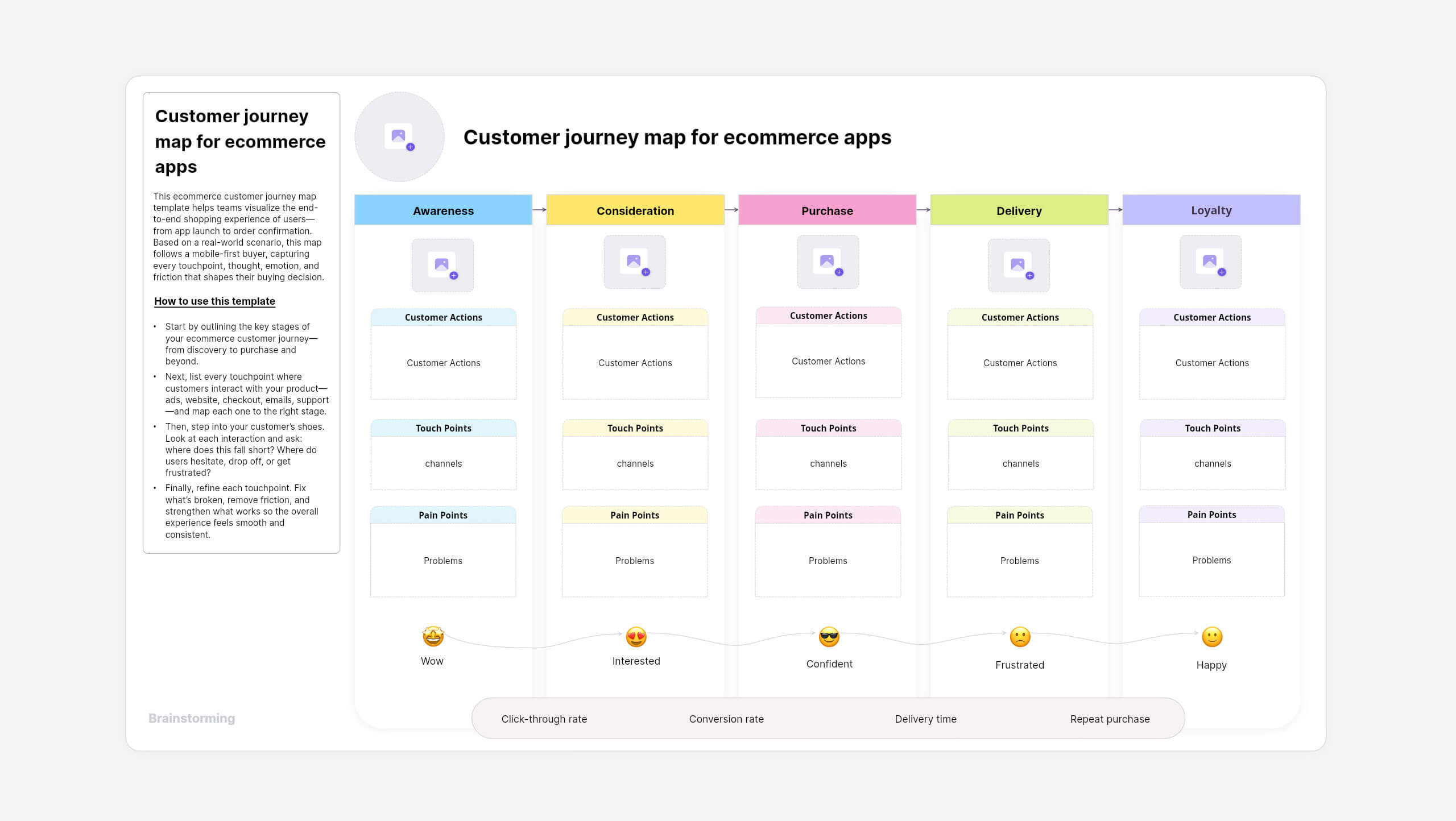
The customer journey map template helps you visualize your customers' entire experience with your brand, product, or service. It tracks everything from initial contact to post-purchase, highlighting key interactions, touchpoints, emotions, and pain points to improve overall experience.
What is a customer journey map?
A customer journey map is a visual framework that helps you understand how your users interact with your product or service. It charts the key steps a customer takes, alongside their motivations, needs, concerns, and blockers, so your teams can improve the experience at every stage.
How to use this template
- Start by adding all the respective department stakeholders to the Space.
- Use Catchups to collaborate and get correct information by creating a detailed customer persona.
- Identify customer actions, touchpoints, and emotions from different department stakeholders.
- Determine KPIs and business goals to improve gaps in the existing process and implement the results.
Why use this customer journey map in Vani?
Mapping a customer journey shouldn't feel like a chore. In Vani, it's fast, visual, and built for real collaboration. Here's why it's the smarter way to map.
- Effortless visual mapping: Drag and drop sticky notes and shapes to map touchpoints and friction points.
- Team-first collaboration: Co-create with design, product, marketing, or CX teams in real time. Track teammates with live cursors, and drop instant feedback using comments, @mentions, reactions, or even built-in video and audio calls.
- Designed for visual thinkers: Customize fonts and colors, and highlight friction points to spot big-picture UX issues. Use emojis to understand how emotions influence purchase decisions.
- Easy to share: Share your journey map with anyone using public links. This is ideal for cross-functional reviews, research presentations, or leadership visibility.
- Ready to export: Export your customer journey as a clean PDF or image for stakeholder decks, usability reports, or onboarding documentation.
- Present with clarity: Use Flow Mode to walk stakeholders through the journey, stage by stage, making it easy to communicate insights in a presentation format.
Who should use this template?
- Product managers mapping the customer experience
- UX/UI designers identifying key drop-off and delight points
- Marketing teams aligning brand messaging with real user behavior
- CX researchers creating human-centered solutions
- Founders of B2C and ecommerce brands wanting better retention and engagement
FAQs
A customer journey map visualizes how people interact with your brand—from first touch to post-purchase. It highlights what users do, feel, and experience at each step.
It helps teams understand real friction points, align across departments, and build better experiences.
Product teams, marketers, customer success, UX researchers—anyone responsible for the customer experience should use one.