
Mind map template
Visualize your ideas, simplify complexity, and collaborate effortlessly—all in one intuitive space.
Use this template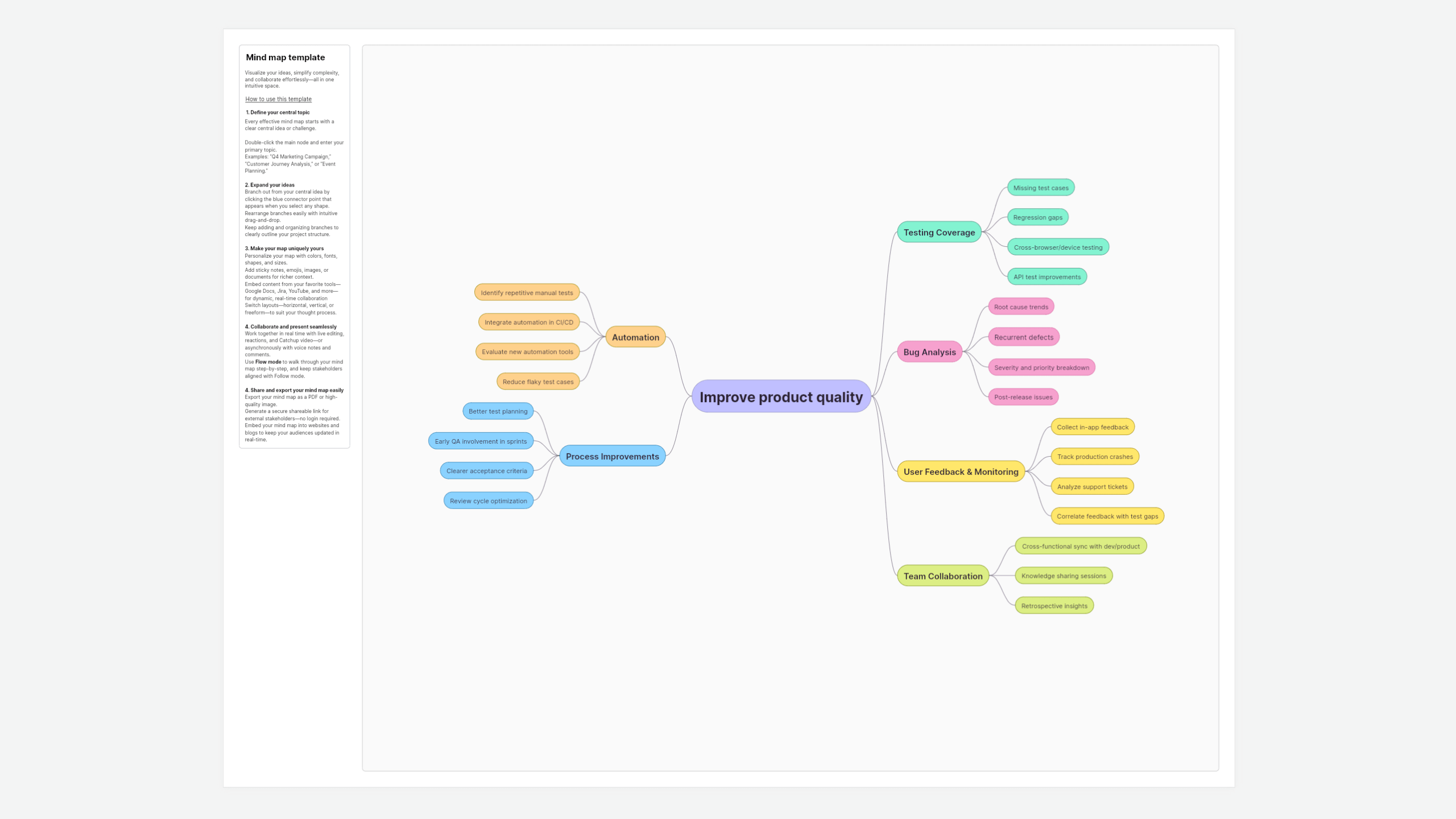
About the mind map template
The Vani mind map template is a simple yet powerful tool designed to elevate brainstorming, planning, and problem-solving. Unlike rigid outlines or lists, mind mapping in Vani allows ideas to grow organically, combining creativity with structure on an infinite canvas.
Whether you’re mapping ideas solo or co-creating with your team, this template helps you connect thoughts, spot patterns, and see the big picture—all at once.
How to use the mind map template in Vani
- Open your mind map
- Define your central topic
- Double-click the main node and enter your primary topic.
- Examples: “Q4 Marketing Campaign,” “Customer Journey Analysis,” or “Event Planning.”
- Expand your ideas
- Branch out from your central idea by clicking the blue connector point that appears when you select any shape.
- Rearrange branches easily with intuitive drag-and-drop.
- Keep adding and organizing branches to clearly outline your project structure.
- Make your map uniquely yours
- Personalize your map with colors, fonts, shapes, and sizes.
- Add sticky notes, emojis, images, or documents for richer context.
- Switch layouts—horizontal, vertical, or freeform—to suit your thought process.
- Embed content from your favorite tools—Google Docs, Jira, YouTube, and more—for dynamic, real-time collaboration.
- Collaborate and present seamlessly
- Work together in real time with live editing, reactions, and Catchup video—or asynchronously with voice notes and comments.
- Use Flow mode to walk through your mind map step-by-step, and keep stakeholders aligned with Follow mode.
- Share and export your mind map easily
- Export your mind map as a PDF or high-quality image.
- Generate a secure shareable link for external stakeholders—no login required.
- Embed your mind map into websites and blogs to keep your audiences updated in real time.
When to use the Mind Map Template
Mind mapping isn’t limited to brainstorming—it's versatile enough to support a variety of tasks:
- Creative brainstorming: Rapidly generate and explore fresh ideas visually, connecting thoughts naturally.
- Project management: Visually break down complex projects into actionable tasks, roles, resources, and deadlines.
- Strategic planning: Clarify and communicate strategic directions, marketing campaigns, or product launches clearly.
- Problem-solving: Clearly dissect complex issues into smaller components, making it easier to pinpoint effective solutions.
- Educational purposes: Teach complex concepts visually or structure group assignments effortlessly.
- Presentations and storytelling: Visually structure your narrative to deliver engaging and impactful presentations.
Why teams love Vani’s Mind Map Template
- Intuitive interface: Start mapping without a learning curve—perfect for teams of all sizes and skill levels.
- Infinite canvas: No limits. Expand your thinking as broadly as your project requires.
- Built for collaboration: Real-time commenting, video calls, and live updates keep everyone aligned effortlessly.
- Easy integration: Connect your favorite apps directly into your mind map, bridging ideas and actions.
- Interactive presentations: Flow mode transforms your mind maps into clear, structured presentations instantly.
FAQs about the Mind Map Template
Yes, you can start immediately—simply click Use Template and begin mapping.
Anyone needing clarity and organization can benefit, including teams in design, marketing, product management, education, research, or event planning.
Definitely! Embed links and live updates from popular tools like Google Docs, Jira, YouTube, Figma, and more, directly within your mind map.
Easily export your completed map as PDF or images, generate shareable links, or embed it into your website or presentation slides.
Yes, collaboration is seamless. Invite your team for real-time editing, leave inline comments, and instantly start quick video meetings to discuss ideas without leaving the canvas.