
Project planning
Team up to plan your project together and keep everything on track. Use this template
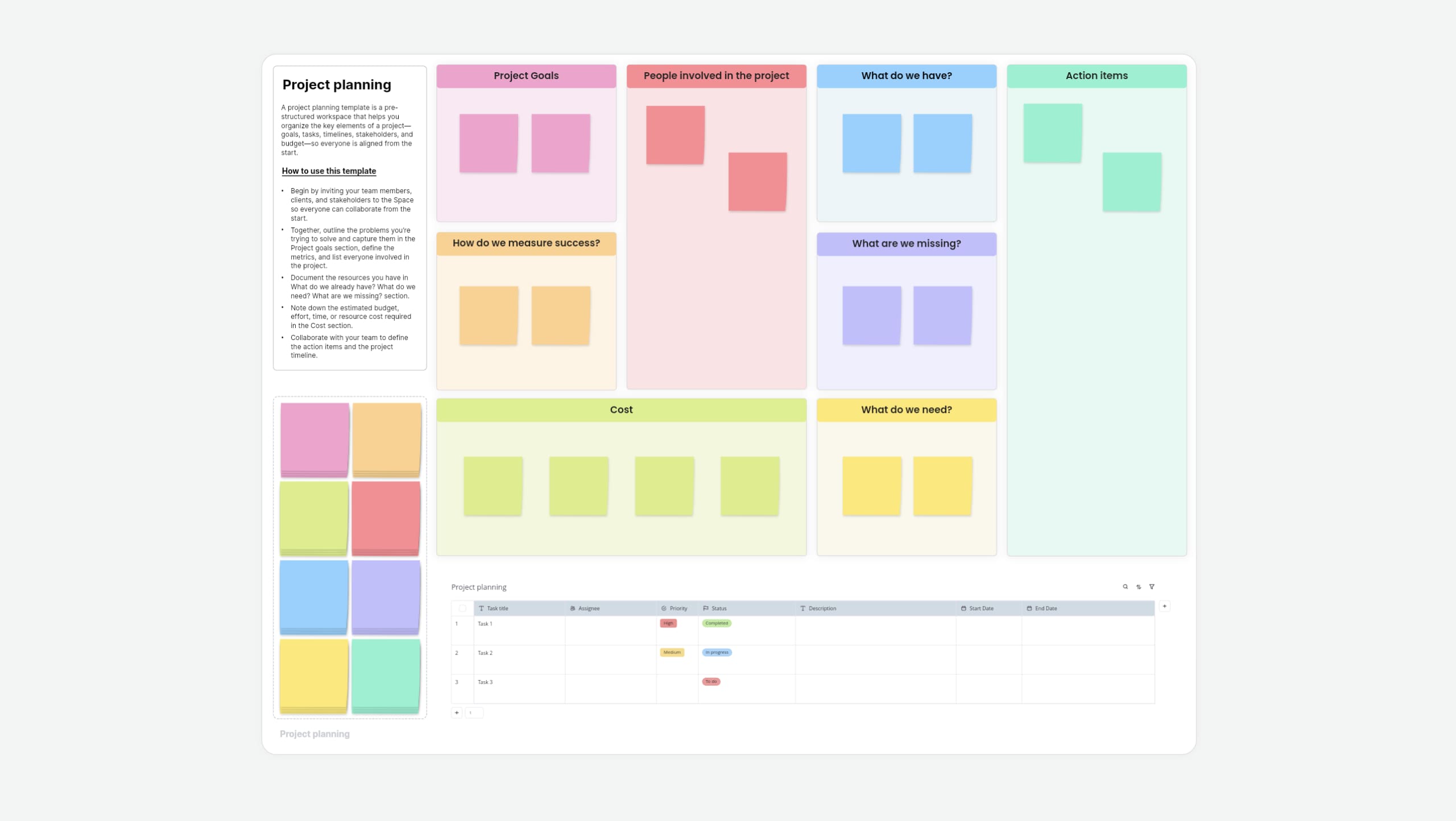
What is a project planning template?
A project planning template is a pre-structured workspace that helps you organize the key elements of a project—like goals, tasks, timelines, stakeholders, and budget—so everyone is aligned from the start.
About Vani's project planning template
Vani's project planning template helps you see the entire project in one shared view. You can plan work, assign tasks, and update details together in real time, all in one place.
How to use this project planning template
- Add the project planning template to your Vani SpaceFind the project planning template in the template library and click Use template to add it to your Vani Space. Before you begin, invite your team members, clients, and stakeholders to the Space so everyone can collaborate from the start.
- Define your project goalsWork with your team to outline the problems you're trying to solve and capture them in the Project goals section. This helps everyone quickly understand the purpose of the project and the "why" behind the work.
- Set your project metricsDefine the metrics you'll use to measure success. These give your team a clear way to track progress and understand how close you are to meeting your objectives.
- Assign people and ownershipList everyone involved in the project, including team members and external stakeholders. Assign roles and ownership so each person knows their responsibilities and can check the project status at any time.
- Review strengths and identify gapsDocument the resources you already have in the What do we already have section and list what you need in What do you want. Use the Potential obstacles section to note risks, delays, or roadblocks that could affect the project.
- Create action items and build your timelineCollaborate with your team using Vani's Catchup video meetings to define clear action items. In the Project timeline section, assign responsibilities, set deadlines, and add dates to keep work moving. Revisit the timeline regularly, leave comments, and address blockers early to keep the project on track.
When to use this template
Use the project planning template at the start of any project to set goals, assign tasks, plan resources, define timelines, and manage budgets. It helps your team stay clear on what needs to be done, who owns what, and how the project moves from planning to execution.
Here are a few common cases where you can use this template:
- Product launch: Plan your entire product journey, from research and development to launch and execution. This template lets you see the full roadmap in one shared visual workspace.
- Marketing campaign: Use the template to plan your campaign before it begins. Organize team members, assign responsibilities, track execution, and measure progress in one place.
- Business plan: Use this template as a starting point for business planning. Define objectives, outline costs, identify resources, align timelines, and organize your team. It becomes a single reference for your business planning needs.
- Events: Plan events by assigning roles, organizing logistics, and tracking progress in one shared space. Manage everything visually without scattered notes or documents.
Why use Vani's project planning template?
- Real-time collaboration: Plan and update your project with your entire team on Vani's shared, infinite canvas. Everyone can collaborate at the same time and stay aligned.
- Database tables: Use Vani's database tables to organize tasks, assign owners, set deadlines, and track project timelines in one place.
- Kanban boards: Assign tasks easily and see how work is moving using built-in Kanban boards that keep progress visible.
FAQs
The project planning template helps you organize project goals, tasks, timelines, and ownership in one shared workspace.
This template can be used by anybody: managers, business owners, marketers, designers, and even people with no project management experience.
Yes. You can easily add, remove, or rearrange elements using Vani's drag-and-drop editing.
Yes. It works well for projects of any size, from small tasks to large, complex initiatives.
Yes. You can export your project plan as a PDF or PNG file.