
Decision tree template
Branch out your choices. See every path. Decide with confidence. Use this template
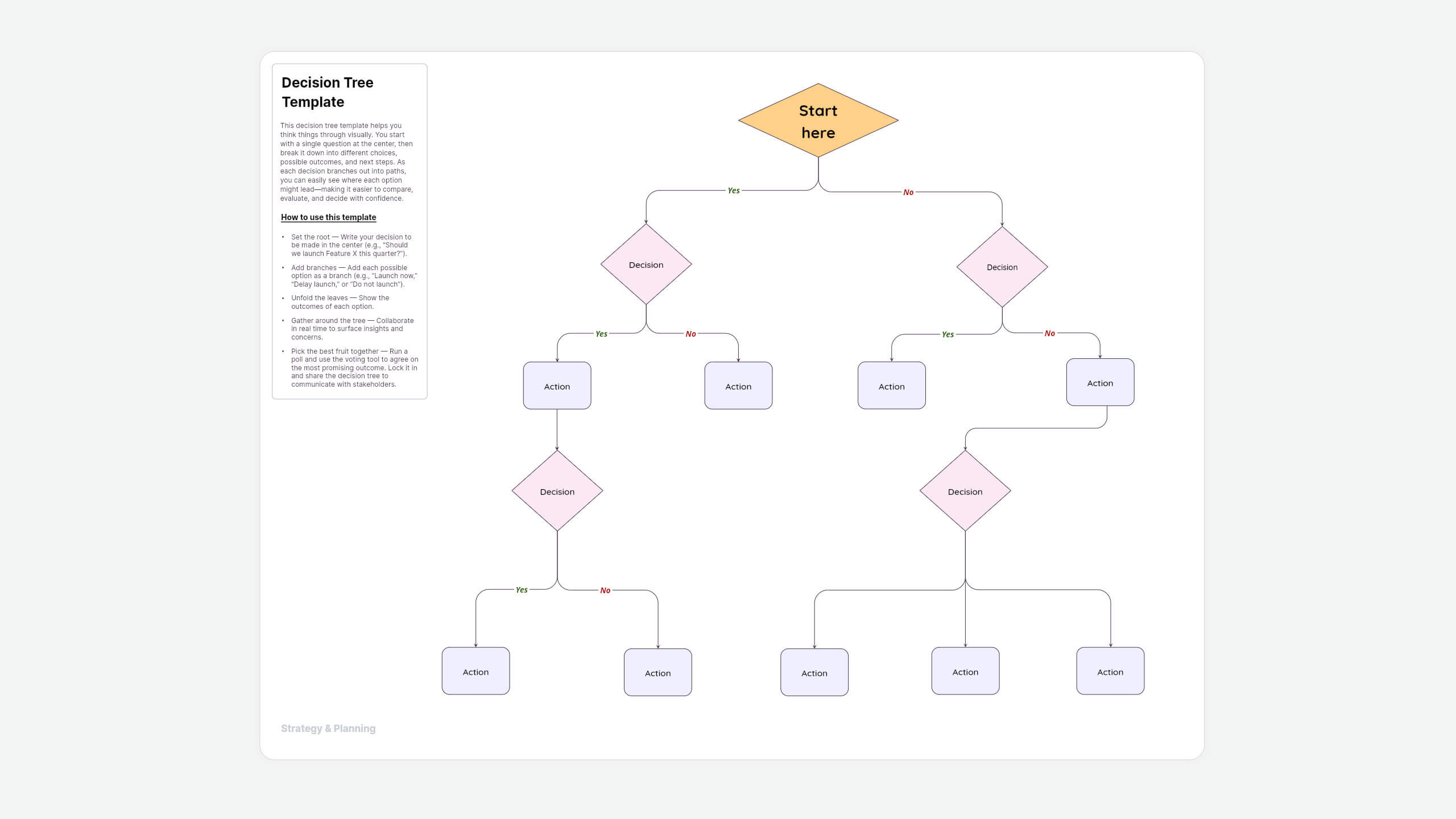
About this decision tree template
When your team faces a tough choice—launch now or wait, expand a campaign or refine messaging, choose vendor A or vendor B—debate alone isn't enough. A decision tree helps you visualize the trade-offs. Each branch lays out scenarios, so you can compare costs, risks, and opportunities side by side.
With Vani, you don't just draw a static chart. You co-create on an infinite canvas, capture assumptions with sticky notes, and use real-time collaboration to balance perspectives. The result? Faster, more transparent decisions everyone can stand behind.
How to use this decision tree template in Vani
- Set the root — Write your core question in the center (e.g., "Should we launch Feature X this quarter?").
- Add branches — Add each possible option as a branch (e.g., "Launch now," "Delay launch," or "Do not launch").
- Unfold the leaves — Show the outcomes of each option. For example:
- Launch now — Customers get access sooner, but the support team may be overloaded.
- Delay launch — More time to test and fix bugs, but competitors may get ahead.
- Do not launch — Saves resources, but may disappoint early adopters.
- Shed sunlight — Use sticky notes to capture assumptions, data, or risks on each outcome.
- Gather around the tree — Collaborate in real time with live cursors, comments, and Catch-up sessions, or work async by leaving voice notes and comments to surface insights and concerns.
- Pick the best fruit together — Run a poll and use the voting tool to agree on the most promising outcome. Lock it in and share the decision tree to communicate with stakeholders.
Why use the decision tree template in Vani
- Advanced diagramming tools: Use advanced shapes and auto-connectors to build trees quickly and keep them tidy.
- Infinite canvas: Expand roots, branches, and leaves without worrying about space.
- Real-time collaboration: Work live using Catchup video, playful emojis and personality cursors, or work asynchronously with voice notes and comments.
- Efficient decision-making: Keep sessions on track with a timer and voting tool to choose the most supported path as a team.
- Presentation mode: Switch to Flow presentation mode to walk stakeholders through your decision tree with clarity.
Decision tree template FAQ
A decision tree is a visual diagram that helps you make a confident decision by mapping out possible choices and their consequences. It begins with a central question, branches into possible decisions, and shows the outcomes of each path. This makes complex decisions easier to evaluate, reduces bias, and helps teams align on the best path forward.
- Root node: The central decision or problem to be addressed.
- Branches: The different choices or actions that could be taken.
- Leaves: The results or consequences that stem from each choice.
- Context: Data, risks, or assumptions added with sticky notes or comments.
- Decision point: The final choice/selected path is documented and shared with the team.
Vani offers advanced shapes and connectors on an infinite canvas, making it easy to create any type of tree diagram, including decision trees, organizational trees, family trees, and more. You can start from scratch or use a ready-made template to save time.
In Vani, you can easily share or download your tree diagram. Download it as an image or PDF, or share your Space or Zone with others to view or collaborate.
Yes! Vani lets you share your Space or a specific Zone via a public link that anyone can access—no login required.