
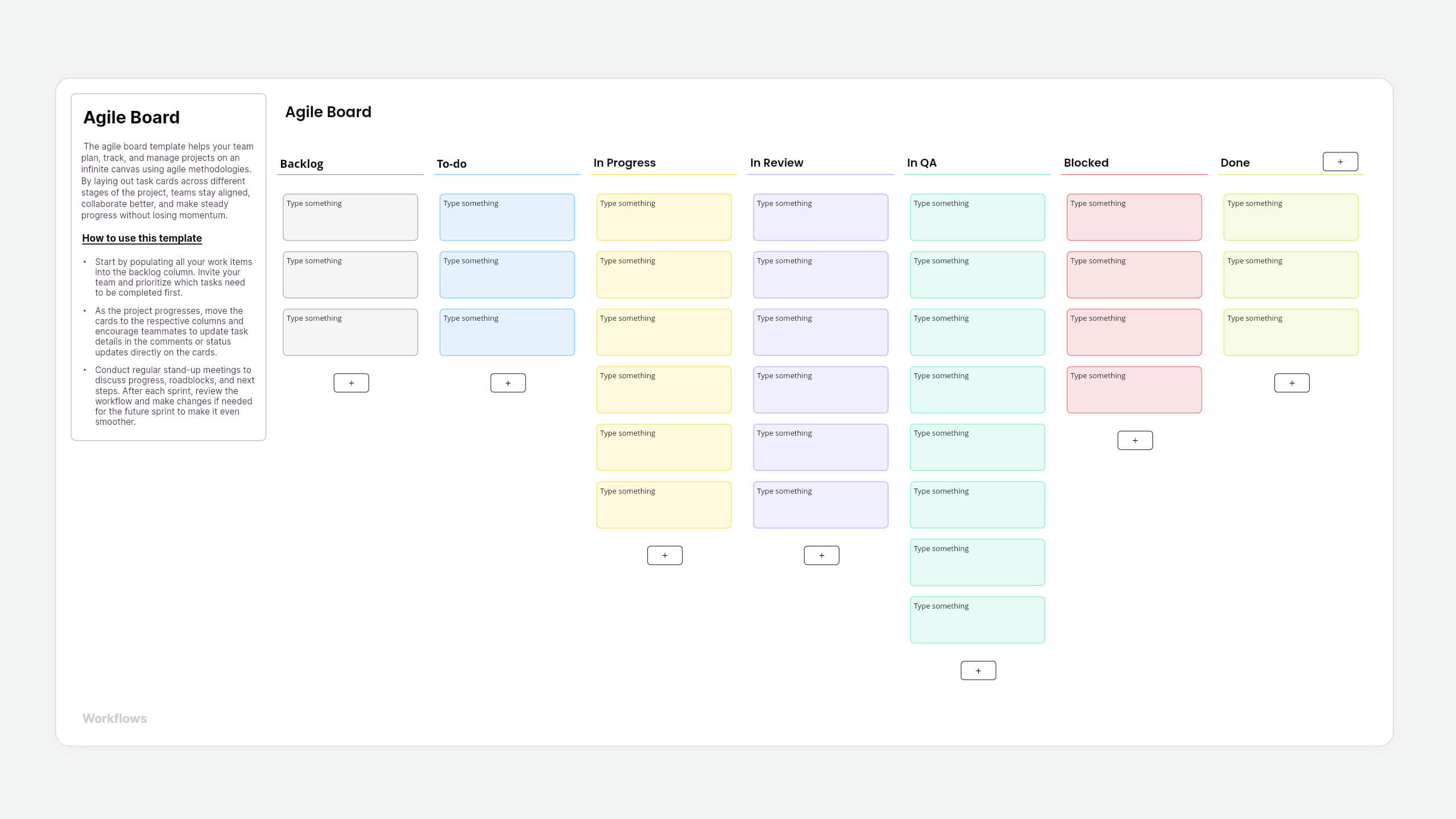
What is an agile board template?
An agile board template helps teams track work across different stages of a project. Tasks move through columns, such as backlog, in progress, and review, giving everyone a clear view of progress.
Agile boards are commonly used in kanban and scrum workflows to manage tasks, prioritize work, and keep teams aligned.
About this Vani agile board template
Vani's agile board template provides a ready-to-use workflow.
Teams can add task cards, move them across columns, and update progress in real time. This makes it easier to visualize work, identify bottlenecks, and keep projects moving forward. Teams can also customize the columns to match their workflow.
How to use this template
- Add the agile board template to your Vani Space: Find the agile board template in the template library and click the Use template button to add it to your Vani Space.
- Add tasks to the backlog: Start by listing all tasks or work items in the Backlog column. Invite your team to the Space and prioritize the tasks that should be completed first.
- Move tasks through the workflow: As work begins, move task cards from To-do to In Progress, then to stages such as In Review or QA. Update task details directly on the cards so everyone stays informed. If the team wants to change the columns, they're easily customizable.
- Track progress and resolve blockers: Use columns like Blocked to highlight issues that need attention. This helps teams quickly identify bottlenecks and keep the workflow running smoothly.
- Share your agile board: You can export the board as a PNG or PDF or share it using an external share link so external stakeholders can easily review the progress.
When to use this agile board template
You can use Vani's agile board template whenever you need to organize work visually and track progress across stages. Some common use cases include:
- Software development - Track features, bug fixes, and releases as they move through the development workflow.
- Product management - Plan product tasks and monitor progress from backlog to completion.
- Marketing campaigns - Manage campaign tasks, approvals, and reviews across different stages.
- Project planning - Organize project activities and keep teams aligned on what needs to be done next.
- Team workflows - Use the board to coordinate tasks, identify blockers, and keep work moving.
Why use Vani's agile board template?
- Visual workflow - Organize tasks across columns so your team can clearly see what's planned, in progress, and completed.
- Drag-and-drop task management - Move cards easily between stages to update task status and manage work.
- Real-time collaboration - Teams can add updates, track tasks, and collaborate together on the same board.
- External sharing - Teams can also bring in external stakeholders to collaborate with using external sharing or guest access.
- Flexible workflows - Customize columns and task cards to match your team's agile process.