
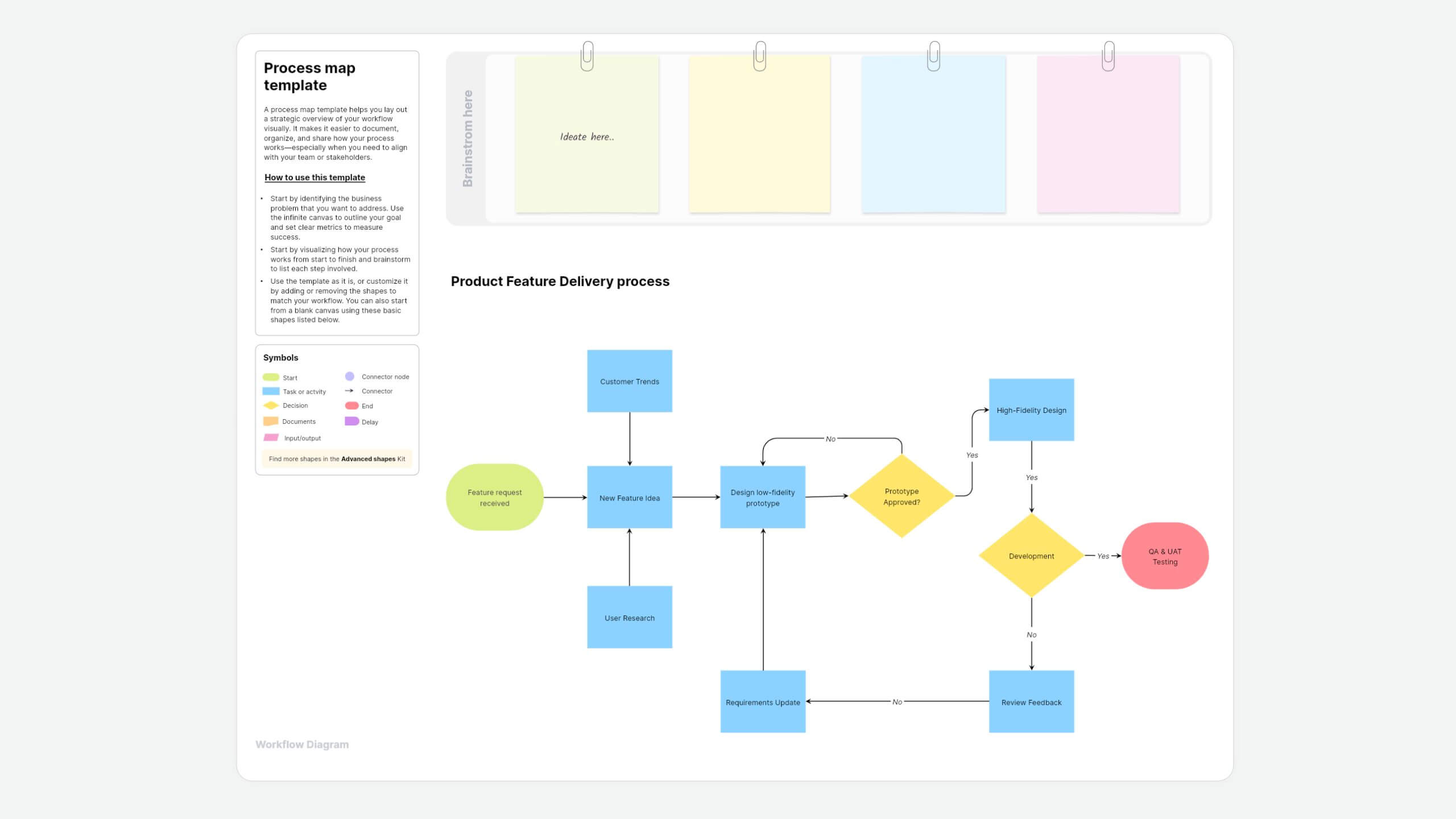
What is a process map template?
A process map template helps you lay out a strategic overview of your workflow visually. It makes it easier to document, organize, and share how your process works—especially when you need to align with your team or stakeholders.
About Vani's process map template
Vani's process map template gives you a ready-to-use layout with built-in shapes, so you don't have to start from scratch. You can drag and drop shapes to customize it based on how your business functions.
How to use this template
- Add the template to your Vani SpaceFind the process map template in the template library and click the Use template button to add it to your Space. If you want to build it from scratch instead, just drag and drop shapes you need.
- Define the objective of your processStart by identifying the business problem that you want to address. Use the infinite canvas to outline your goal and set clear metrics to measure success.
- Visualize your stepsStart by visualizing how your process works from start to finish and brainstorm to list each step involved.
- Build your process mapUse the template as it is, or customize it by adding or removing the shapes to match your workflow. You can also start from a blank canvas using these basic shapes:
- Ovals for the start or end point of your process
- Rectangles for tasks or actions
- Diamonds for decisions (yes/no questions or branches)
- Connectors to show flow and connect steps
- Collaborate and improveInvite your teams or stakeholders to the Space. Use a Catchup to walk through the process together and leave feedback in the comments or on sticky notes. Refine the map based on the input gathered.
- Share your process mapExport your final map as a PNG or PDF or share it via a link with people outside the team.
When to use this process map
A process map is used when a business or an individual needs to make a workflow clear, efficient, and easy to follow. It helps your team stay aligned, reduce confusion, and improve how work gets done.
- Documenting a process: Use the process map to show how a task or the workflow is currently done, step by step.
- Process improvement: Map the current and ideal processes to spot bottlenecks and figure out how to make them better.
- Project planning: Visualize each phase of your project, task dependencies, and who's responsible for what.
- Stakeholder communication: Use a process map to explain complex workflows clearly and align everyone on the same goals, especially across teams.
- Onboarding a new teammate: Give new team members a simple, visual way to understand how your team works from day one.
Why use this process map template in Vani?
- Drag-and-drop shapes: Use advanced shapes to build even complex workflows without the clutter of heavy text documents.
- Built-in diagramming kits: Whether you're mapping a process, designing a system, or planning architecture, Vani gives you flexible diagramming kits to lay things out clearly.
- Real-time collaboration: Whether your team works remotely or hybrid, they can see instant updates in real time, embed links, add comments, and assign tasks without switching tabs.
- Layers: Zoom in, edit, and tweak any part of your map to keep things organized and easy to follow.
- Version history: Track your changes in the process and revert them if needed.
FAQs
A process map is a visual way to show how work gets done. It helps your team see the steps clearly, making it easier to understand and improve the workflow.
With this process map template, you can create basic flow charts, swimlane diagrams, SIPOC diagrams, value stream maps, and decision trees. It's flexible enough to fit whatever process you're mapping.
It's for project managers, business analysts, team leads, HR teams, designers—basically anyone who needs to map out how work gets done.
Yes. With Vani's Flow mode, you can walk your team through each step in a clean, presentation-style format.
You can export your process map as a PNG or PDF. You can also share your Space directly using the external share feature, giving stakeholders permission to view, comment, or edit as needed.