
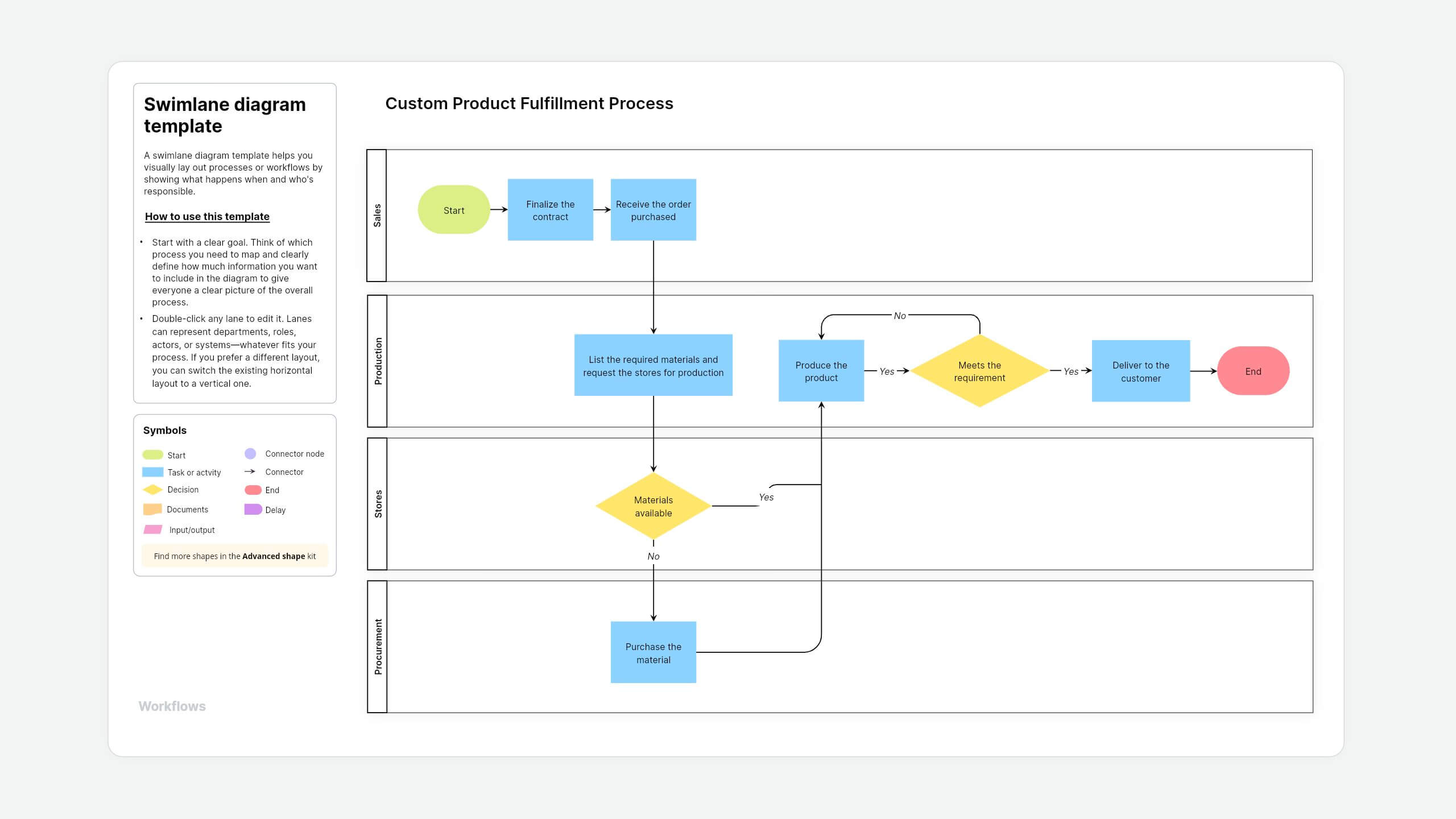
What is a swimlane diagram template?
A swimlane diagram template helps you visually lay out processes or workflows by showing what happens when and who's responsible. A swimlane diagram holds an important key feature called lanes, where each lane represents a team, department, role, or system in a process by organizing the activities in horizontal or vertical format.
About Vani's swimlane diagram template
Vani's swimlane diagram template gives you a ready-to-use layout with built-in shapes, so you don't have to start from scratch. You can drag and drop shapes to customize them based on your organizational requirements.
How to use this template
- Add the template to your Vani SpaceFind the swimlane diagram in the template library and click the Use template button to add it to your Space. If you want to build it from scratch instead, just drag and drop the shapes you need.
- Define your objectivesStart with a clear goal. Think of which process you need to map and clearly define how much information you want to include in the diagram to give everyone a clear picture of the overall process.
Example: If you want to create a swimlane diagram for new product development, you can highlight the responsible stakeholders in the respective lanes, such as marketing, sales, finance, product management, and operations teams.
- Customize the swimlanesDouble-click any lane to edit it. Lanes can represent departments, roles, actors, or systems—whatever fits your process. If you prefer a different layout, you can switch the existing horizontal layout to a vertical one.
- Map the processUse the template as it is, or customize it by adding or removing shapes to match your workflow in the infinite canvas. Here are some helpful shapes to use in your swimlane diagram:
- Rectangles for actions or tasks
- Connectors to connect actions and show flow and dependencies
- Diamonds for decisions (yes/no questions or branches)
- Collaborate and improveInvite teams or stakeholders to the Space. Use a Catchup to walk through the diagram together. Ask the team to leave feedback in the comments or on sticky notes and refine the map based on the input gathered.
- Share your process mapOnce you're ready, export your diagram as a PNG or PDF document or share a link with people outside the team.
When to use this swimlane diagram
Use a swimlane diagram when you need to map out a process that involves multiple people, teams, or systems. It helps show who's responsible for each step and how tasks move across functions.
- Project management: Outline your tasks, phases, and inter-team coordination across a project using this swimlane diagram. Example: For a new marketing campaign that involves marketing, sales, creative, legal, and digital teams.
- Workflow optimization: Spot bottlenecks, delays, or hand-off issues that slow down your process. This helps teams streamline operations and work efficiently.
- Process mapping: Standardize your workflow and document who owns what, making it clear to everyone in the project and reducing overlap.
- Service design or UX flows: Show how customer actions trigger internal steps across different teams in the organization. Example: When a user signs up, it triggers the email system, then it flags support and adds the user to the CRM.
- Improving communication: The swimlane diagram gives you a clear visual representation of how multiple parties fit into the bigger picture, fostering communication and collaboration across teams.
- Customer service: Visually map how customer inquiries move through different departments. This can help you improve response times and overall service quality.
Why use this swimlane diagram template in Vani?
- Drag-and-drop shapes: Use advanced shapes to build even complex workflows without the clutter of heavy text documents.
- Real-time collaboration: Whether your team works remotely or hybrid, they can see instant updates in real time, embed links, add comments, and assign tasks without switching tabs.
- Layers: Zoom in, edit, and tweak any part of your map to keep things organized and easy to follow.
- Document the process: Use Frames to map the process and export them as PDFs or PNGs.
- Version history: Track your changes in the process and revert them if needed.