- HOME
- Technology & Trends
- How to plan a social media campaign visually: A complete guide for marketing teams
How to plan a social media campaign visually: A complete guide for marketing teams
- Last Updated : July 1, 2026
- 72 Views
- 7 Min Read

Every polished social media campaign has a messy backstage.
The carousel looks sharp. The caption feels effortless. The post goes live on time. But behind the scenes, the brief is in one document, creative references are saved as screenshots, copy drafts sit in separate files, and feedback comes through chat, email, and meetings. The publishing calendar shows what goes out and when, but not how everything connects.
Social Media Day is a good reminder that great campaigns are not built only at the moment of publishing. They are built through shared context: the strategy, ideas, assets, feedback, and approvals that help every post support the same story.
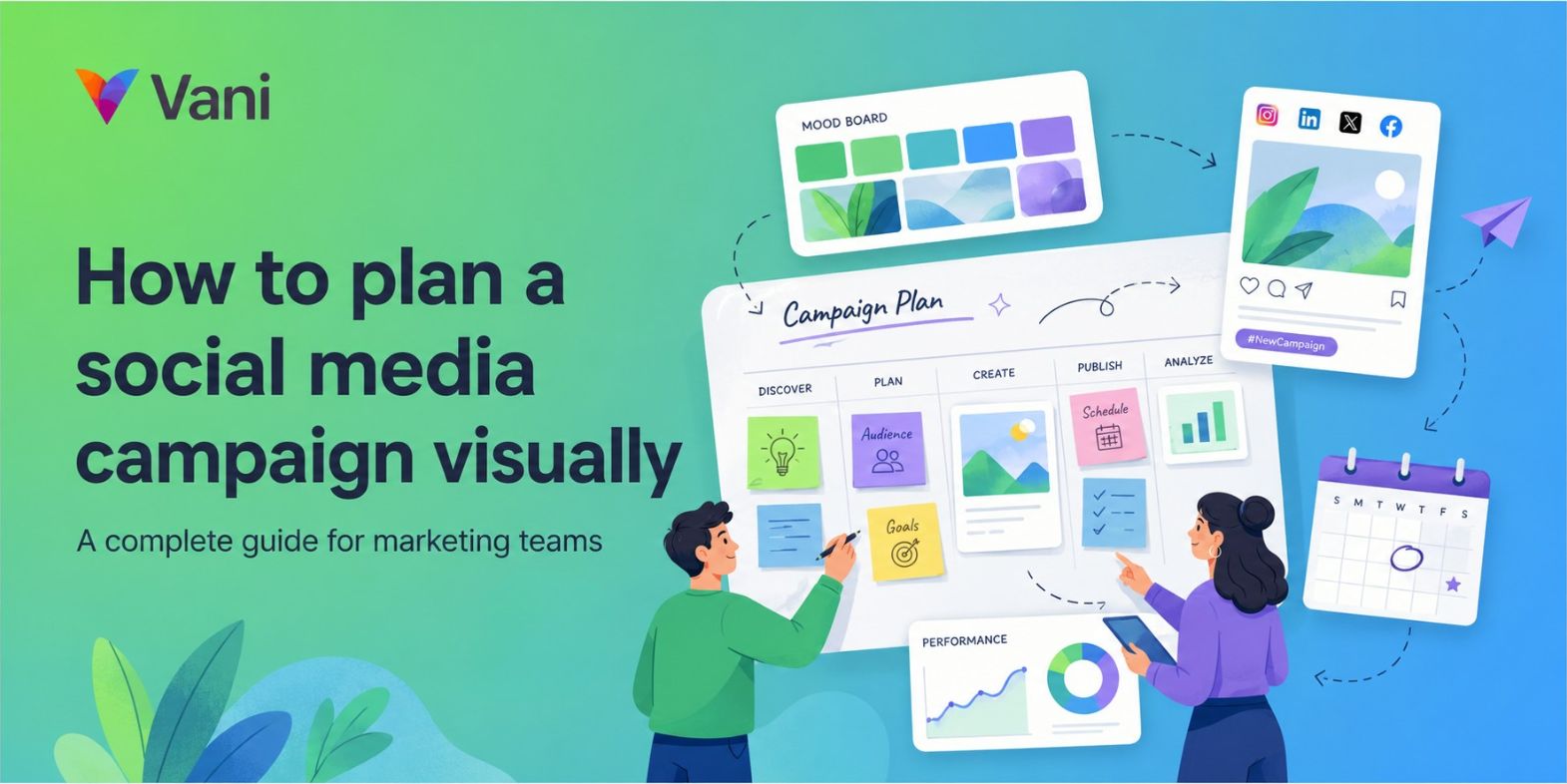
That's where visual social media campaign planning helps. Instead of treating a campaign as a list of isolated posts, visual planning brings the message, creative direction, platform-specific assets, feedback, and campaign journey into one connected canvas before anything goes live.
What is visual social media campaign planning?
Visual social media campaign planning is the process of organizing campaign strategy, creative assets, feedback, approvals, and content flow inside a shared visual workspace rather than across disconnected documents, folders, spreadsheets, and calendars.
A traditional content calendar tells a team when to publish. A visual campaign plan shows why the campaign exists, how each asset connects to the strategy, and what the audience will experience across every touchpoint.
For marketing teams where writers, designers, social media managers, product marketers, and stakeholders all contribute to the same initiative, visual planning creates shared context. Everyone can see the same campaign, understand the same direction, and contribute at the right stage without waiting for a meeting or searching for the latest file.
Instead of asking what needs to be posted each week, teams can ask stronger questions: Does this asset support the campaign message? Does this sequence build interest before the main announcement? Is the creative direction consistent across platforms?
Why a content calendar isn't enough
Content calendars help teams manage publishing schedules, track deadlines, and coordinate posts across channels. But a calendar mostly answers one question: when will this content go live?
It doesn't show how the creative direction was chosen, what feedback shaped the final version, or how individual posts contribute to the larger campaign narrative. When teams rely only on calendars, campaign planning becomes too focused on scheduling and not focused enough on storytelling. Posts may go out on time, but the campaign can still feel disconnected.
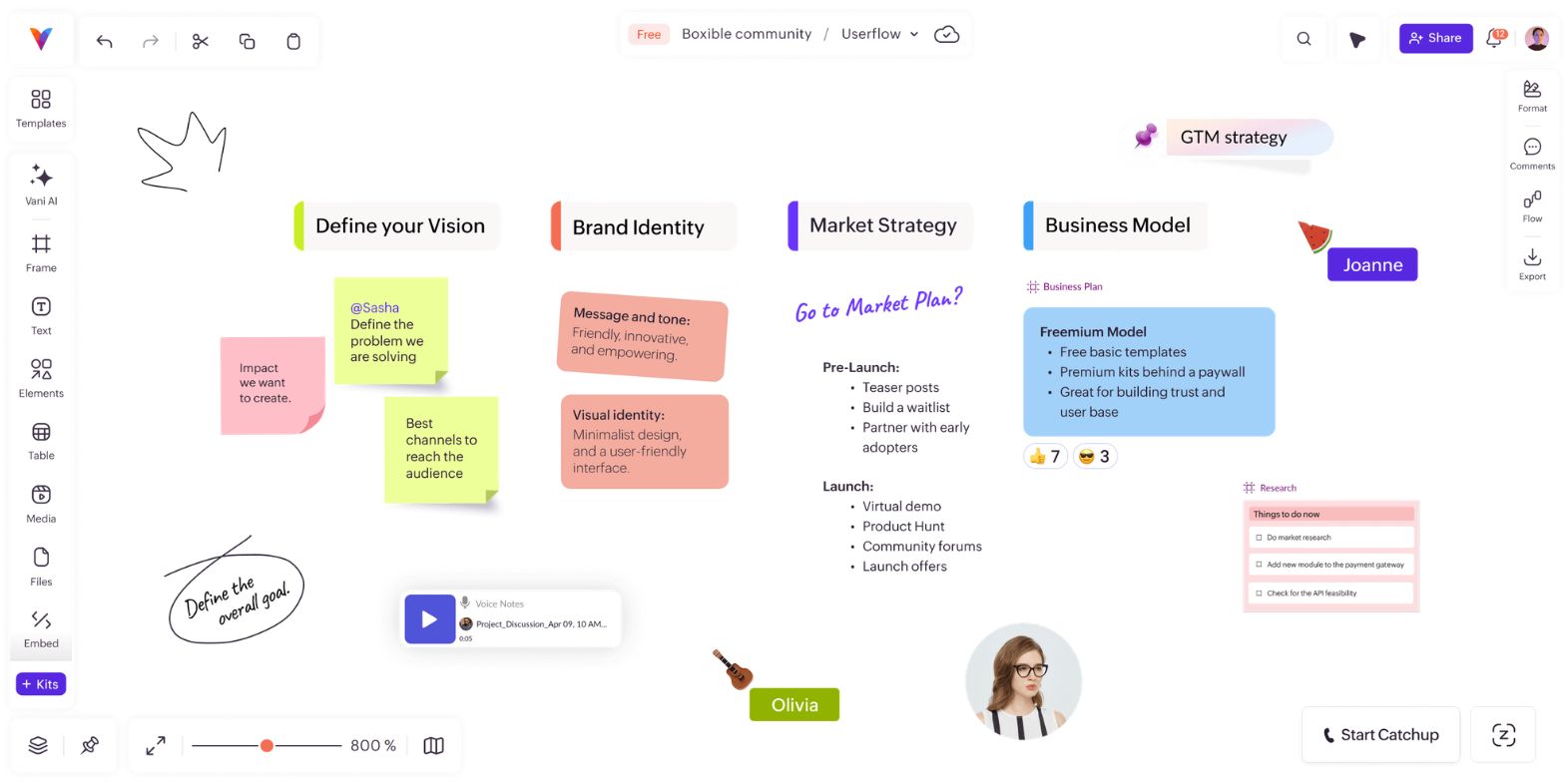
Visual planning fills that gap. It helps teams see the campaign before it goes live, compare assets, check the content sequence, and identify gaps that are easy to miss in a calendar view.
The VCAP framework: A visual approach to campaign planning
The VCAP framework (visualize, create, align, and publish) gives teams a repeatable structure for planning social media campaigns visually:
Visualize: Establish the campaign direction through mood boards, references, and audience insight before any content is created.
Create: Build platform-specific assets inside a shared canvas where they can be compared, refined, and reviewed in context.
Align: Map the campaign journey, organize work by stage, and collect feedback where the content lives.
Publish: Confirm every asset is connected to the campaign strategy before going live, and capture learnings for the next campaign.
Each stage builds on the last. Because the work stays in one central planning space throughout, nothing gets lost between steps.
Step 1: Visualize: Build a campaign mood board before writing a brief
Before content creation begins, teams need a way to explore inputs and establish a shared creative direction. A campaign mood board provides that foundation.
Mood boards can include screenshots, design references, audience insights, campaign themes, headline concepts, product visuals, and customer quotes. Bringing these together helps teams align on tone, style, and message before investing time in final assets.
This matters because briefs alone often struggle to capture creative direction. A brief explains the goal, audience, and timeline. A mood board shows the energy, tone, and visual world the campaign should inhabit.
When writers, designers, and stakeholders can see the same references, alignment happens earlier. A visual workspace like Vani gives teams one place to collect campaign references, organize ideas, and build a shared creative direction before production begins.
Step 2: Create: Build and compare platform-specific assets side by side
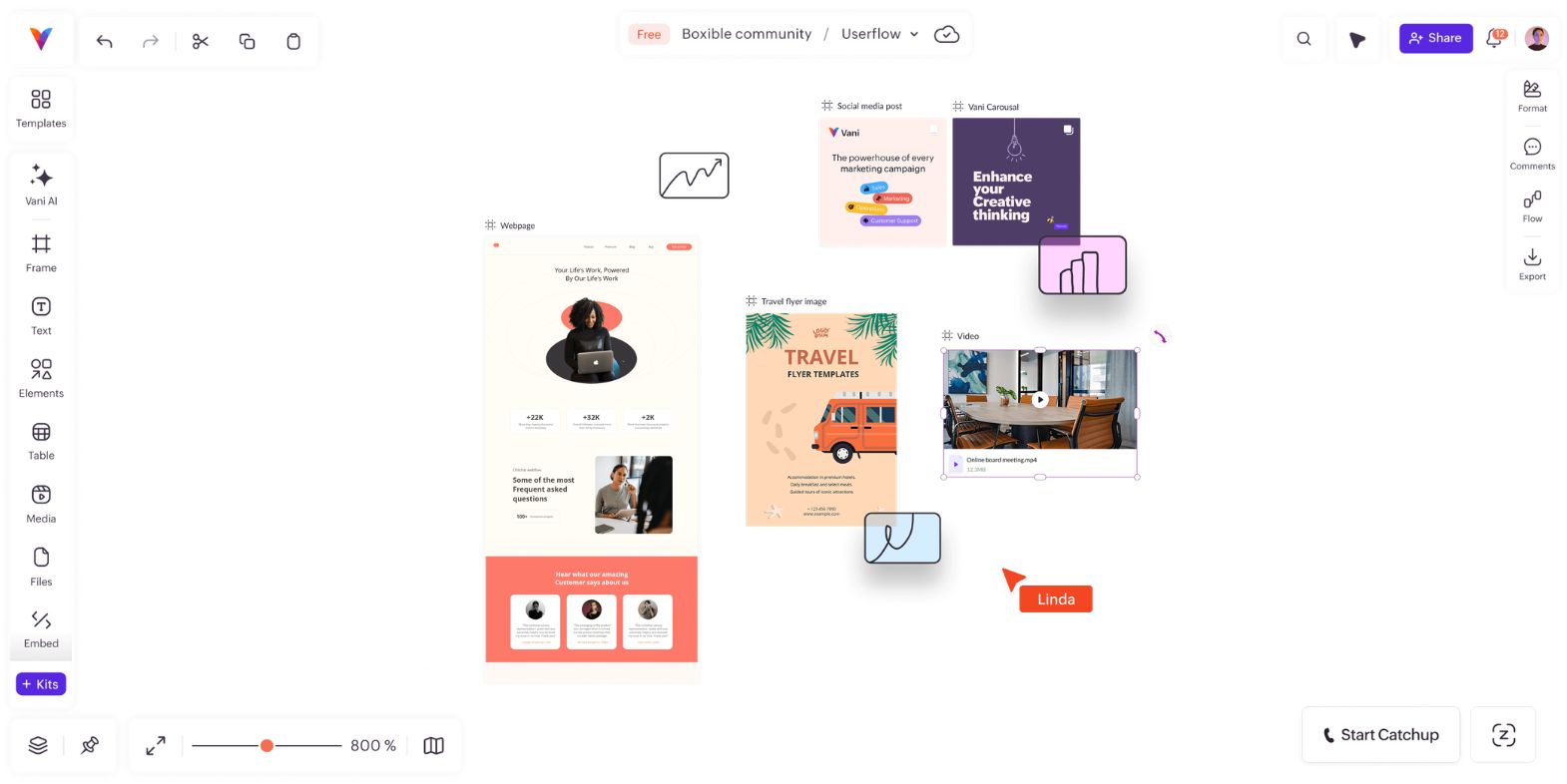
One initiative may require Instagram posts, LinkedIn updates, Stories, YouTube thumbnails, banner graphics, and ad variations. Each format needs to feel native to its platform, but all of them should belong to the same campaign.
When assets are reviewed in isolation, inconsistencies in messaging, tone, and visual direction can go unnoticed. A LinkedIn creative may communicate a slightly different message from its Instagram counterpart. A Story slide may use a tone that does not match the main campaign idea.
By placing platform-specific creatives side by side, teams can compare variations, refine messaging, and confirm consistency across channels. The question shifts from whether an asset looks good to whether it strengthens the campaign as a whole.
Social media Kits in Vani provide platform-ready layouts that help teams create content efficiently while keeping every asset tied to the larger campaign vision without jumping between separate tools and files.
Step 3: Align: Map the campaign journey and organize by stage
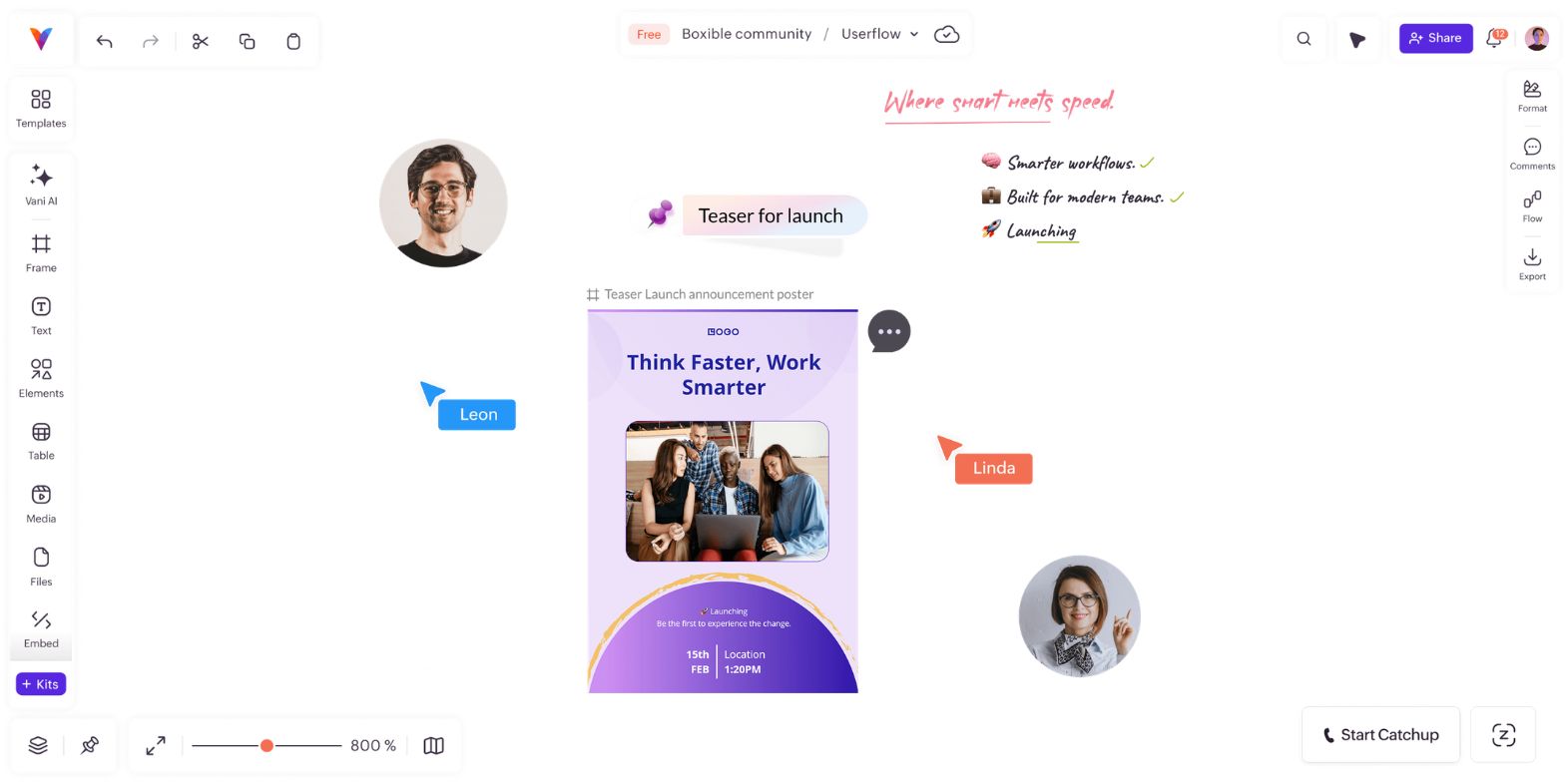
Audiences experience campaigns through a sequence of moments, not a spreadsheet. Mapping the content journey before reviewing individual assets helps teams identify gaps, avoid repetition, and make sure each post has a clear role in the narrative.
A product launch campaign might follow this flow:
Teaser > Product reveal > Feature highlight > Customer proof > Webinar invitation > Launch-day post > Follow-up education
With Flow in Vani, teams can connect campaign assets and visualize how messages progress from one stage to the next, making it easier to answer questions before launch: Are we building enough interest before the main announcement? Is there enough proof before the call to action?
As campaigns grow, organizing work visually by stage, platform, or approval status helps teams maintain clarity. Zones in Vani allow teams to group inspiration, drafts, feedback, and launch-ready assets on the same campaign board without losing track of where things stand.
Keeping feedback connected to the content also matters. When comments, notes, and mentions stay attached to the relevant assets, designers, writers, and stakeholders can understand the reasoning behind changes without reconstructing conversations across multiple tools. Vani supports this through comments, mentions, sticky notes, and Vani Meet, allowing teams to collaborate asynchronously while preserving context throughout the review process.
Step 4: Publish: Prepare for launch with full campaign visibility
Launch preparation is easier when the campaign has been planned visually from the beginning. Teams can review the mood board, check the campaign journey, compare platform assets, confirm approvals, and verify that every creative is connected to the campaign goal, all without opening separate files or asking for a status update.
If an asset feels off, the team can compare it against the original creative direction. If a message feels repetitive, they can revisit the campaign flow. If a stakeholder needs context, they can open the campaign board instead of asking for a separate explanation.
Visual social media campaign planning checklist
A complete visual social media campaign plan typically includes:
Campaign goal and target audience
Core message or campaign theme
Mood board with references and creative inspiration
Content pillars or key talking points
Platform-specific asset list
Draft creatives and copy notes
Campaign journey or content flow map
Review comments and stakeholder feedback
Approval status for each asset
Launch-ready creatives
Publishing timeline
Post-campaign notes and learnings
How Vani supports visual social media campaign planning
Vani gives marketing teams a shared visual workspace to plan, create, organize, review, and launch social media campaigns. Teams can collect inspiration on an infinite canvas, create platform-specific content using social media Kits, organize work with Zones, map campaign journeys with Flow, and collaborate through comments, mentions, sticky notes, and Vani Meet.
Whether your team is planning a product launch, event promotion, brand awareness campaign, or ongoing content series, Vani brings the entire workflow into one place so every idea, asset, and decision stays connected from start to launch.
FAQs
What is visual social media campaign planning?
Visual social media campaign planning is the process of organizing campaign ideas, creative references, content assets, feedback, approvals, and publishing flow on a shared visual canvas. Instead of planning through disconnected documents and calendars, teams can see how every part of the campaign connects before it goes live.
How is visual campaign planning different from a content calendar?
A content calendar shows when posts will be published. Visual campaign planning shows the full picture: the campaign message, creative direction, platform assets, feedback history, approval status, and content journey. This makes it easier to spot gaps, maintain consistency, and understand how each post supports the larger campaign strategy.
What should a visual social media campaign plan include?
A visual social media campaign plan should include the campaign goal, target audience, core message, mood board, platform-specific assets, content flow map, review comments, approval status, launch-ready creatives, and publishing timeline. It should help the team understand both what needs to be published and why each piece matters.
How do marketing teams plan a social media campaign visually?
Marketing teams can plan a social media campaign visually by following the VCAP framework: visualize the campaign direction through mood boards and references, create platform-specific assets on a shared canvas, align through journey mapping and contextual feedback, and publish with full visibility into the campaign strategy and approval status.
What is the best tool for visual social media campaign planning?
The best tool for visual social media campaign planning is one that brings strategy, creative assets, feedback, and publishing flow into a single connected workspace. Vani is designed for this, giving marketing teams an infinite canvas to collect inspiration, build and compare platform-specific assets, map campaign journeys with Flow, organize work with Zones, and collaborate through comments, mentions, and Vani Meet.