- HOME
- Work culture
- How teams maintain shared context in visual collaboration
How teams maintain shared context in visual collaboration
- Last Updated : June 4, 2026
- 82 Views
- 13 Min Read

Strong teamwork depends on more than ideas, skills, and tools. It also depends on shared context.
Imagine a product team planning a new feature launch. The designer has the latest wireframes, the product manager knows why priorities changed, the engineer remembers a technical constraint discussed in a meeting, and the stakeholder shared feedback in a chat thread the day before. Everyone is contributing to the same project, but the context behind the work is spread across different places.
When teams work with the same understanding, collaboration becomes clearer, faster, and more aligned. Shared context gives every team member a clear view of the work, the reason behind it, the current status, and the next step. Instead of spending time searching across meetings, documents, chats, and task boards, teams can move forward with confidence because the information they need stays connected.
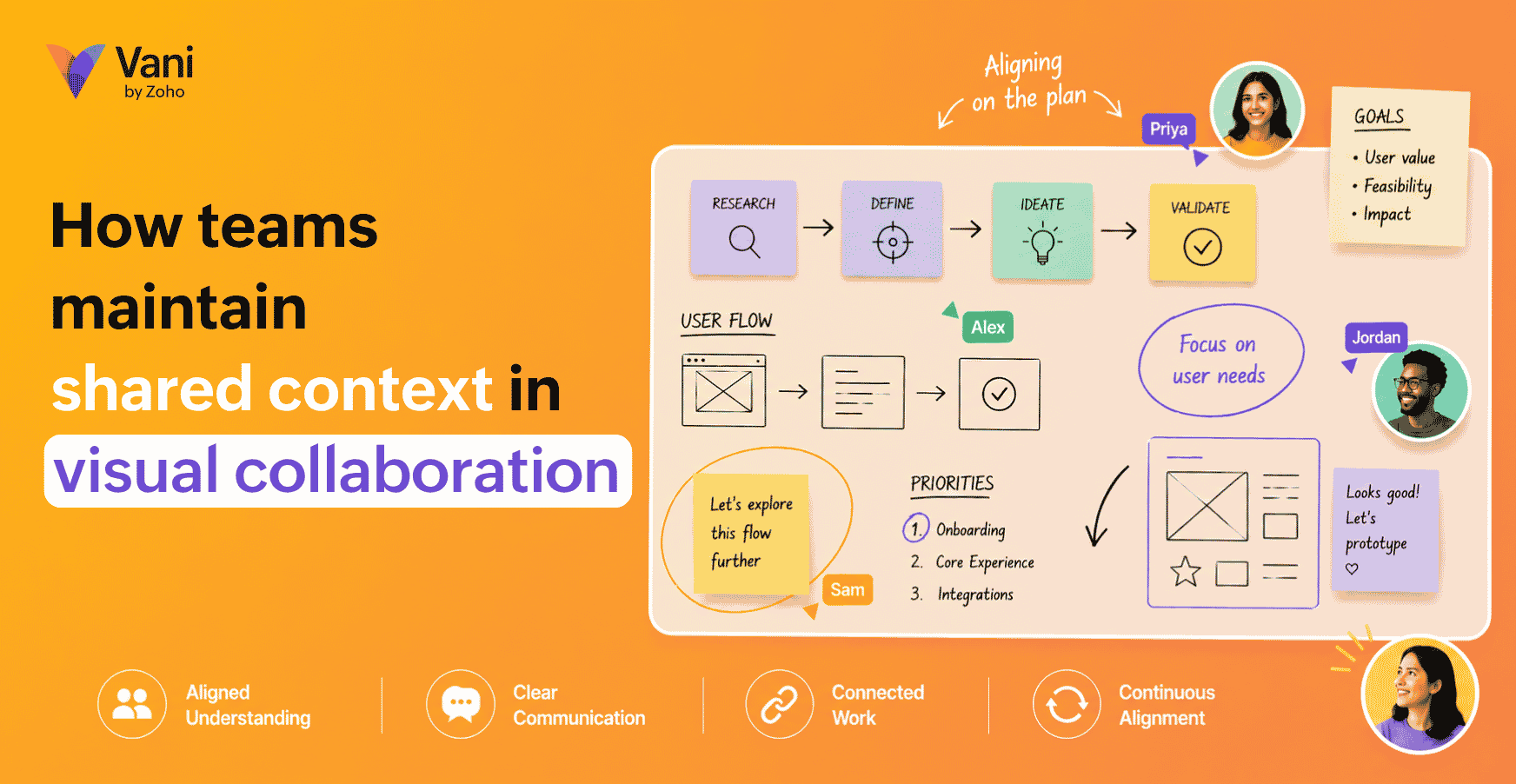
In visual collaboration, this context becomes easier to maintain because the work is not separated from the discussion around it. Ideas, files, comments, decisions, workflows, and action items can stay connected inside one shared visual workspace.
For modern teams, especially hybrid, remote, and cross-functional teams, maintaining shared context is what keeps collaboration clear, continuous, and aligned.
What shared context means in visual collaboration
Shared context is the common understanding a team has about the work they're doing.
It includes the goal, background, constraints, discussions, decisions, responsibilities, and next steps connected to a project. When shared context is strong, team members don't need to constantly ask what changed, where something is stored, or why a decision was made. They can understand the work by looking at the workspace itself.
In visual collaboration, shared context becomes visible. Instead of leaving important information scattered across meetings, documents, chats, and task lists, teams can organize it spatially in a shared workspace. This allows people to see how different parts of the work relate to each other.
For example, a product team planning a new feature can keep user research, problem statements, journey maps, wireframes, technical notes, stakeholder feedback, decisions, and next steps in one visual workspace. A designer can understand the user problem. An engineer can see the technical context. A product manager can track decisions. A stakeholder can review progress without needing a separate explanation.
That's the value of shared context in visual collaboration. It turns collaboration from a collection of disconnected updates into a connected view of the work.
Why teams lose shared context
Most teams lose context because modern work is fragmented.
A single project may involve meetings, chat messages, documents, spreadsheets, design files, project boards, cloud folders, and review calls. Each tool may be useful, but together they can create a broken flow of information.
The problem is that the information is not connected.
Information lives in too many places
When files, feedback, decisions, and tasks are stored across different tools, team members have to reconstruct the project story every time they need an update. This creates unnecessary context switching.
A person may need to check a meeting note to understand the decision, open a project board to see the task, search chat for feedback, and then open a document to find the latest version. By the time they gather the information, they may have already lost time and clarity.
Decisions are separated from the reasoning behind them
Teams often record what was decided but not why it was decided. This becomes a problem later when someone questions the direction or when a new person joins the project.
Without the reasoning, teams may reopen old discussions, repeat debates, or make changes without understanding the original constraints.
Meetings don't always leave a visible trail
Many important conversations happen during calls. However, once the meeting ends, the outcome may not be added back to the workspace.
This creates a gap between discussion and execution. People who attended the meeting may know what happened, but people who missed it may not have enough context to move forward confidently.
Async work creates interpretation gaps
Async collaboration is useful, but it depends heavily on clarity. When people work at different times, they need to understand what changed, why it changed, and what they're expected to do next.
If updates are vague or scattered, async work slows down. People wait for clarification instead of continuing the work.
New contributors join without the full picture
Projects often involve new stakeholders, reviewers, managers, or team members joining midway. If the background isn't easy to understand, the team has to spend time explaining the same context repeatedly.
This slows down onboarding and increases the chance of misalignment.
How visual collaboration protects shared context
Visual collaboration helps teams maintain shared context by placing information, communication, and decisions close to the work. Instead of treating context as something separate that must be searched for, visual collaboration makes it part of the workspace.
Here's how it works.
It brings the full project picture into one workspace
A visual workspace allows teams to combine different types of project information in one place. This can include notes, files, diagrams, links, screenshots, comments, tasks, timelines, and decisions.
The benefit isn't just storage. The benefit is connection.
When information is arranged visually, teams can understand relationships more easily. They can see how research connects to ideas, how ideas become plans, how plans lead to tasks, and how decisions shape the final output.
For example, a marketing team planning a campaign can structure its workspace with sections for:
Campaign goals
The target audience
Messaging ideas
A content plan
Design references
Reviewing feedback
Approval status
A launch checklist
This gives every team member a clear path through the project. Instead of asking where things are, they can follow the structure of the workspace.
It keeps feedback attached to the relevant work
Feedback loses value when it's separated from the content it refers to.
A comment in chat such as “Can we change the second section?” may make sense in the moment, but it becomes unclear later. Which section? Which version? What exactly needs to change?
In a visual collaboration workspace, feedback can sit next to the specific object, note, design, document, or section it refers to. This makes feedback easier to understand and act on.
For example, if a stakeholder wants a change in a landing page flow, they can leave the comment beside the relevant part of the flow. The person making the update doesn't need to guess what the feedback means.
This reduces back-and-forth and makes collaboration more precise.
It makes decision tracking easier
Shared context depends heavily on visible decisions.
A strong visual workspace should show not only the final decision but also the options considered, the discussion around them, and the reason the team chose one direction.
For example, a decision block can include:
Decision made
Reason behind the decision
Alternatives considered
Owner
Date
Status
This is useful because decisions are often revisited. When the reasoning is visible, teams can avoid repeating the same discussions and make future decisions with better understanding.
Decision tracking is especially important for cross-functional teams. Product, design, engineering, marketing, and leadership may all view the same decision from different angles. A shared visual record helps everyone understand the final direction clearly.
It supports both live and async collaboration
Visual collaboration works well because it supports different collaboration styles.
During live collaboration, teams can discuss ideas, move things around, review work, and make decisions together. After the live session, the workspace continues to hold the outcome of that discussion.
During async collaboration, team members can enter the same workspace later, review what changed, read comments, check decisions, and continue from the right point.
This is important because modern teams don't always work at the same time. A good visual workspace gives people enough context to contribute without needing every update to happen in a meeting.
It helps teams move from discussion to action
One of the biggest risks in collaboration is that discussions don't turn into clear next steps.
A visual workspace can prevent this by keeping action items close to the discussion that created them. After a brainstorm, review, planning session, or meeting, teams can add owners, deadlines, and status updates directly inside the workspace.
For example:
Task: Finalize the product launch email copy
Owner: Marketing
Due date: Friday
Status: In progress
Context: Based on the messaging direction approved in the campaign review
This connects the task to the reason behind it. The owner knows what to do and why it matters.
The shared context framework for visual collaboration
To maintain shared context consistently, teams need more than a shared canvas. They need a structure.
A useful visual collaboration workspace should answer five questions.
1. What are we trying to achieve?
Every workspace should begin with the purpose of the work.
This may include the project goal, problem statement, success criteria, target audience, or expected outcome. Without this, the workspace may collect information but fail to give direction.
For example:
“The goal of this workspace is to plan the product launch campaign, align messaging, review creative assets, and track final approvals before launch.”
A clear goal helps everyone understand why the workspace exists.
2. What information do we need?
The next layer is input.
This includes the material that the team needs to understand the work. It may include research, documents, customer insights, screenshots, references, competitor examples, data, or previous discussions.
This section helps the team avoid working from assumptions. It gives everyone access to the same background.
3. What are we discussing or creating?
This is the active work area.
It may include brainstormed ideas, drafts, diagrams, plans, user flows, content outlines, campaign concepts, design options, or process maps.
This section should be easy to review because it's where collaboration happens most actively.
4. What have we decided?
This section captures alignment.
It should include approved directions, rejected options, decision notes, and reasons behind key choices. This prevents the team from losing the thinking behind the work.
A visible decision area also makes it easier for new team members to catch up.
5. What happens next?
This is where context becomes execution.
A next steps section should include owners, timelines, open questions, dependencies, and status updates. This ensures that collaboration doesn't end with discussion.
When these five sections are present, the workspace becomes more than a place to collect ideas. It becomes a reliable source of shared context.
Practical example: Maintaining shared context in a campaign planning workspace
Let's take a simple example of a marketing team planning a product launch campaign.
Without visual collaboration, the work may be scattered like this:
Campaign brief in a document
Audience research in a spreadsheet
Messaging discussion in chat
Creative references in a folder
Review comments in a meeting
Final tasks in a project management tool
Each piece exists, but the full context is hard to see.
In a visual collaboration workspace, the same project can be organized like this:
Campaign goal
The team starts with the objective, target audience, key message, launch date, and success metrics.
Research and references
The team adds customer insights, competitor references, past campaign learnings, and product positioning notes.
Ideas and messaging
The team brainstorms headline options, campaign angles, content themes, and channel ideas.
Creative review
Design references, draft assets, landing page sections, and feedback are placed together so reviewers can comment in context.
Decisions
The final campaign direction, approved messaging, selected channels, and reasons for approval are documented clearly.
Next steps
The team assigns owners for email copy, ad creatives, landing page updates, social posts, review cycles, and launch checks.
This structure helps everyone understand the campaign from strategy to execution. It also allows a new team member or stakeholder to enter the workspace and understand the project without needing a long status call.
Best practices for maintaining shared context in visual collaboration
A visual workspace becomes useful only when it is maintained properly. The goal is to organize the right information in a way that helps people understand and act.
Start with structure before adding content
A blank workspace gives freedom, but it can become messy quickly.
Before adding too much content, create clear sections for goals, inputs, works in progress, feedback, decisions, and next steps. This gives the team a path to follow.
A structured workspace saves time because people know where to place information and where to find it later.
Keep related information close together
The main advantage of visual collaboration is spatial context.
Place information near the work it supports. Research should sit near the idea it influenced. Feedback should sit near the content it refers to. Decisions should sit near the discussion that led to them.
This helps people understand relationships without needing long explanations.
Capture decisions when they happen
Don't wait until the end of a project to document decisions.
When the team chooses a direction, add it to the decision section immediately. Include the reason behind the decision, especially if there were multiple options.
This creates a reliable record that the team can return to later.
Make ownership visible
Context is incomplete without responsibility.
Every next step should have an owner. If a task doesn't have an owner, it's easy for the team to assume someone else is handling it.
Ownership can be simple. The workspace should clearly show who is responsible for what and when it is due.
Summarize important discussions
Live discussions are useful, but they should leave a clear outcome.
After a review, planning session, or brainstorming meeting, add a short summary to the workspace. The summary should include what was discussed, what was decided, what remains open, and what happens next.
This helps people who missed the discussion and prevents the team from losing important context.
Keep the workspace updated
A workspace that isn't updated will eventually stop being trusted.
Teams should remove outdated content, mark completed items, update statuses, and keep decisions current. For active projects, a quick weekly cleanup can make the workspace easier to use.
The workspace should reflect the latest state of the project.
Use the workspace as the source of truth
Visual collaboration works best when the team agrees that the workspace is the main place to understand the project.
This doesn't mean every tool disappears. Teams may still use documents, task tools, cloud storage, or communication apps. However, the visual workspace should connect the most important context so people know where to start.
When the workspace becomes the source of truth, collaboration becomes easier to follow.
How different teams maintain shared context visually
Different teams use visual collaboration in different ways. The underlying goal is the same: keep the work and its context connected.
Product teams
Product teams can use visual collaboration to connect customer problems, research insights, user journeys, feature ideas, design directions, technical constraints, and roadmap decisions.
This helps product managers, designers, engineers, and stakeholders stay aligned throughout the product development process.
Marketing teams
Marketing teams can use visual collaboration to plan campaigns, map content ideas, review creative assets, organize messaging, collect feedback, and track launch tasks.
This helps the team maintain campaign context from strategy to execution.
Design teams
Design teams can use visual collaboration to map user flows, collect references, compare design options, gather stakeholder feedback, and document design decisions.
This makes reviews clearer because feedback stays close to the design being discussed.
Remote and hybrid teams
Remote and hybrid teams can use visual collaboration to reduce dependency on repeated meetings. Team members can review the workspace, understand updates, leave comments, and continue their work asynchronously.
This helps distributed teams maintain alignment even when they're not online at the same time.
Leadership teams
Leadership teams can use visual collaboration to map priorities, review initiatives, connect goals with execution, and understand progress across teams.
This improves visibility and helps leaders make decisions with better context.
How Vani helps teams maintain shared context
Vani helps teams maintain shared context by giving them a shared visual workspace where work, content, conversations, and decisions can stay connected.
Teams can create a Space for a project and organize everything related to that project visually. They can add notes, files, references, diagrams, and other content so the team can understand the work in one place.
Comments help teams leave feedback close to the relevant content. This makes discussions more specific and easier to act on.
Catchups allow teams to start live video discussions directly inside the Space when async collaboration isn't enough. This helps teams discuss work without moving the conversation away from the workspace. Teams can also record sessions for people who missed the call.
Vani AI can help team members quickly understand what's inside a Space by generating structured summaries. This is useful when someone joins a project midway or needs to catch up without going through every element manually.
Teams can also bring external content into the workspace through embeds and uploads, helping them keep references and project material close to the work.
Together, these capabilities help teams reduce scattered communication and maintain a clearer shared understanding from planning to execution.
Common mistakes that weaken shared context
Even with visual collaboration, teams can lose context if the workspace isn't managed well.
Adding content without structure
If everything is placed randomly, the workspace becomes difficult to understand. A visual workspace should have clear sections and a logical flow.
Documenting tasks but not decisions
Tasks show what needs to be done. Decisions explain why the team is doing things. Both are needed for proper context.
Letting feedback live outside the workspace
When feedback remains in chat or separate meeting notes, it becomes harder to connect it to the work. Feedback should be placed near the relevant content whenever possible.
Not updating the workspace after meetings
If a live discussion leads to a decision or task, the outcome should be added back to the workspace. Otherwise, the meeting context is lost.
Treating visual collaboration only as brainstorming
Visual collaboration is useful for brainstorming, but its real value comes when teams use it across the full workflow. It should support planning, discussion, decision-making, execution, and review.
Shared context checklist for visual collaboration
A team has strong shared context when the workspace can answer these questions clearly:
What's the goal of this project?
What information or references support the work?
What's currently being discussed or created?
What feedback has been shared?
What decisions have been made?
Why were those decisions made?
What tasks are still open?
Who owns each task?
What is the latest status?
What should happen next?
If the workspace answers these questions, team members can collaborate with less confusion and more confidence.
Conclusion
Shared context is what helps teams work with the same understanding. Without it, information gets scattered, decisions become unclear, feedback loses meaning, and people spend more time asking for updates than moving work forward.
Visual collaboration helps teams maintain shared context by keeping goals, information, discussions, feedback, decisions, and next steps connected in one shared workspace. It allows teams to see the full picture, understand how work is progressing, and continue collaboration across live and async moments.
For modern teams, visual collaboration is a better way to preserve the context behind the work, so every team member can understand, contribute, and move forward with clarity.
FAQs
What is shared context in visual collaboration?
Shared context in visual collaboration is the common understanding a team has about a project inside a shared visual workspace. It includes the goal, background, discussions, decisions, feedback, responsibilities, and next steps connected to the work.
Why is shared context important for teams?
Shared context helps teams avoid confusion, reduce repeated explanations, make better decisions, and stay aligned. It's especially important for hybrid, remote, and cross-functional teams.
How does visual collaboration help maintain shared context?
Visual collaboration helps maintain shared context by keeping information, conversations, feedback, decisions, and tasks connected in one workspace. This makes it easier for team members to understand the full picture of the work.
What should a visual collaboration workspace include?
A visual collaboration workspace should include the project goal, background information, references, active work, feedback, decisions, task owners, deadlines, and next steps.
How can remote teams maintain shared context?
Remote teams can maintain shared context by using a shared workspace, documenting decisions, summarizing discussions, keeping feedback close to the work, and making owners and next steps visible.
What is the best way to avoid context loss in collaboration?
The best way to avoid context loss is to make the shared workspace the source of truth. Teams should keep key information, decisions, and updates visible and regularly reviewed.