- HOME
- Work culture
- Turning notes into an action plan
Turning notes into an action plan
- Last Updated : June 23, 2026
- 56 Views
- 7 Min Read

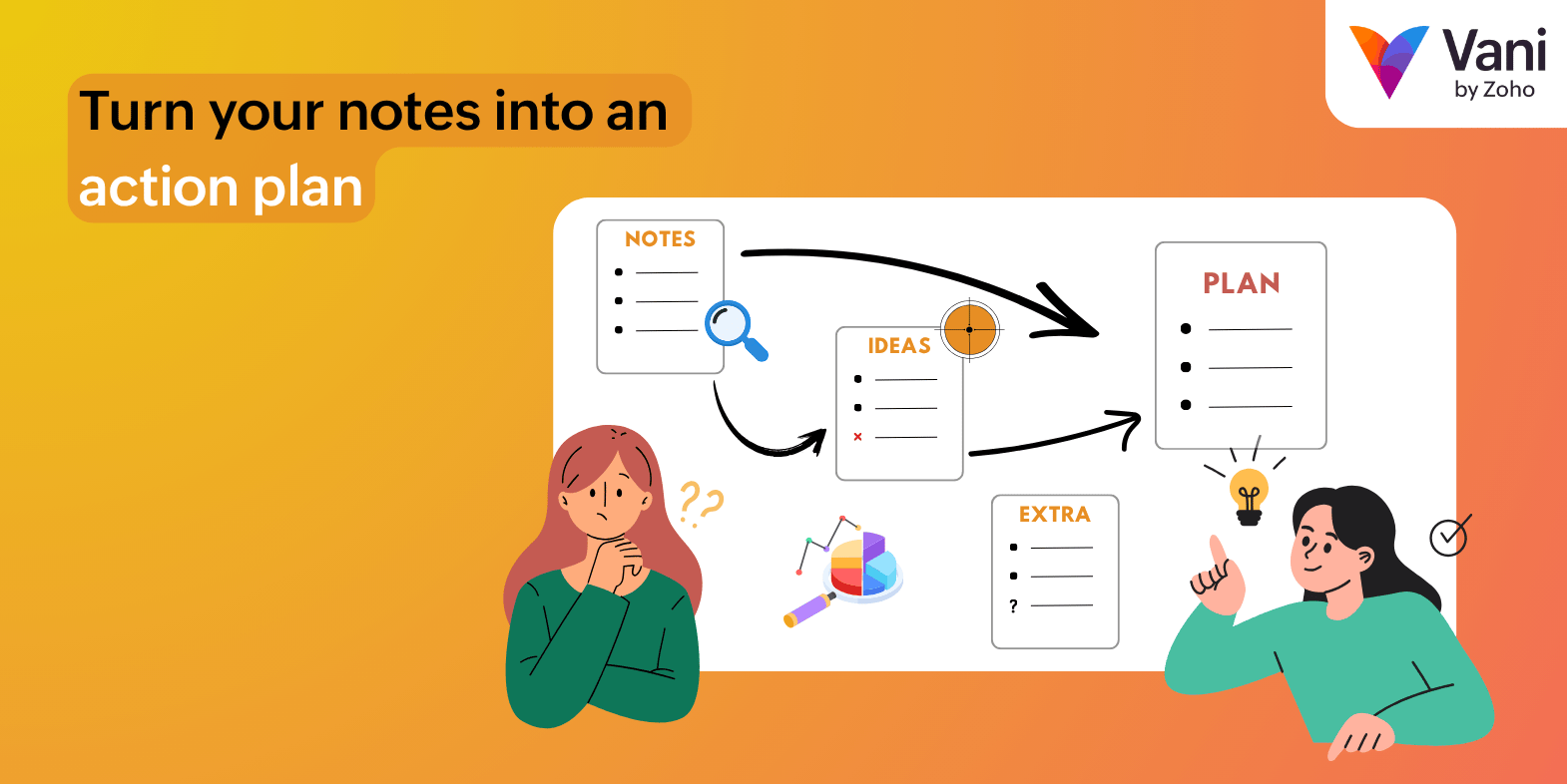
We've made comparisons between traditional meetings and visual collaboration before, and the pattern is clear: decisions drift, context gets scattered, conversations get repeated, ownership becomes less clear, and momentum fades between meetings when work depends on the next scheduled discussion. If you're working with hybrid or distributed teams, that gap gets even worse (but you can always streamline it with a specialized planning style).
Within all of this, project notes can get lost in the daily flow of workplace interruptions. Making them actionable—and not scattered in ten different notebooks—takes a plan.
A workable plan usually needs five things:
A clear goal
Grouped scope
Visible dependencies
Named owners
A simple way to review progress
Those are things plain notes don't tend to have. Those notes still matter, but you need a whiteboard to make the shift from context to action.
Vani is built around that transition, letting you and your team go from visualizing to collaborating to executing. That's exactly why our product and template design center on structure, sequencing, and follow-through.
The whiteboard becomes useful when it's not just a canvas for thinking but a workspace for organizing, prioritizing, presenting, and handing work off. That's the lane we’re trying to occupy.
The different ways Vani lets you whiteboard a project
One of the more practical things about Vani is that it doesn't force every project into one format. You can whiteboard a project in different modes depending on the maturity of the work.
For a raw capture: Vani gives you text boxes, headings, bullet lists, numbered lists, and clickable checklists right inside the Space. That means your team doesn't have to start with a meeting note doc and later try to visualize it and flesh it out. In Vani, structured writing can live on the board while the meeting goes on.
For faster idea captures: Vani supports sticky notes, and its pages position them for everything from quick feedback to polls, task boards, and lightweight task lists. Voice notes are handy when somebody can explain a nuance faster than they can type it. Media like images, videos, audio clips, and voice notes can be stored in a shared media library and reused across Zones.
For structured thinking: Vani supports flowcharts, mind maps, connectors, shapes, tables, Frames, and Zones. Connectors stay attached when objects move, helping you map dependencies or processes when you don't want your logic falling apart because somebody rearrange d. Tables help organize information, while Frames help bundle related content so it moves as one unit.
For guided planning: Vani has prebuilt templates across strategy and planning, brainstorming, research and ideation, project planning, meetings, and workflows. It also offers Kits, which are customizable sets of tools, templates, and layouts that can tailor the toolbar for diagramming, marketing, design, business, and other types of work. Be as generic or purpose-built as you need.
For live collaboration: Vani’s Meet feature let teammates start audio or video directly inside a Space. The video tiles can be moved, resized, and placed anywhere on the canvas, and you can follow a teammate’s cursor during a Meet to see exactly what they're talking about .
For asynchronous collaboration: Comments, emoji reactions, mentions, and copied links to specific pins, comments, objects, frames, or locations let people respond without restarting the whole meeting. Mentions trigger in-app and email notifications, and emoji reactions can double as lightweight voting.
Walking through an action plan
So, how would you actually use Vani without turning the board into a mess of unfinished thoughts? Here’s a quick look:
A Space and a question: Try one question alone from start to finish. Something like: What are we shipping? What function is slowing us down? What needs approving? Vani’s Spaces are designed as the main collaboration hub, and the template library is wide enough that you can start with a blank Space or a structure that fits the session.
Bring in the raw material: If the notes already live somewhere else, don't manually recreate them just to prove your commitment to inefficiency . Vani lets you upload documents, spreadsheets, presentations, diagrams, and other files directly into a Space, including files from Zoho WorkDrive or OneDrive. It can also embed content from tools like Google Workspace, Microsoft 365, Figma, Excalidraw, Atlassian apps, YouTube, and more. If your older boards live in Miro or Jamboard, Vani documents import paths for those, too.
Separate thinking by stage or intent: Use Zones to split work as it progresses and Frames to group related content inside a Zone. That means one Zone for one specific thing, like raw/rough notes, primary approval, or stakeholder overview.
Convert raw notes into visual logic: Use a mind map when you need to break down themes or scope. Use a flowchart when you need to define sequence, conditions, or hand-offs. Use connectors when relationships matter. Use tables when you need the boring but important things—status, owners, dates, assumptions—to sit in a cleaner structure. Vani AI can help here as well: it can generate mind maps, flowcharts, written content, and summaries directly inside the Space. Additionally, Vani MCP lets you use other AI and MCP clients to create kanban boards, risk heat maps, SWOT canvasses, and more using Vani’s native prompting templates.
Move from just an idea to the next step: Vani’s agile board template supports task cards that can move across workflow columns, with teams updating task details and progress in real time. The retrospective templates go a step further by explicitly turning prioritized actions into task cards with owners, timelines, and statuses like To Do, In Progress, and Done. If you want something lighter than a board, Vani text blocks also support clickable checklists.
Obviously, you can take whatever path you want from whiteboard to actual work, but it usually starts like this and ends with shipping a finalized set of data to the rest of your peers in several ways. A Flow lets you guide people through the board in sequence, teammates can jump to important spots with Pins, or you can export frames or custom areas as PNGs or PDFs. Vani can even be embedded into other tools, including Zoho Show. If the work needs formal project tracking, Vani can also be associated with projects, tasks, phases, and issues in Zoho Projects, so the visual context stays connected to execution.
What makes the final plan air-tight
A board becomes an efficient plan when it reduces explanation work.
When it comes to actual practice, this usually means keeping the discoveries separate from approved actions. Vani’s many Zones are especially useful here because each Zone can represent a different stage of the project, and access can be restricted per Zone when different teams or external collaborators should only see specific sections.
It also means making navigation clean. Vani lets you pin important areas, copy links to exact locations or selections, and search for a Space, Zone, Frame, or even text inside your Spaces. Remember: a plan nobody can find is just a decorative element.
Readable plans also mean a clear line between ongoing discussions and finalized decisions.
Comments are great for threaded feedback without interrupting the content itself. Mentions help call in the right person when needed. Reactions can handle lightweight voting. Once something becomes real work, move it into a checklist, task card, table, or agile board lane so ownership and progress become visible. (That's not a Vani-only truth; it's just good team practice.)
There is also a small but important governance point. Voice notes and other media can be beneficial for context, and Vani stores them in the media library for reuse across Zones. But voice notes added to the media library are accessible to others in the Space unless you remove them, and all uploaded files remain accessible to members who have access to that Space. So if your board contains sensitive project thinking, use permissions and Zone access deliberately rather than assuming the canvas will govern itself.
Where all this fits
Let’s be clear for a moment: a whiteboard is not automatically a project’s operating system. Different departments have different needs, and Vani helps you out when you're working on that actionable plan:
For more formal governance-related tasks involving financial and/or legal planning, the more credible setup is to use Vani for shared thinking and planning, then keep that context connected to Zoho Projects where needed.
There’s always a high rate of disparate items making their rounds in a design team’s hub of activities. This is where Vani’s MCP-enabled functions can help bring out cleaner kanban boards or SWOT analyses to make sense of what needs to be done.
Marketing operations have to be adjusted according to the scale of the campaign, and you're generally already working with multiple types of collaterals. Having dedicated Spaces for each type of collateral and letting the rest of your peers help out with a well-planned Flow enables quicker delivery.
Wrapping all these up
If your team already takes a great deal of notes but still struggles to move, the missing ingredient is probably a better way to hold context, organize it, and turn it into visible next steps.
That's where Vani by Zoho is useful. It gives you multiple ways to whiteboard a project so the board can evolve from an idea space into an action space without losing the story in between.
If that sounds closer to how you want your team to actually work, it may be worth exploring Vani and seeing whether your next set of meeting notes can become something better than a polite archive—ideally, a plan, one that nobody has to loop back constantly to decode later. Start turning your notes into actual workhorse with Vani!