- HOME
- Technology & Trends
- 8 best online whiteboard tools in 2026 for modern teams
8 best online whiteboard tools in 2026 for modern teams
- Last Updated : April 30, 2026
- 627 Views
- 9 Min Read

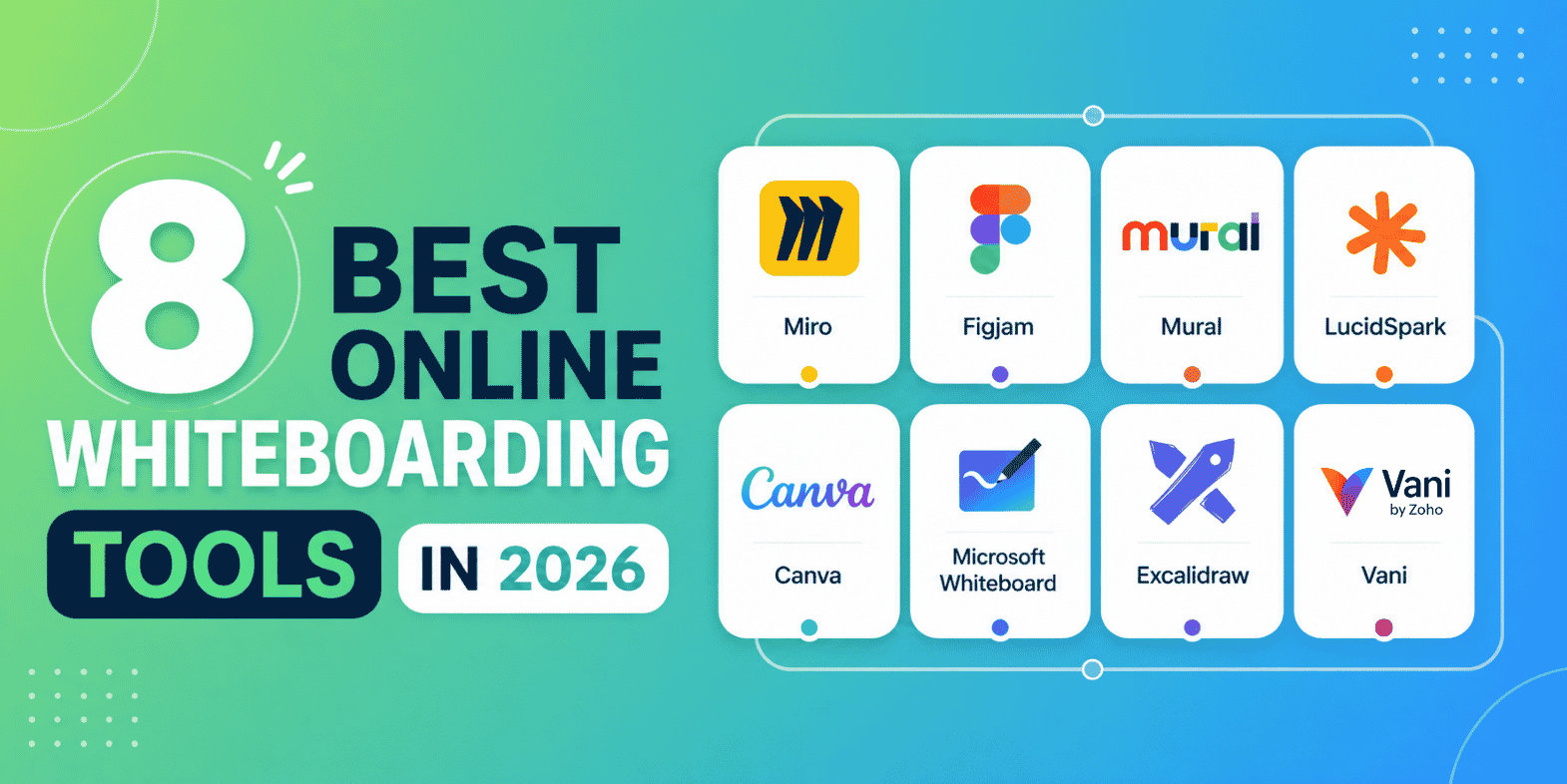
Online whiteboards have become a central part of how modern teams collaborate and get work done. What began as a simple digital alternative to physical whiteboards has evolved into a much more capable workspace where teams can think, organize, discuss, and execute ideas together. As teams become more distributed and workflows become more complex, the importance of having a shared visual workspace has increased significantly.
In 2026, choosing an online whiteboard is no longer just about selecting a tool for brainstorming; it's about choosing a platform that supports how your team works on a daily basis. Teams now expect their whiteboard to not only capture ideas but also help structure them, keep discussions connected, and carry work forward without unnecessary friction. This shift has changed how these tools should be evaluated.
This blog post is designed to help you make that decision with clarity. It explains the features that truly matter in a modern online whiteboard and provides a detailed look at the leading tools available today, along with where each one fits best.
What defines a high-quality online whiteboard in 2026
A high-quality online whiteboard is not defined by the number of features it offers but by how effectively those features support real workflows. Teams don't operate in isolated sessions anymore. Ideas are discussed, refined, revisited, and eventually turned into actionable outcomes. A whiteboard that only supports one part of this process forces teams to switch tools, which leads to duplication of effort and loss of context.
The best tools in 2026 reduce this fragmentation. They provide a continuous environment where ideas can be captured, structured, and developed further without interruption. This continuity is what makes a whiteboard truly valuable as it allows teams to move from thinking to execution without breaking their flow.
Another important aspect is clarity. As boards grow in size and complexity, they should remain easy to understand and navigate. A well-designed whiteboard helps teams organize information in a way that is visually clear and logically structured, even when multiple contributors are involved. This ensures that the board remains useful over time rather than becoming cluttered and difficult to use.
Finally, the experience should feel intuitive. Teams should be able to focus on their work without spending time figuring out how the tool works. The best whiteboards adapt to different working styles, whether it's free-form brainstorming, structured planning, or a combination of both.
Key features to look for in an online whiteboard
Before comparing tools, it's important to understand the features that have a direct impact on usability and long-term value.
Real-time and asynchronous collaboration
Collaboration is at the core of any whiteboard tool, but in 2026 it needs to support more than just live interaction. Teams often work across different time zones and schedules, which means collaboration must continue beyond meetings.
Real-time collaboration allows teams to brainstorm, discuss, and make decisions together. Changes should be visible instantly, and interactions should feel smooth and responsive. This is especially important during workshops and strategy sessions where alignment needs to happen quickly.
At the same time, asynchronous collaboration ensures that work doesn't stop once the meeting ends. Team members should be able to revisit the board, understand the context, and contribute without needing a live session. This makes the whiteboard a continuous workspace rather than a one-time meeting tool.
Infinite canvas with structured organization
The infinite canvas is one of the most powerful aspects of online whiteboards because it removes the limitations of physical space and allows teams to explore ideas freely. This is particularly useful for complex workflows, large projects, and detailed diagrams.
However, an infinite canvas without structure can quickly become overwhelming. As more content is added, it becomes difficult to navigate and understand the board. This is why organization is just as important as flexibility.
The best tools provide ways to structure content through sections, zones, grouping, or visual hierarchies. This helps teams maintain clarity and ensures that information is easy to find and interpret, even as the board grows over time.
Moving from ideation to execution
One of the biggest challenges teams face is transitioning from brainstorming to execution. Many whiteboard tools are effective for generating ideas, but they don't support what comes next. As a result, teams often move their work into other tools, which creates friction and disrupts continuity.
A strong whiteboard reduces this gap by allowing teams to continue working within the same environment. This may involve organizing ideas into actionable steps, defining workflows, or tracking progress directly on the board.
When this capability is present, the whiteboard becomes more than a place to think; it becomes a space where work is actively developed and executed.
Built-in communication and context
Collaboration isn't just about adding content to a board; it also involves discussions, feedback, and decisions that shape the work. When these conversations happen outside the whiteboard, teams lose context and clarity.
Whiteboards that support contextual communication, such as comments and mentions, help keep everything connected. Discussions remain tied to specific elements on the board, making it easier to understand why decisions were made and how they relate to the work.
This reduces the need to switch between tools and ensures that important information is not lost.
Templates and workflow support
Templates are useful for getting started quickly, but their real value lies in how they guide workflows. A good template does more than organize content; it helps teams move through a process in a structured way.
For example, a brainstorming template shouldn't only capture ideas; it should also help group them, prioritize them, and move toward decisions. This ensures that sessions lead to meaningful outcomes rather than ending with unstructured notes.
Templates that support workflows improve efficiency and help teams stay focused on their objectives.
AI-assisted features
AI is becoming an increasingly important part of modern whiteboard tools. As boards grow larger, reviewing and organizing content manually becomes time consuming.
AI can assist by summarizing discussions, grouping related ideas, and highlighting key insights. This helps teams process information more efficiently and focus on decision-making.
It also improves accessibility, allowing new team members to quickly understand the context of a board without needing to go through every detail.
Integrations with existing tools
Whiteboards are rarely used in isolation. Teams rely on multiple tools for communication, development, and project management. Integration capabilities allow the whiteboard to connect with these tools, creating a more cohesive workflow.
This reduces duplication of effort and ensures that information flows smoothly across systems. A well-integrated whiteboard becomes a central part of the workflow rather than a separate layer.
Best online whiteboard tools in 2026
With these features in mind, the following tools stand out based on how they support different types of work.
Miro: Best for flexible and scalable collaboration
Miro is one of the most widely used online whiteboard tools, particularly in organizations that require flexibility across multiple teams and workflows. Its strength lies in its ability to adapt to a wide range of use cases, from simple brainstorming sessions to complex project planning and system design.
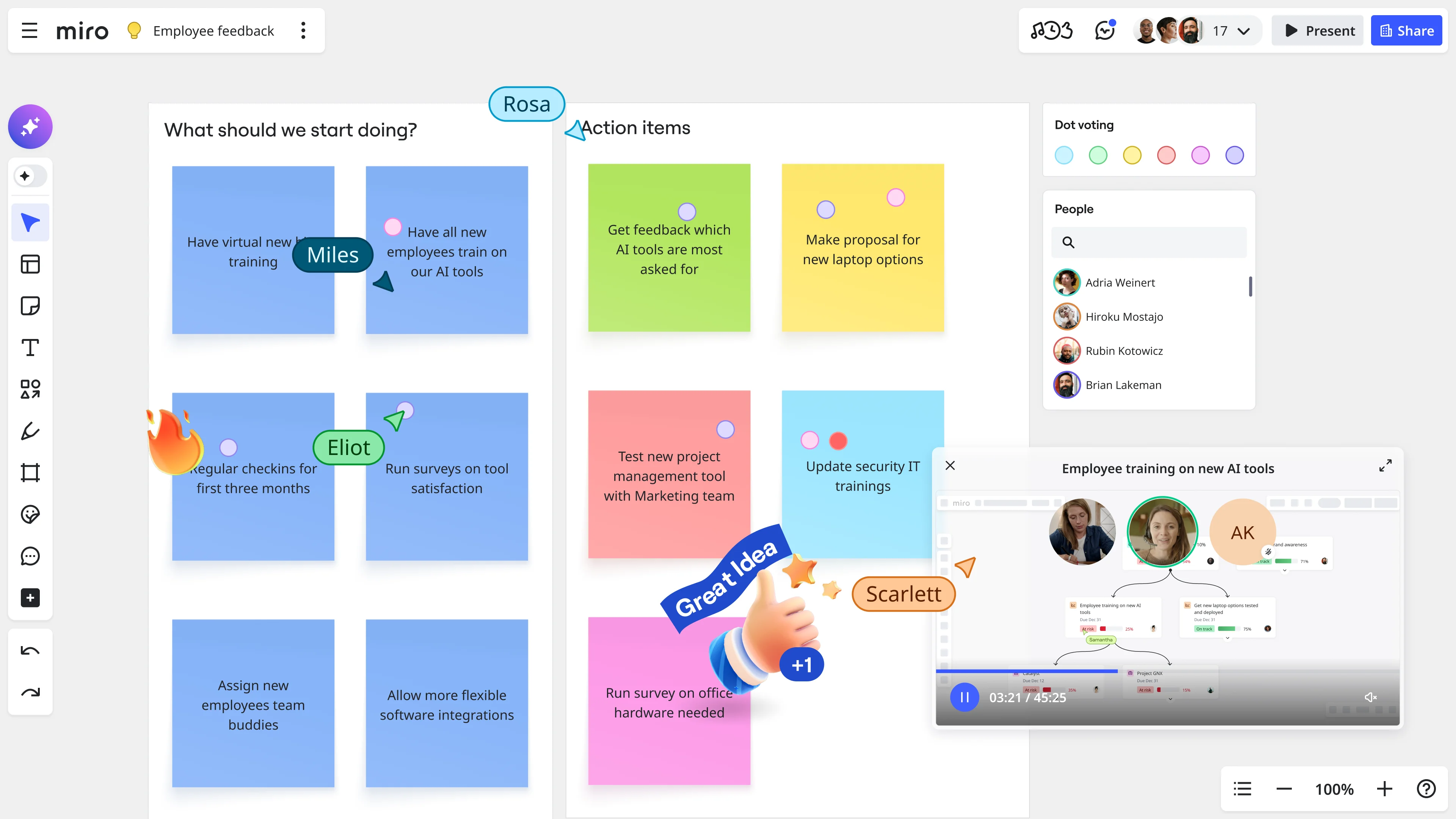
The platform provides an extensive template library that helps teams get started quickly, along with integrations that connect it to tools like Jira and Slack. This makes it easier to bring different parts of a workflow into a single space.
In practice, Miro works well as a central collaboration layer for large teams. However, this flexibility also introduces complexity. As boards grow, they can become difficult to navigate without proper organization. Teams need to actively maintain structure to ensure that the board remains usable.
Miro is best suited for teams that need a powerful and flexible platform capable of supporting diverse workflows at scale.
FigJam: Best for fast and intuitive collaboration
FigJam is designed to make collaboration as simple and frictionless as possible. The interface is clean and intuitive, allowing teams to start working immediately without setup or training.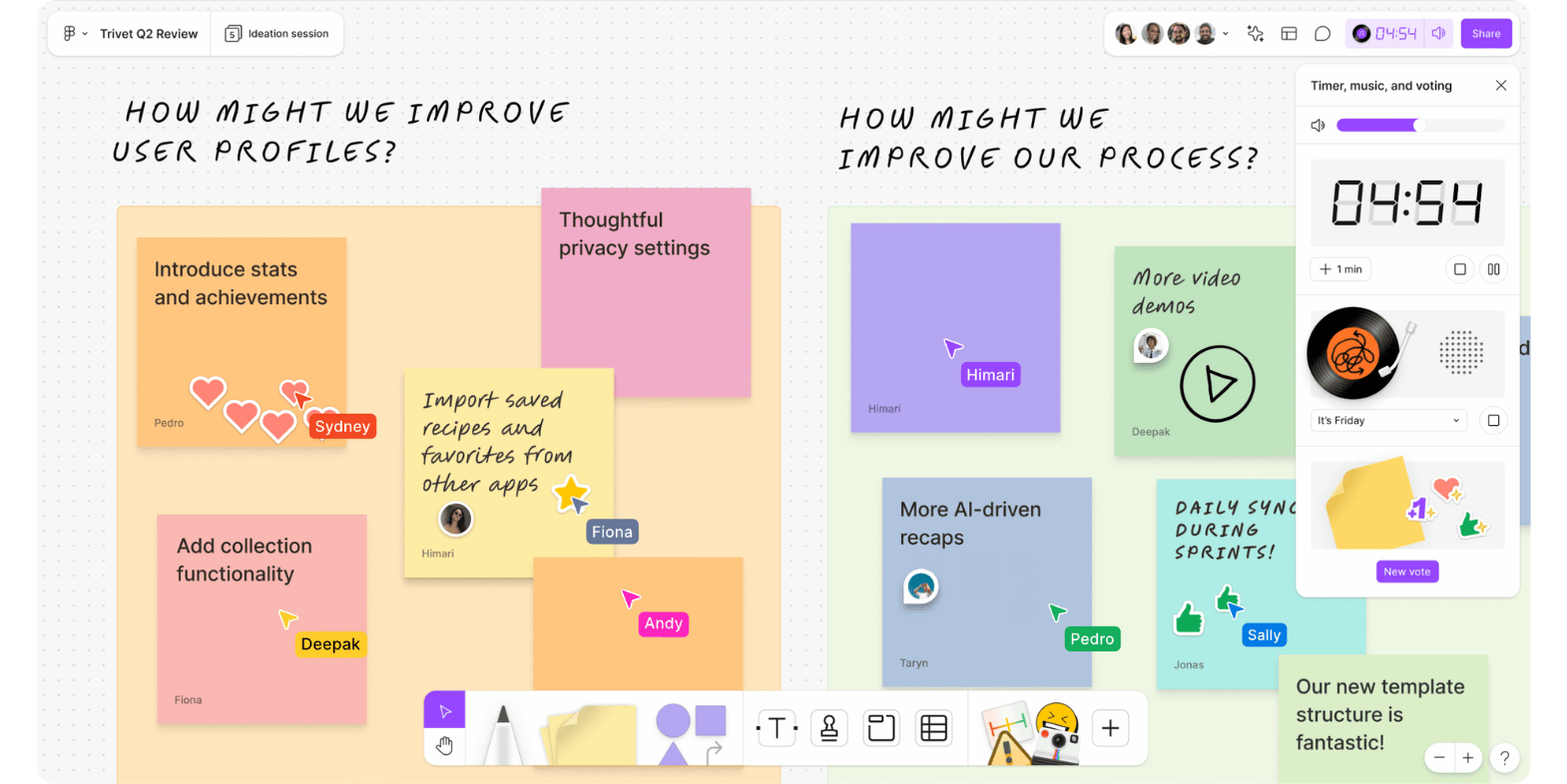
This makes it particularly effective for brainstorming sessions and early-stage discussions. Teams can quickly capture ideas, sketch concepts, and build on each other’s inputs in a natural way.
For design teams, FigJam integrates seamlessly with Figma, which allows ideas to move directly into design workflows. This creates a smooth transition from ideation to execution within the design process.
However, FigJam is intentionally lightweight. It doesn't provide strong support for structured workflows or long-term planning. Teams that need to organize ideas into actionable work will likely need additional tools.
FigJam is best suited for teams that prioritize speed, simplicity, and creative collaboration.
Mural: Best for structured workshops and facilitated sessions
Mural is built for teams that rely on structured collaboration. It's widely used for workshops, strategy sessions, and design sprints where a facilitator plays an active role in guiding the process.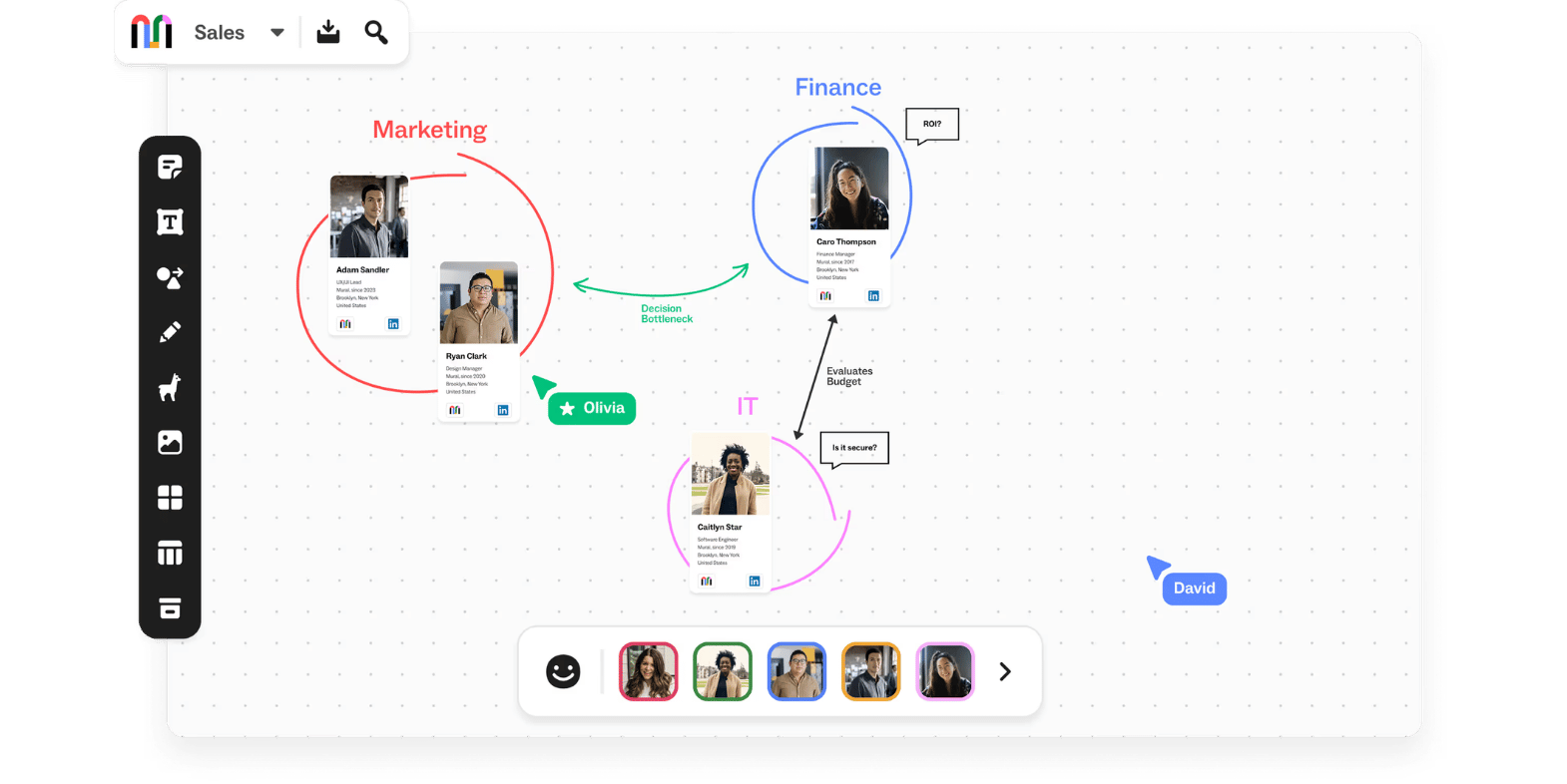
The platform includes features such as voting, timers, and controlled visibility, which help manage participation and ensure that discussions remain focused. This makes it particularly effective in situations where alignment is critical and discussions need to be carefully managed.
While Mural excels in guided environments, it's less suited for ongoing work. Its design is focused on structured sessions rather than continuous collaboration.
Mural is best suited for teams that need a controlled environment for running structured and outcome-driven sessions.
Lucidspark: Best for structured thinking and process mapping
Lucidspark is designed for teams that need to organize ideas into clear and logical structures. It works particularly well for process mapping, workflow design, and system thinking.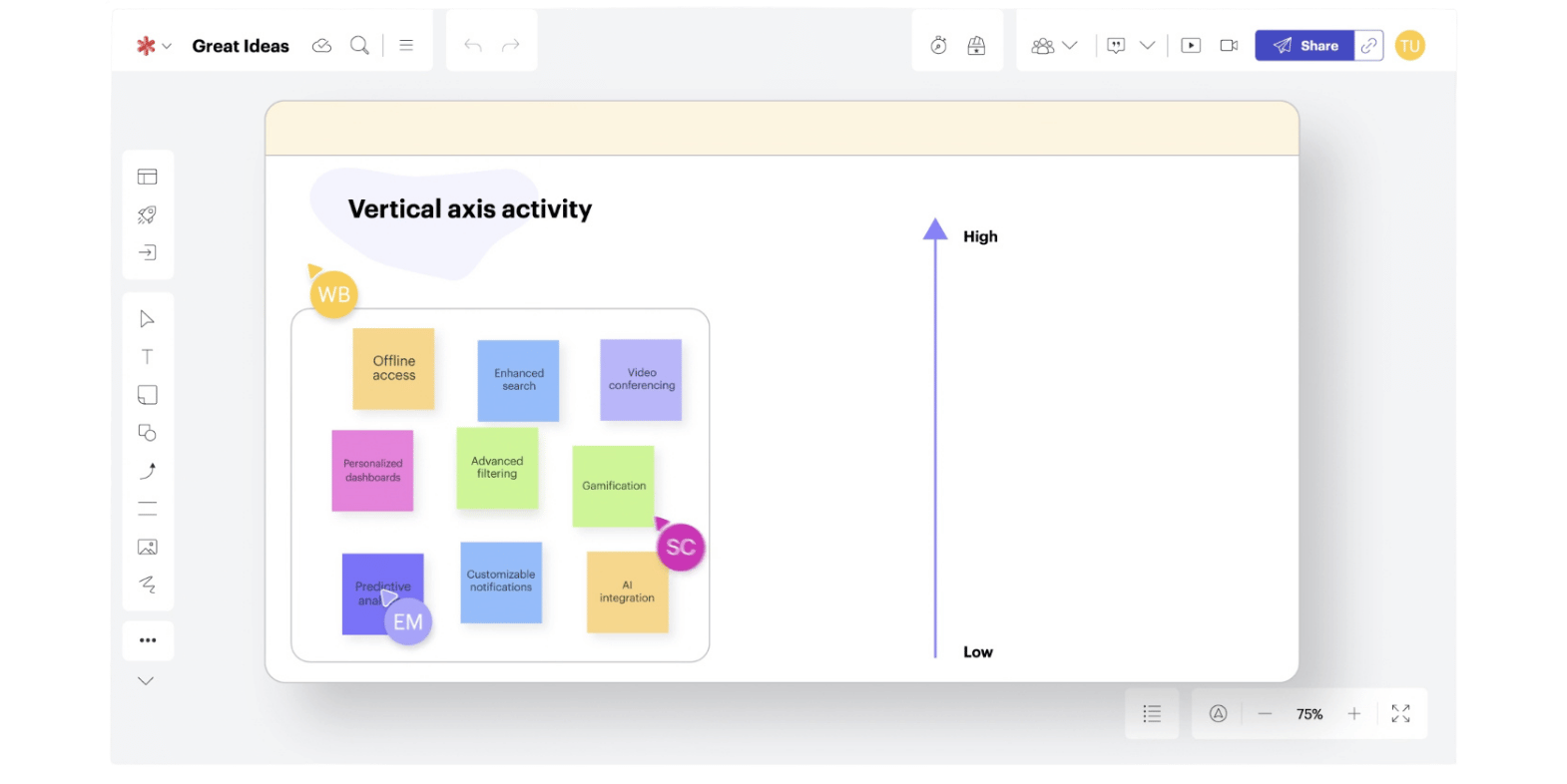
The platform allows users to group ideas, create relationships, and build structured outputs that are easy to understand. When combined with Lucidchart, it becomes a powerful tool for creating detailed diagrams and system architectures.
This makes Lucidspark especially useful for technical teams and operations-focused workflows. However, the need to switch to Lucidchart for advanced diagramming can interrupt the workflow.
Lucidspark is best suited for teams that prioritize structure, clarity, and process-driven thinking.
Canva Whiteboard: Best for visual communication
Canva Whiteboard focuses on making ideas visually clear and easy to present. It provides access to a wide range of templates and design assets, allowing users to create polished boards quickly.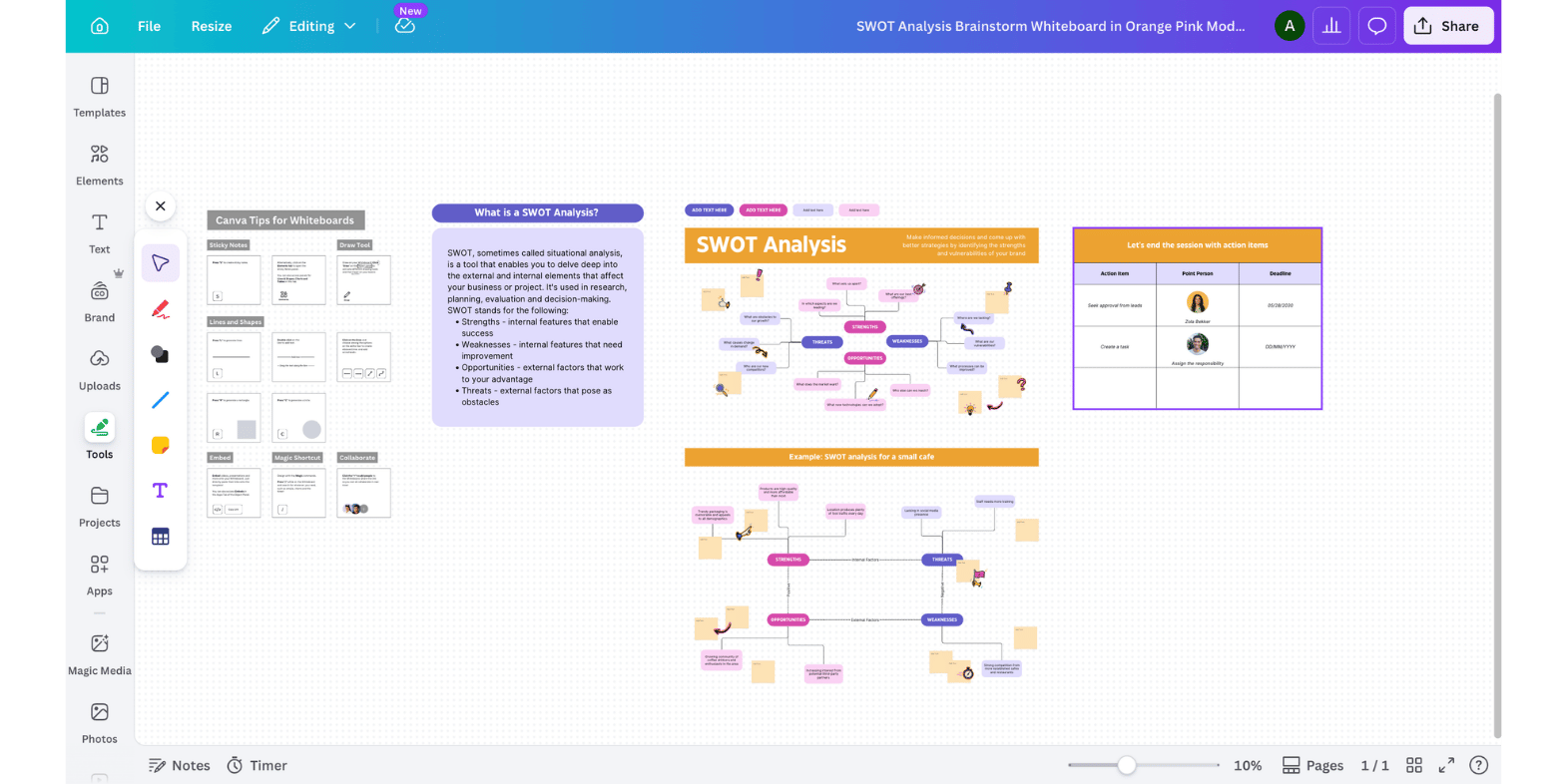
This makes it particularly useful for marketing teams, educators, and content creators who need to communicate ideas to an audience. The simplicity of the platform also makes it accessible to users with little design experience.
However, Canva is not designed for complex workflows or deep collaboration. It is better for presenting ideas than for executing them.
Canva Whiteboard is best suited for teams that need to create visually engaging and presentation-ready outputs.
Microsoft Whiteboard: Best for simplicity and integration
Microsoft Whiteboard is designed to work seamlessly within the Microsoft ecosystem. For teams already using Microsoft Teams and Office tools, it provides a convenient way to collaborate without additional setup.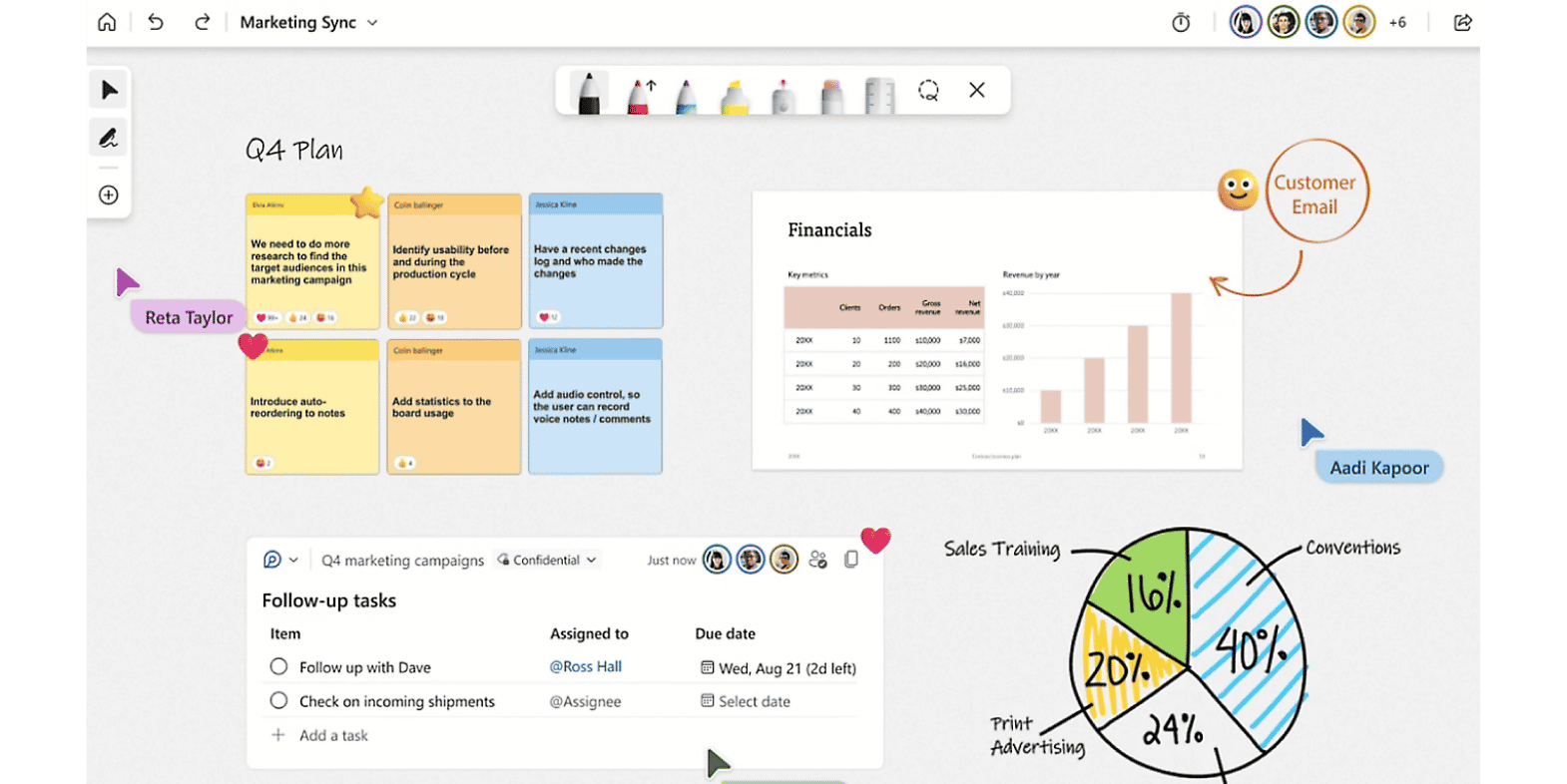
The interface is simple and familiar, which makes it easy to adopt. Teams can quickly sketch ideas and collaborate during meetings without needing to learn a new system.
However, the feature set is limited compared to more advanced tools. It isn't great for complex workflows or detailed planning.
Microsoft Whiteboard is best suited for teams that value ease of use and integration over advanced capabilities.
Excalidraw: Best for quick and minimal visual thinking
Excalidraw offers a lightweight and dis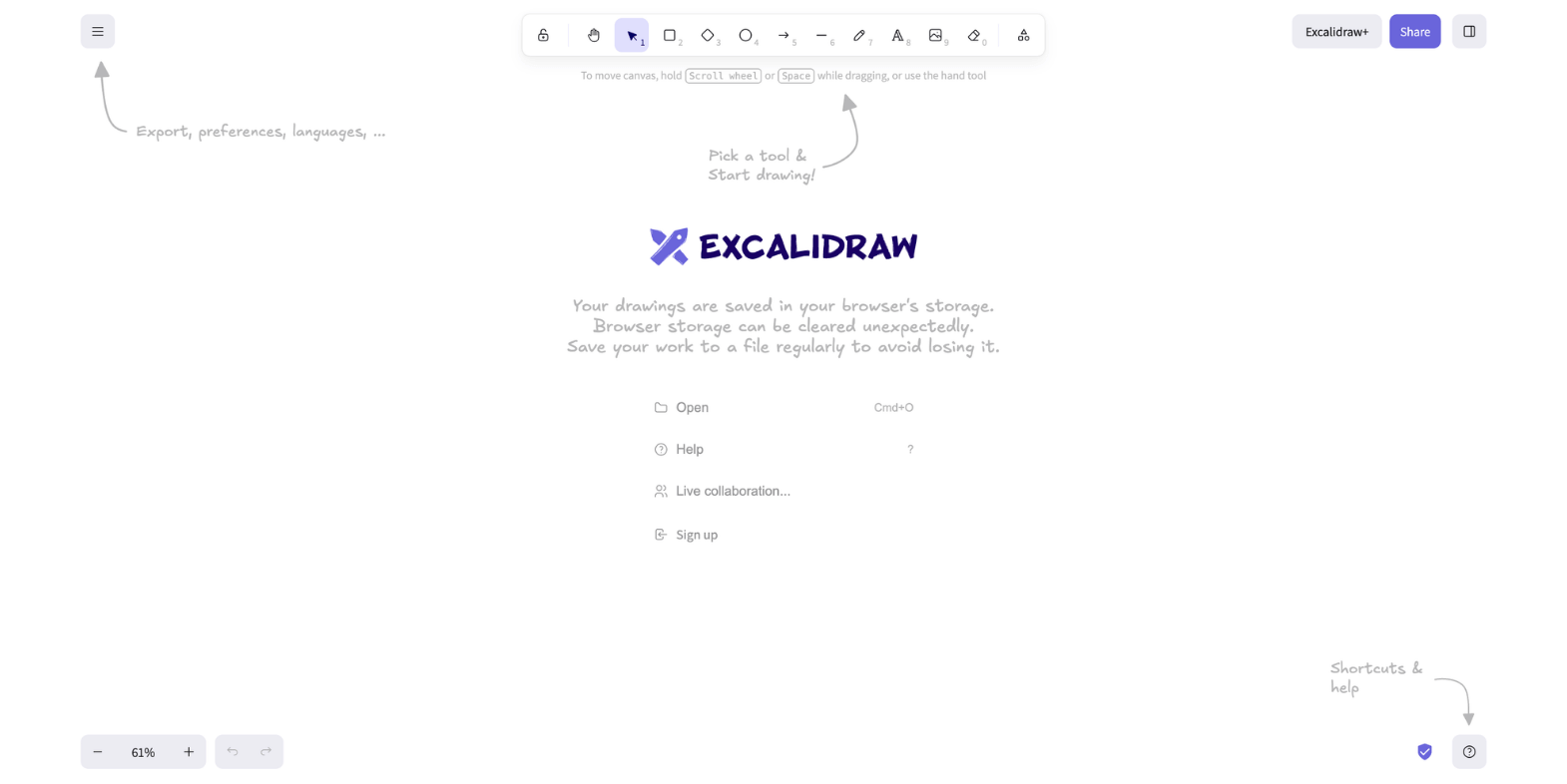 traction-free environment for visual thinking. Its sketch-style interface makes it easy to create quick diagrams and explain concepts informally.
It's particularly popular among developers and individuals who need to communicate ideas quickly without dealing with complex features.
However, it's not designed for large teams or structured workflows. It works best for simple, fast, and focused use cases.
Vani: Best for end-to-end visual workflows
Vani takes a different approach by focusing on the entire workflow rather than just ideation. Instead of treating the whiteboard as a temporary space, it acts as a persistent workspace where ideas are developed, structured, and executed.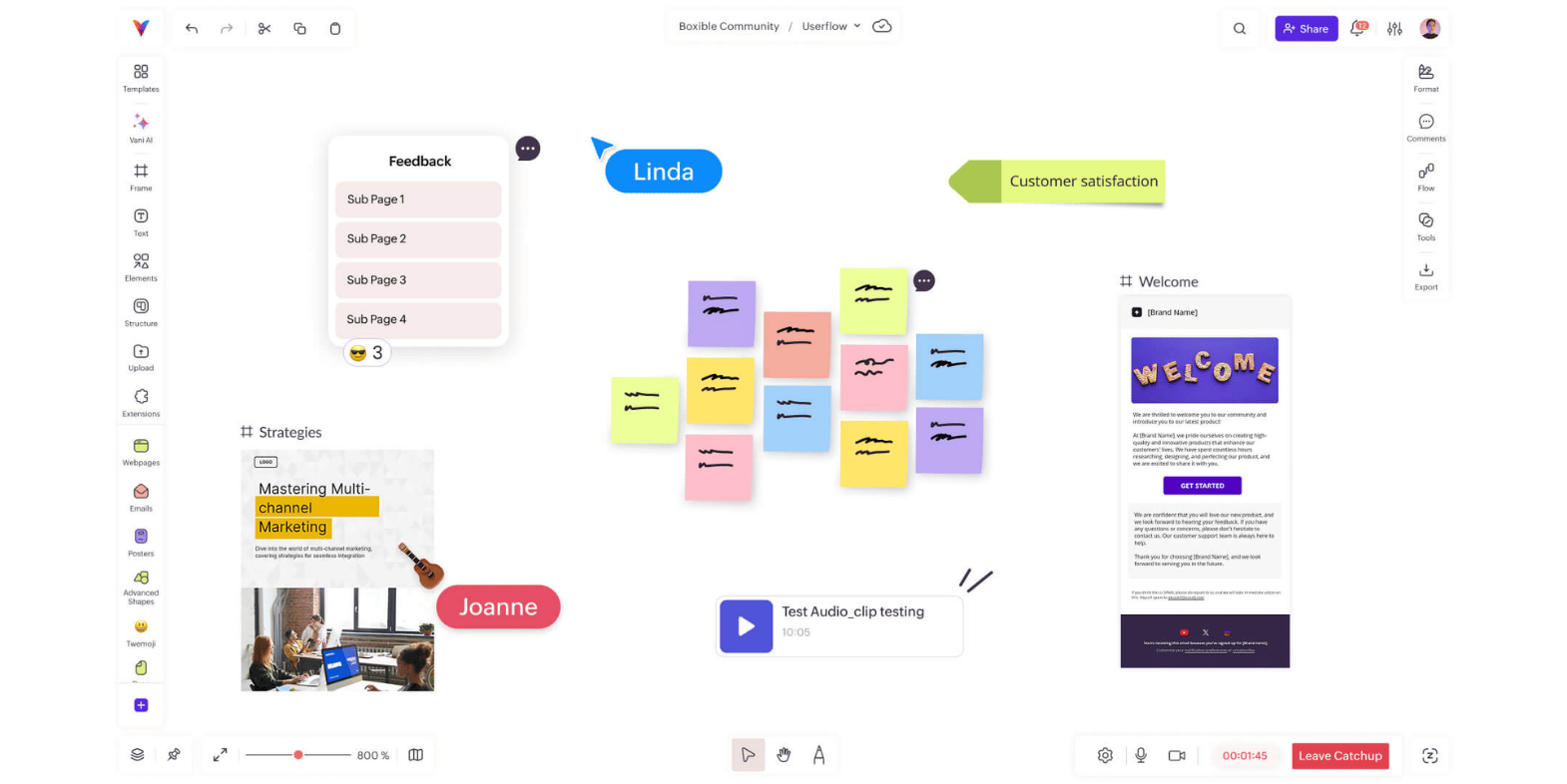
Within a Vani Space, teams can collaborate visually while organizing their work using structured zones. They can manage tasks and data through built-in database tables, which allows them to track progress without leaving the workspace. The Flow feature enables teams to present their work in a structured way, making it easier to communicate ideas.
AI is integrated directly into the workflow, helping teams summarize discussions, generate ideas, and organize content more efficiently. This reduces manual effort and improves clarity.
By combining visual collaboration with structured execution, Vani allows teams to move from idea to outcome without breaking context. This makes it particularly valuable for teams that want to reduce tool switching and maintain continuity.
How to choose the right online whiteboard
Choosing the right tool depends on how your team works.
Teams that need flexibility across multiple workflows will benefit from Miro. Those that prioritize speed and simplicity may prefer FigJam. Structured sessions are best supported by Mural, while process-driven teams will find Lucidspark more suitable.
For visual communication, Canva is a strong option, and Microsoft Whiteboard works well within its ecosystem. Excalidraw is ideal for lightweight use cases.
If your goal is to bring everything into one place and reduce fragmentation, Vani offers a more integrated approach.
The key is to select a tool that aligns with your workflow and supports how your team naturally operates.
Final thoughts
Online whiteboards have become an essential part of modern collaboration. They are no longer limited to capturing ideas but now play a critical role in how teams plan, align, and execute work.
The most effective tools are those that support the entire workflow while maintaining clarity and context. By focusing on the features that matter and choosing a tool that fits your team’s needs, you can create a workspace that not only improves collaboration but also drives meaningful outcomes.