- HOME
- Technology & Trends
- How to run an effective brainstorming session on an online whiteboard
How to run an effective brainstorming session on an online whiteboard
- Last Updated : November 2, 2026
- 0 Views
- 9 Min Read

Brainstorming is one of the easiest ways to bring together ideas and perspectives from everyone involved and open possibilities around a problem.
But with so many people involved, a badly planned brainstorming session can get messy fast. If the first idea comes up and people begin discussing it at length, then the session already has a direction before everyone can contribute.
A little planning and the right tools can help solve this. It's important to give people time to think on their own and a clear way to capture those thoughts when the session begins. That's where an online whiteboard comes in.
With an online whiteboard, everyone can add their ideas at the same time. The ideas stay on the board, giving the group one shared place to think, contribute, and organize them. The board also stays available after the call, which makes it easier to return to an idea or continue the work later.
Brainstorming best practices at a glance
A few simple practices can make a brainstorming session easier to run and more useful for everyone involved.
Best practice | Why it helps |
Start with a clear problem or question | Gives everyone the same thing to think about |
Prepare the board before the session | Gives ideas, context, and discussion a clear place to go |
Begin with a quiet idea round | Gives everyone time to contribute before the discussion takes over |
Build on what others have shared | Helps the group develop ideas and find new directions |
Group related ideas | Makes patterns and recurring themes easier to see |
Decide how ideas will be compared | Gives the team a clearer way to prioritize ideas |
Finish with clear next steps | Turns the ideas the team chooses into something it can act on |
What is an online brainstorming session?
An online brainstorming session brings people together virtually to discuss a problem, share ideas, and develop possible solutions. Unlike traditional meetings where people contribute mainly through speaking, online brainstorming uses a shared digital board for group ideation.
When people rely only on speaking, they may have to wait for someone else to finish and can lose an idea before they get a chance to share it. Online brainstorming gives everyone another way to contribute by adding ideas directly to the board and responding to what others have shared.
Since all the ideas are visible in one place, it also becomes easier to notice connections between them and find new possible solutions that may be harder to spot in a verbal discussion.
Here is one way to run an effective online brainstorming session using a shared whiteboard.
A good brainstorming session starts before the meeting
The quality of a brainstorming session depends a lot on what people are being asked to think about. Most brainstorming sessions start with a problem, question, or opportunity to explore. The clearer the starting point is, the easier it is for everyone to think in the same direction.
“Let’s brainstorm onboarding ideas” sounds clear until six people begin solving six different problems. One person might start thinking about product tours. Another focuses on onboarding emails. Someone else wants to shorten sign-up. Another person might even mistake it for internal employee onboarding and start thinking about icebreaker games.
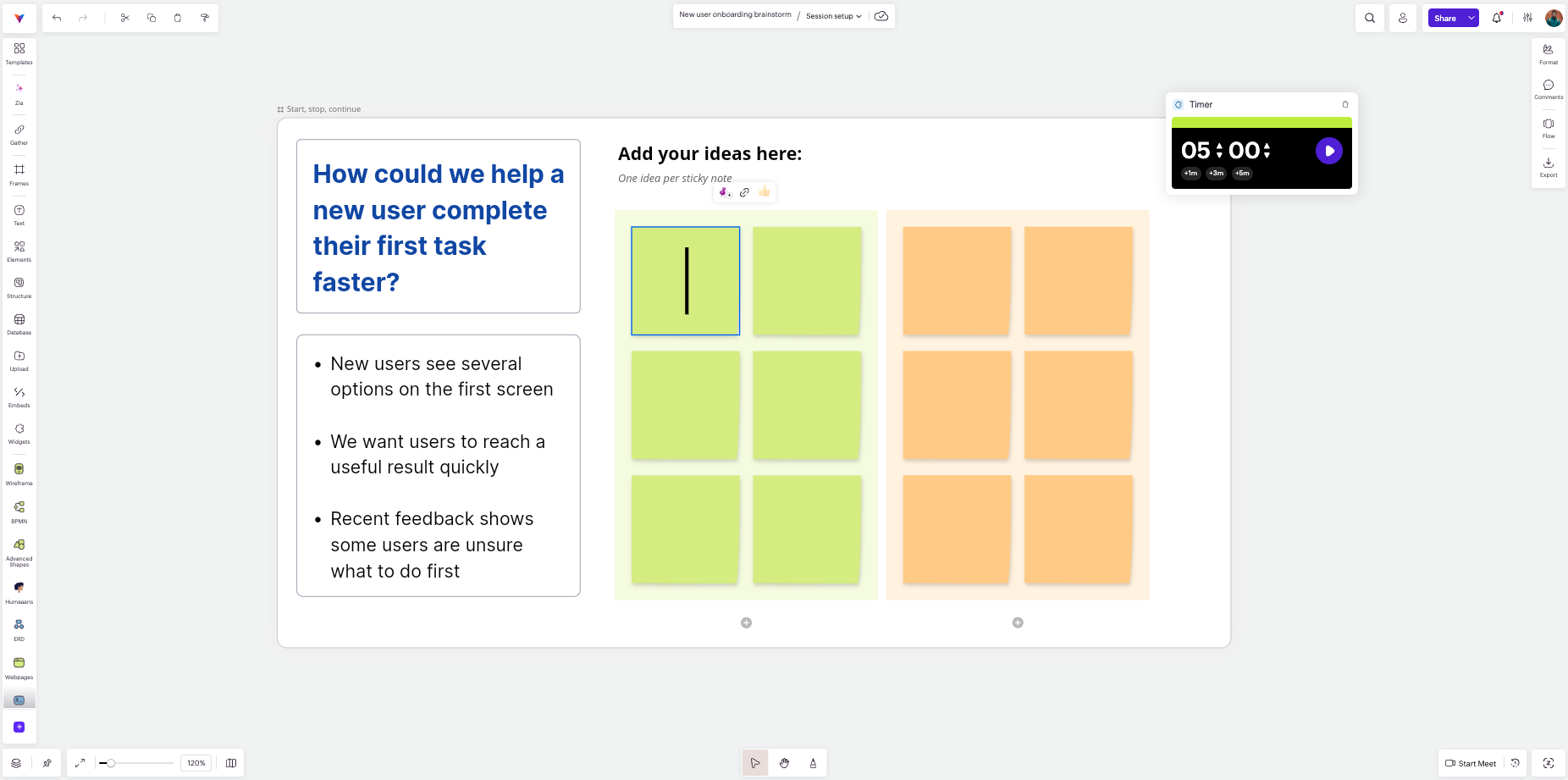
Now try narrowing the same question: "How could we help a new user complete their first task faster?" The participants now have something concrete to work with.
Add whatever the group needs to understand the problem: perhaps customer feedback, a screenshot of the current flow, or a few findings from recent research. If there is a lot to read, share it before the meeting.
Choose the participants wisely. You don't need everyone on the team, but you probably do need several people who will approach the problem from different points of view. A product manager, designer, marketer, and support rep may each notice a different part of the same problem.
Prepare the board before people arrive
Before the session, set up the parts of the board you know will be used. For many sessions, three areas are enough to start with: the question and the context, a place to add fresh ideas, and a place to move suggestions that need more discussion. Always leave some free space if you are planning to cluster or prioritize ideas later.
In Vani, Frames and Zones can separate these areas while keeping them inside the same Space. Sticky notes work well for quick contributions. A timer can sit on the board when an activity needs a clear stopping point.
You can also start from a template when the session needs more structure, such as Round robin brainstorming or an Affinity diagram.
Start with a quiet idea round
When the meeting starts, give everyone three to five minutes to work independently once they understand the question. Ask them to put one thought on each sticky note, without presenting the ideas yet. Some notes may say almost the same thing. Leave them alone for now. Repeated ideas can tell you something about where the group's attention is naturally going.
Before starting the timer, ask people to focus on generating rather than judging. Encourage different kinds of suggestions, including ideas that may seem unrealistic at first. This helps keep the group from getting stuck on the first suggestion and gives everyone a chance to contribute before the discussion begins.
Core brainstorming rules:
- Give everyone a chance to contribute
- Explore different directions
- Do not judge ideas during the first round
- Unusual ideas are allowed
- Build on what others contribute
Build on what is already there
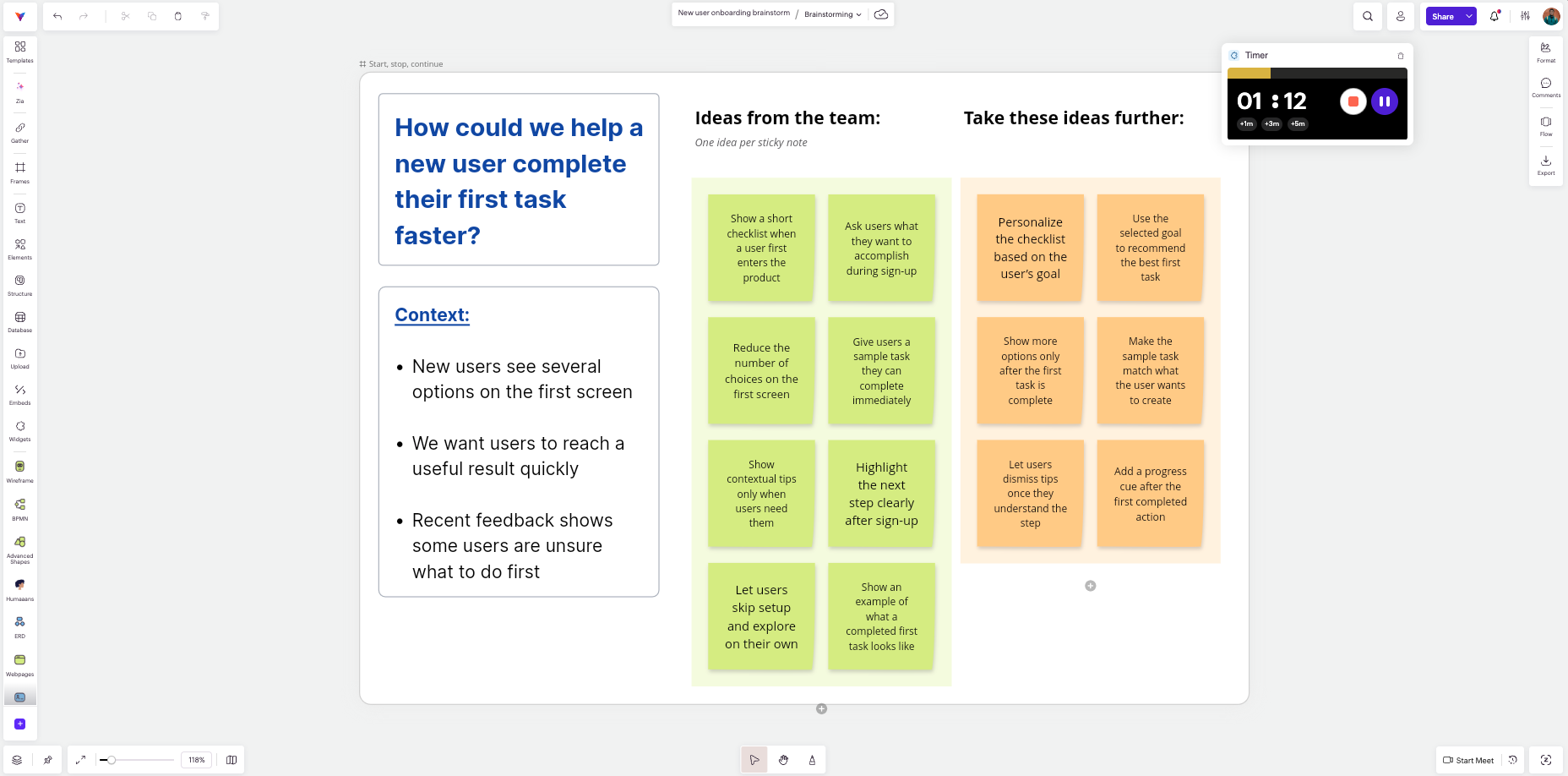
When the timer ends, let everyone scan the board before the discussion begins. Then ask the participants to develop at least one idea that came from someone else. They could add a variation, combine two suggestions, question an assumption, or make an unclear idea more specific.
Suppose someone has written “Personalize onboarding.” Another participant might change that into “Ask users what they want to accomplish before showing the first screen.” Someone else could connect that suggestion to customer feedback the team already has.
This is also where the live discussion can begin. In Vani, you can start a video meeting in the same Space while people continue working on the board. Participants can comment or react to one another's ideas, mention teammates, or follow cursors during the discussion.
If new information changes the problem or opens up another direction, give the group another short round to add fresh ideas.
Group related ideas before voting
Once you've generated enough ideas, it's important to stop adding more and look at how they relate to each other.
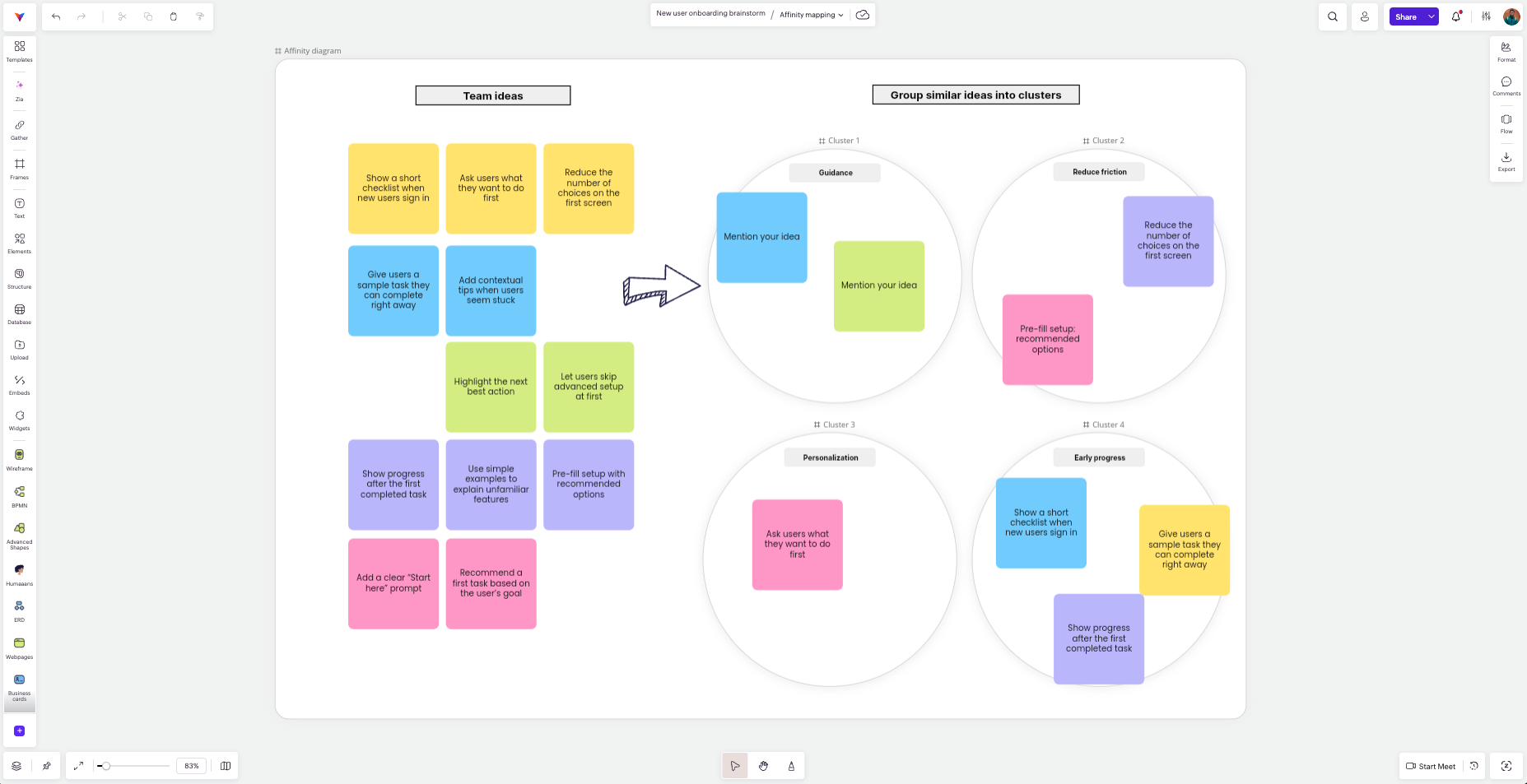
Thirty separate sticky notes are difficult to compare. Move similar suggestions closer together and see what starts to repeat and what new themes begin to emerge. You may notice several notes about giving users more guidance, another group about personalizing the first-time experience, and a few ideas about removing unnecessary steps from sign-up.
Add simple labels so the clusters are easier to scan. Affinity mapping is useful when the board has become crowded enough that the patterns are difficult to see. At this stage, the goal is to spot patterns by grouping similar ideas into themes.
Decide how to compare the ideas
Before opening a poll, decide how the team will compare the ideas. For the onboarding example, you could ask which idea would help new users the most, which one would be easiest to try, and which one would give the team the most useful information.
Put those criteria on the board and ask people to use them when voting. Review the leading ideas afterward against the same criteria before making a final call.
End with clear next steps
Once the team has shortlisted the ideas worth exploring, spend the last part of the session deciding what happens to them.
Go through the shortlisted ideas one by one. Some may be ready to try immediately, while others may need more work first. One idea might need a quick prototype, another may need customer interviews, and another could require an engineering check before the team knows whether it is practical.
Write the next action beside each idea and add an owner where needed. By the time the session ends, everyone should know which ideas are moving forward and what needs to happen next. The remaining ideas do not have to disappear. Keep the useful ones somewhere on the board so the team can return to them later if priorities or circumstances change.
If the work is moving ahead immediately, selected ideas in Vani can be moved into a Kanban board for follow-up. The original brainstorm can remain in the Space as context for how those decisions were made.
Example: A simple 30-minute brainstorming session agenda
There is no fixed length that works for every brainstorm. This is just an example of what a 30-minute session could look like:
Time | Activity |
0–5 min | Explain the question and essential context |
5–10 min | Generate ideas independently |
10–17 min | Read the board and develop ideas |
17–22 min | Group related suggestions |
22–27 min | Prioritize ideas |
27–30 min | Record next steps and owners |
Change the timings when the problem demands it. A team that already knows the background may need only a minute or two for context. If several strong ideas need more discussion, give the prioritization stage more time.
Use a brainstorming template when you need more structure
Sometimes a team has discussed the same problem so often that an empty board leads straight back to familiar answers. A structured exercise can help people approach the problem differently.
Vani includes several brainstorming templates that suit different situations.
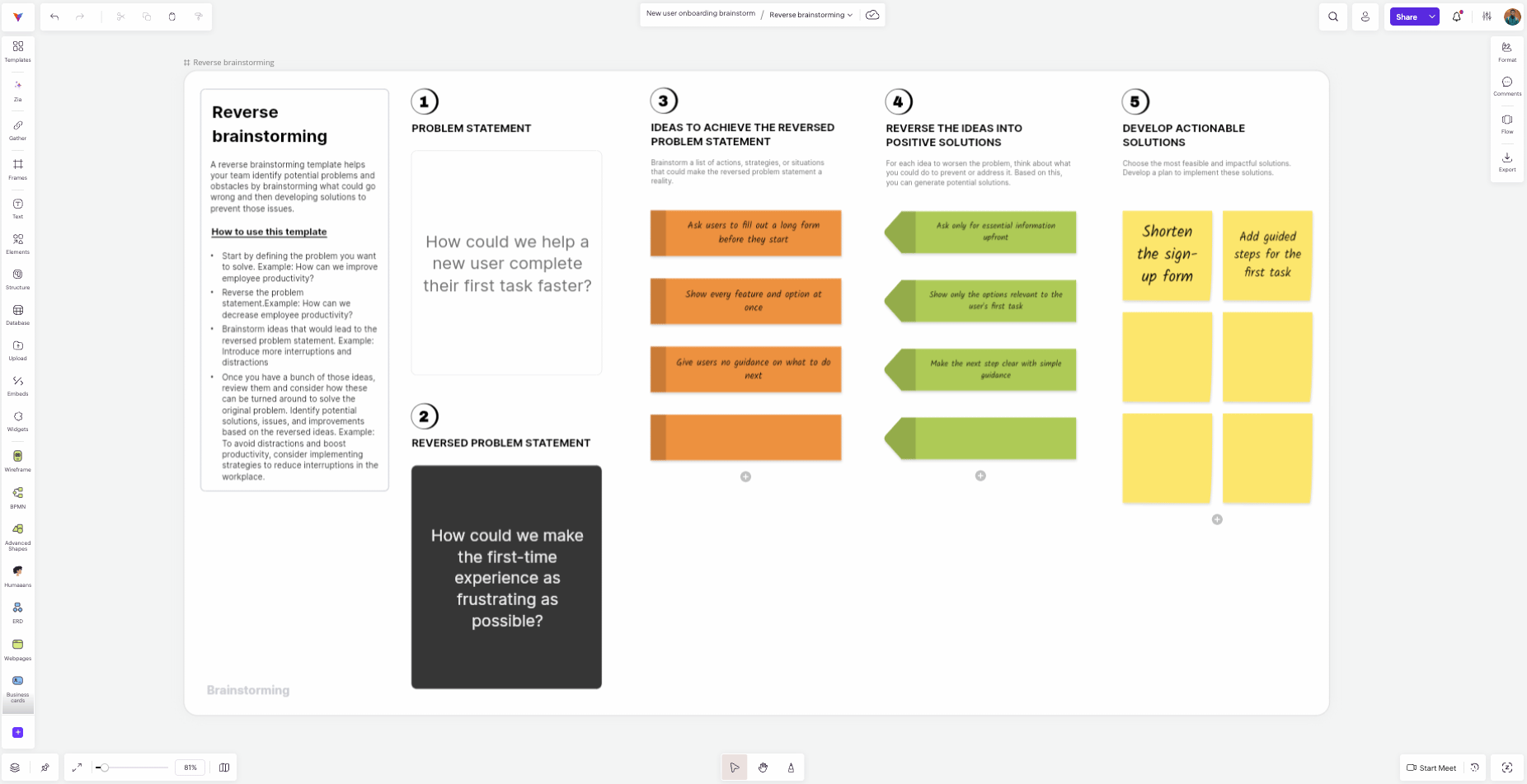
Reverse brainstorming
Reverse brainstorming starts by asking how you could make the problem worse. For example: "How could we make the first-time experience as frustrating as possible?"
The group might suggest long forms, no guidance, too many choices, or important actions hidden in the interface. Then reverse those ideas. “Too many choices” could lead to showing users only the most relevant options first, while “no guidance” could lead to adding clearer prompts at important steps.
Round robin brainstorming
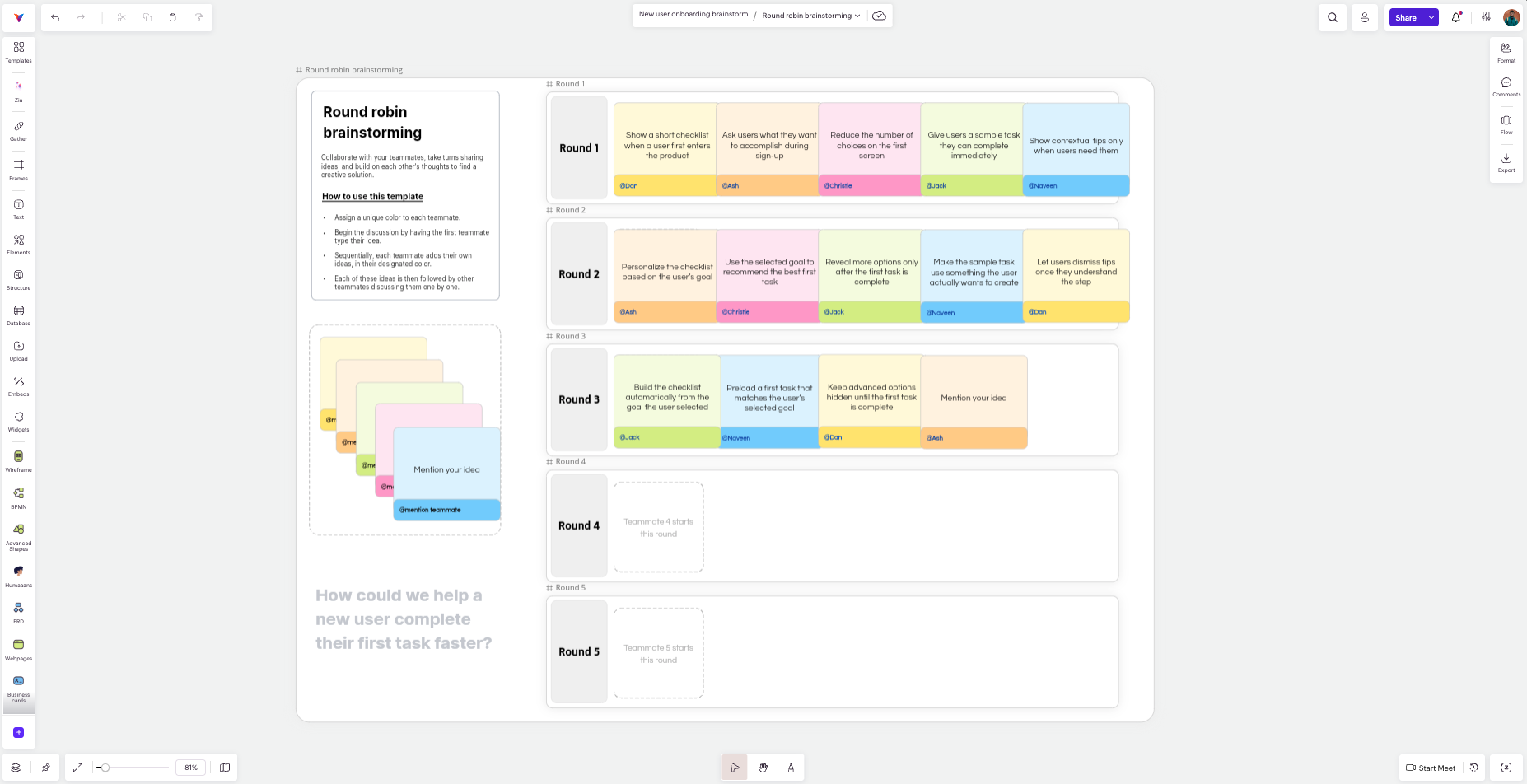
Round robin brainstorming gives everyone a turn to contribute and build on what others have shared. In Vani's template, each teammate adds an idea in the first round, and the following rounds let others discuss and add to those ideas. This can be useful when open discussions are usually led by the same few people.
Affinity diagram
An affinity diagram works well when the group has collected many ideas or observations and needs to make sense of them. Add the ideas as sticky notes, group similar ones into clusters, and give each cluster a name so the main themes are easier to see before prioritizing.
Six Thinking Hats
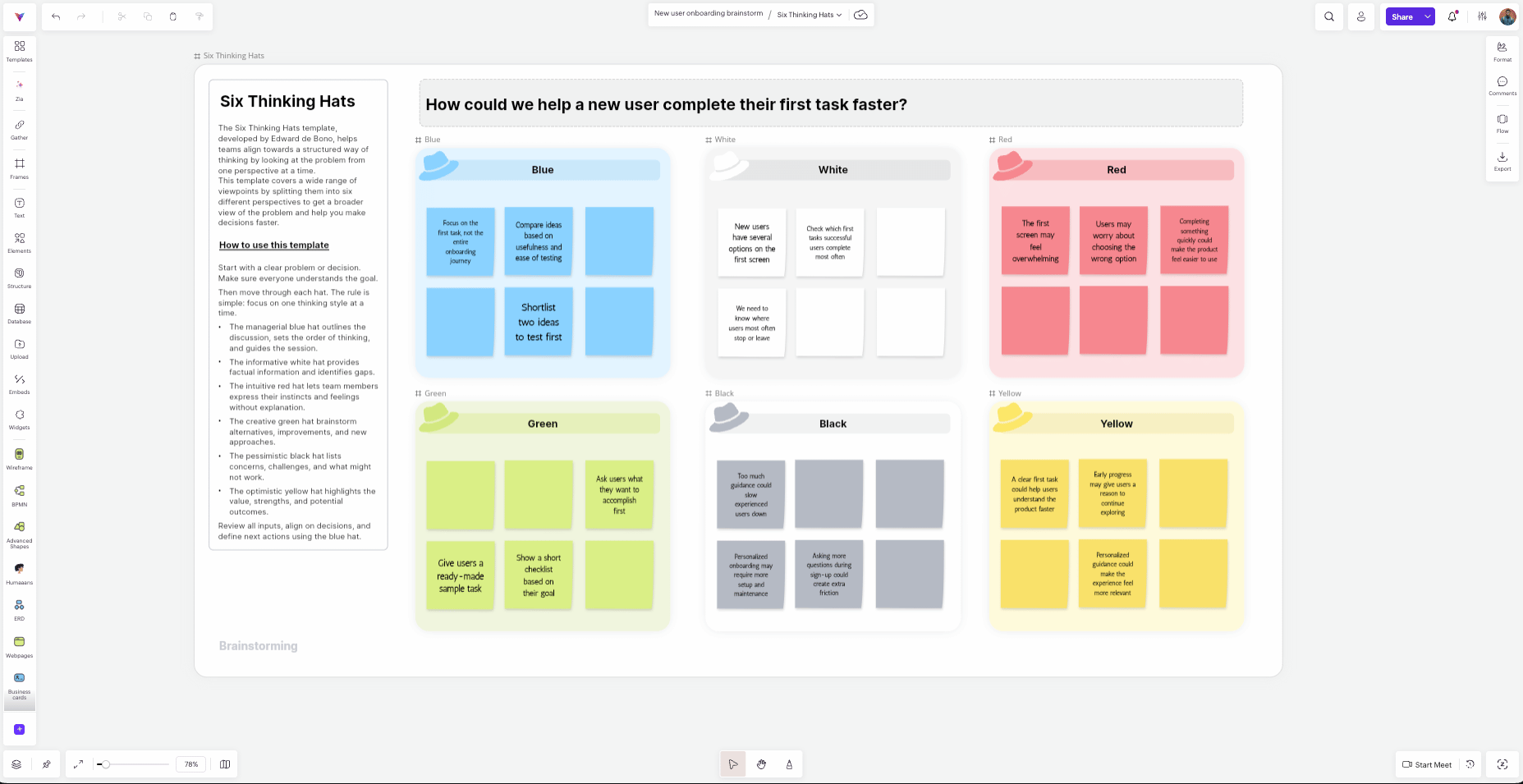
Six Thinking Hats helps the group look at the same problem from six different perspectives. Each hat represents a different way of thinking, such as facts, risks, opportunities, emotions, or new possibilities. It can be useful when the discussion keeps leaning too heavily toward one point of view.
Research topic brainstorm
A research topic brainstorm is useful when the team is still exploring a subject rather than looking for one immediate solution. Divide the subject into a few areas, add questions or ideas under each one, then review them together to decide what is worth investigating further.
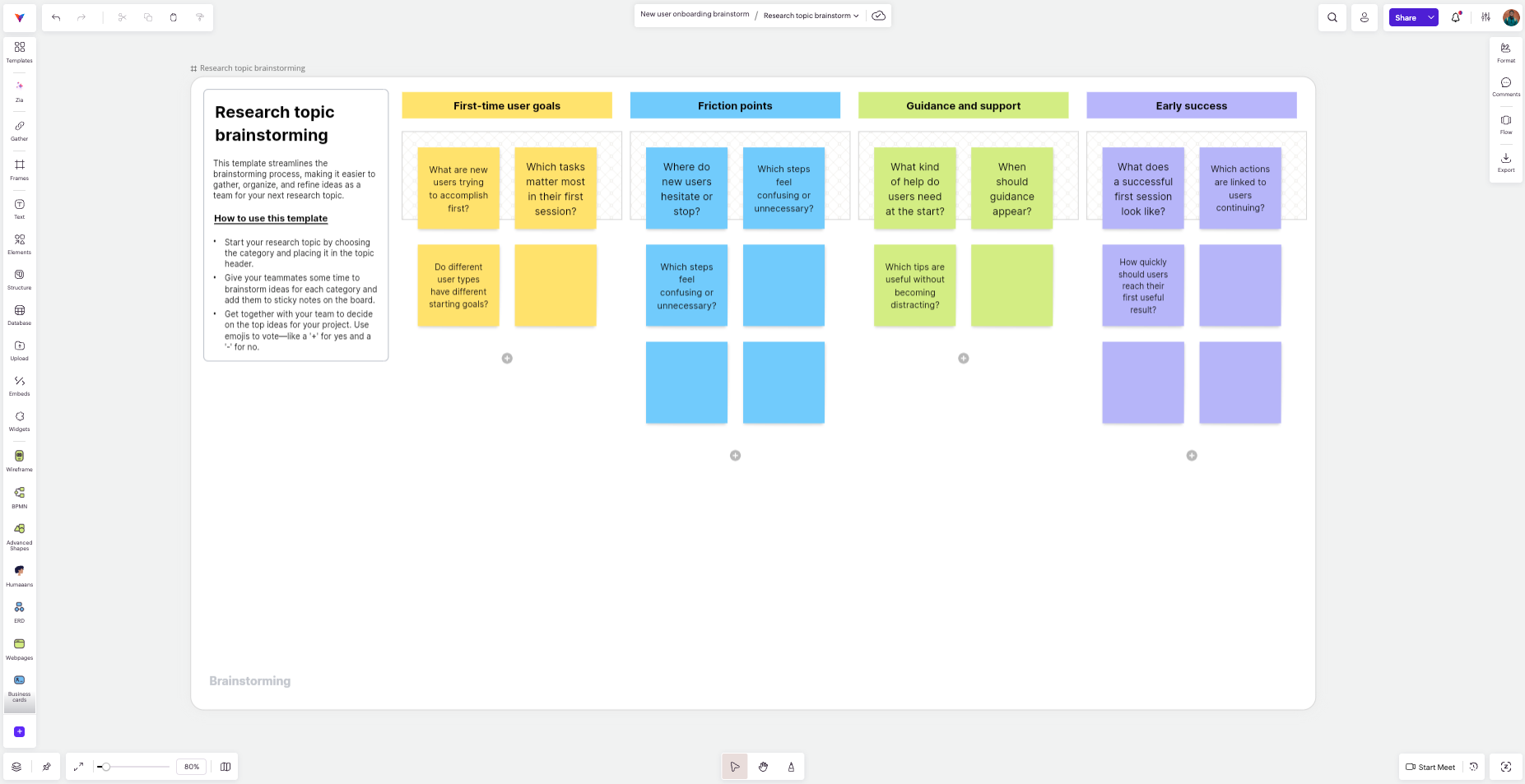
Vani also includes templates for mind maps, customer journeys, empathy maps, root cause analysis, and other planning or ideation exercises. Choose one based on the kind of thinking the session needs.
Common brainstorming problems and how to fix them
Even with a clear plan, brainstorming sessions can drift. A few common problems are easy to correct while the session is still running:
- The group gets stuck on the first idea: Pause the discussion and give everyone another few minutes to think independently. This can bring new directions back onto the board.
- The ideas are all over the place: Bring the original question back into focus. If people are solving different problems, the question may need to be narrowed.
- Clustering starts taking too long: Do not spend too much time trying to create perfect groups. Once the main themes are clear enough to discuss, move on.
- You are running out of time: Stop generating new ideas and use the remaining time to prioritize what is already there and agree on what happens next.
Leave with something the team can act on
A brainstorming session does not need to produce a perfect answer. It should help the team explore the problem properly, find a few directions worth pursuing, and leave knowing what happens next.
With an online whiteboard, the thinking behind those choices stays available after the meeting. In Vani, the Space can remain as a record of the ideas, context, and discussion the team can return to later.
FAQs
What is online brainstorming?
Online brainstorming brings people together virtually to discuss a problem, share ideas, and develop possible solutions using a shared digital board. Instead of relying only on people taking turns to speak, participants can add their ideas directly to the board.
What are the basic rules of brainstorming?
Give people time to generate ideas before judging them. Encourage different directions, allow unusual suggestions, and let participants build on what others contribute. Evaluation can come later.
Should people brainstorm individually or as a group?
Both can be useful. A short individual round gives everyone time to think before the discussion begins. The group can then review the ideas together and build on them.
How long should a brainstorming session last?
It depends on the problem. A focused session may fit into 30 minutes, while a broader workshop may need more time. The timing should match the problem and the amount of discussion needed.
How many people should be in a brainstorming session?
There is no ideal number for every session. Bring in the people whose knowledge or perspective can help with the problem. With a larger group, giving people time to add ideas independently can make participation easier.
What should you do after a brainstorming session?
Decide what happens next for the ideas you want to pursue. Some may need research, testing, a prototype, or another discussion. Assign owners where necessary and keep the remaining useful ideas for later.