- HOME
- Technology & Trends
- Top meeting and brainstorming templates to keep team discussions on track
Top meeting and brainstorming templates to keep team discussions on track
- Last Updated : November 28, 2025
- 238 Views
- 5 Min Read


Every meeting or brainstorming session begins with a simple aim, like sharing updates, solving a problem, or generating new ideas. But somewhere between the introduction and wrap up, discussions lose focus. Thoughts float around, decisions get postponed, and what could’ve been a 20-minute session stretches into an hour.
That’s where structure helps. Templates bring focus to discussions, guiding teams from ideas to outcomes. They make it easier to plan, share, and follow through while helping everyone see progress.
Top meeting templates for teams
Meetings are productive when everyone arrives with the same expectations and knows what they want to achieve by the end of the discussion. Templates help set that baseline. They give your team a simple way to prepare, organize information, and jump into discussions without wasting time figuring out where to begin. Below are some useful templates you can quickly get started with.
Weekly team planner
Mondays don’t have to start with chaos. The weekly team planner template helps you map out everyone’s tasks, goals, and deadlines before the week starts. You can see who’s doing what, spot overlaps, and make sure priorities are clear. It’s like giving your team a GPS for the week so no one gets lost halfway through.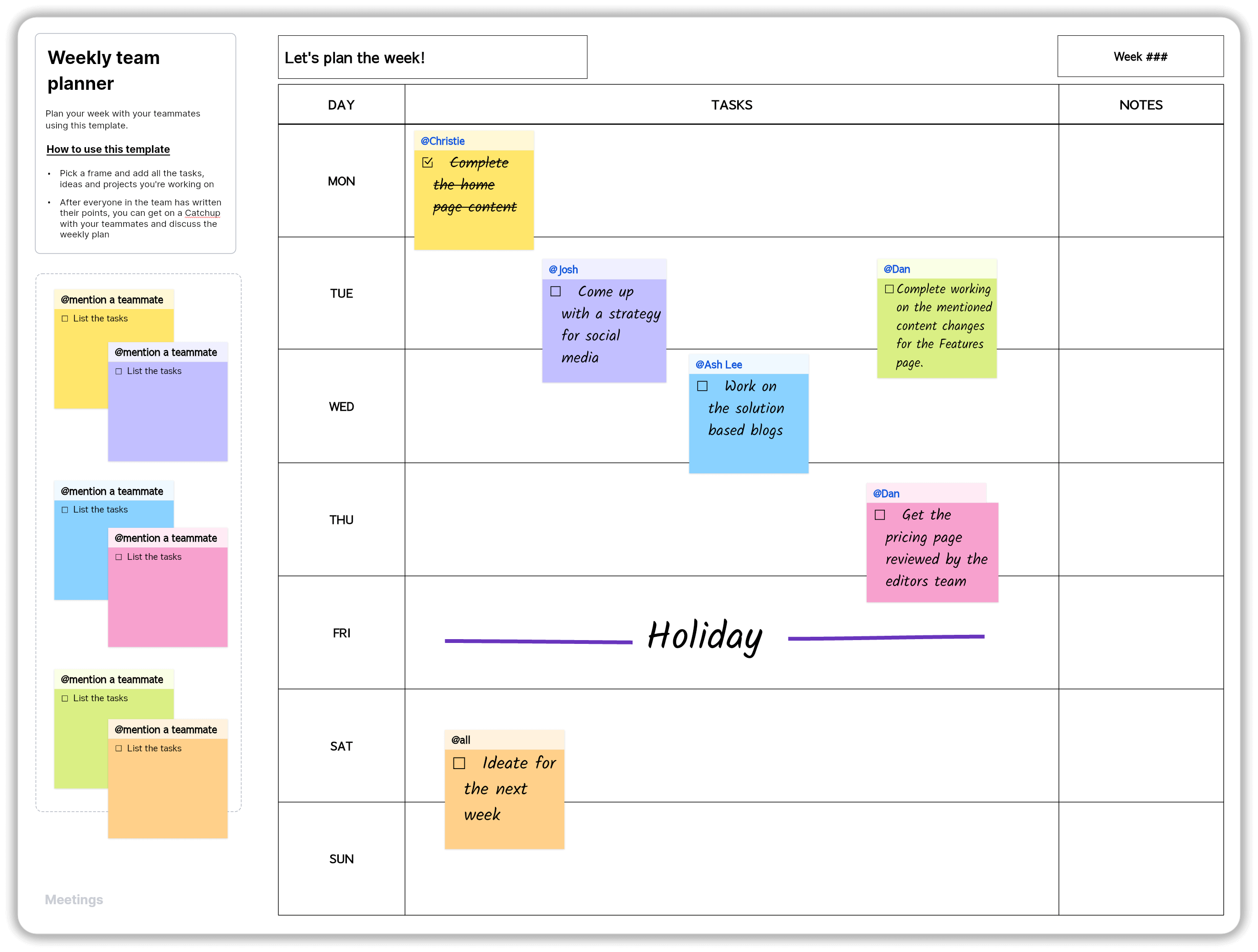
Daily stand-up
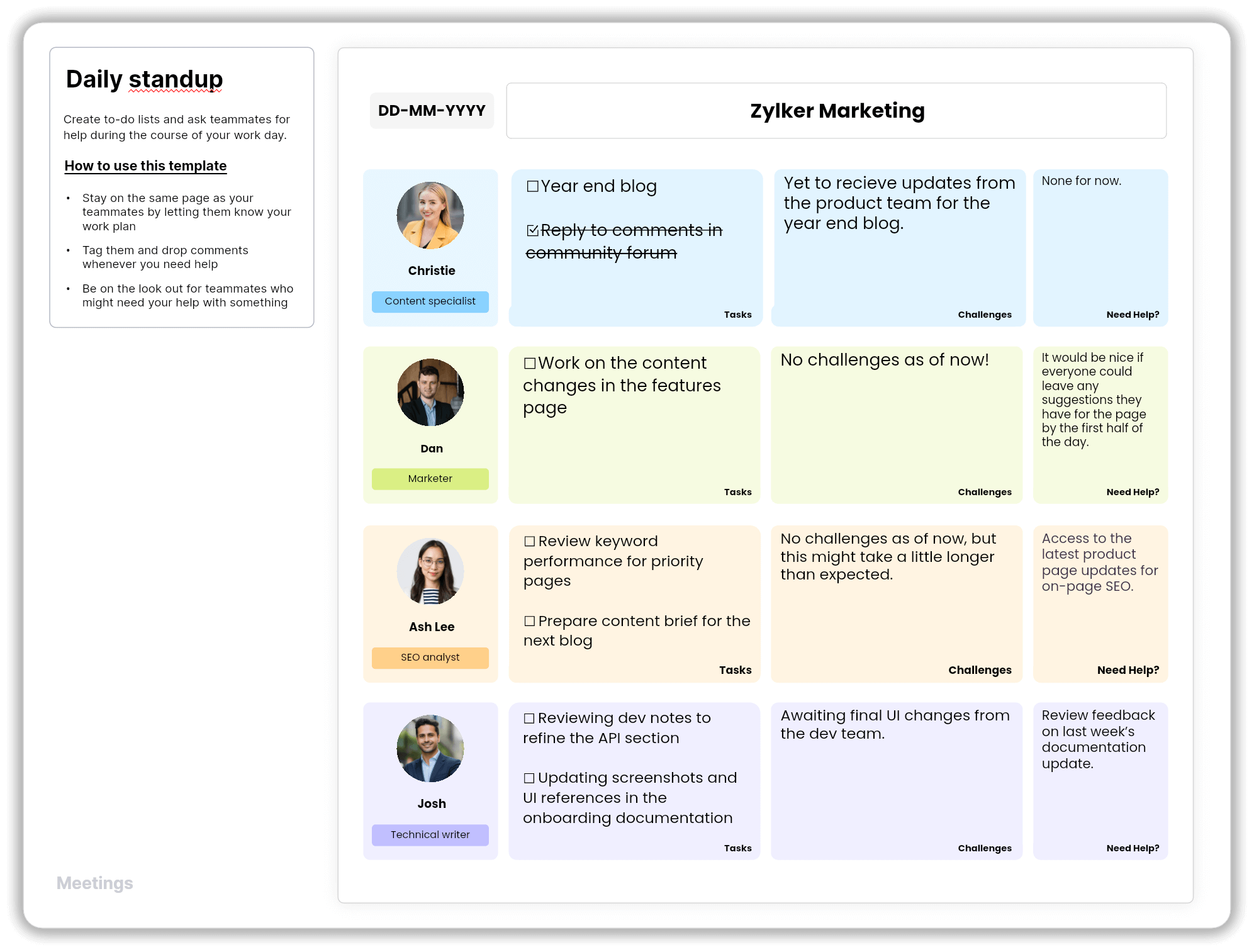
Quick updates, big impact. The daily stand-up template keeps your everyday check-ins short and to the point. Everyone shares what they did yesterday, what they’re tackling today, and if there’s anything blocking their way. It’s a great way to stay in sync without letting the “quick” meeting turn into a full-blown discussion marathon.
Project kickoff
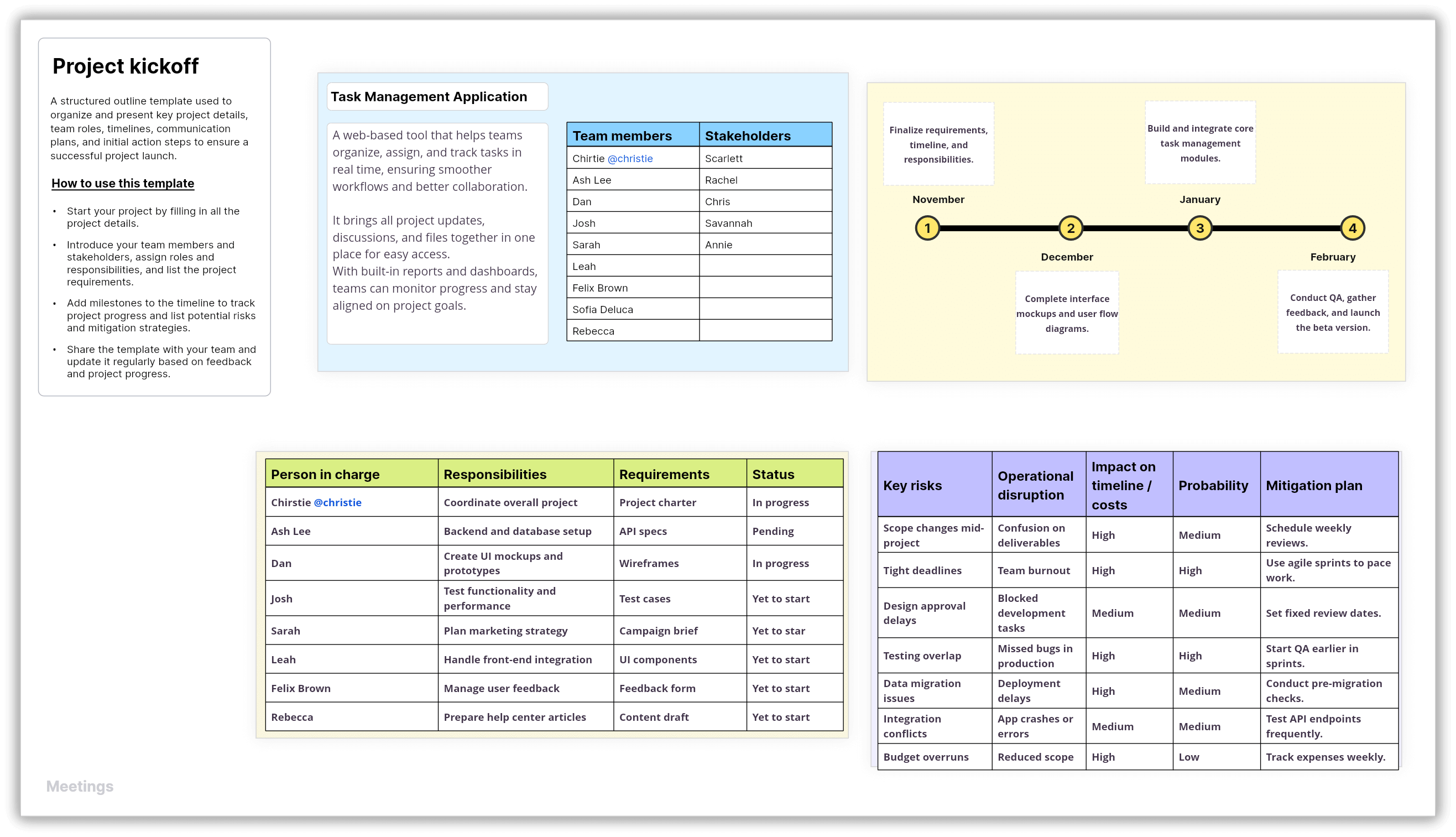
Start your project with a solid plan. This template helps you outline goals, timelines, and roles so everyone’s on the same page from day one. It turns that first meeting into a launchpad, not a guessing game. By the end, your team knows exactly what to do and how to get there.
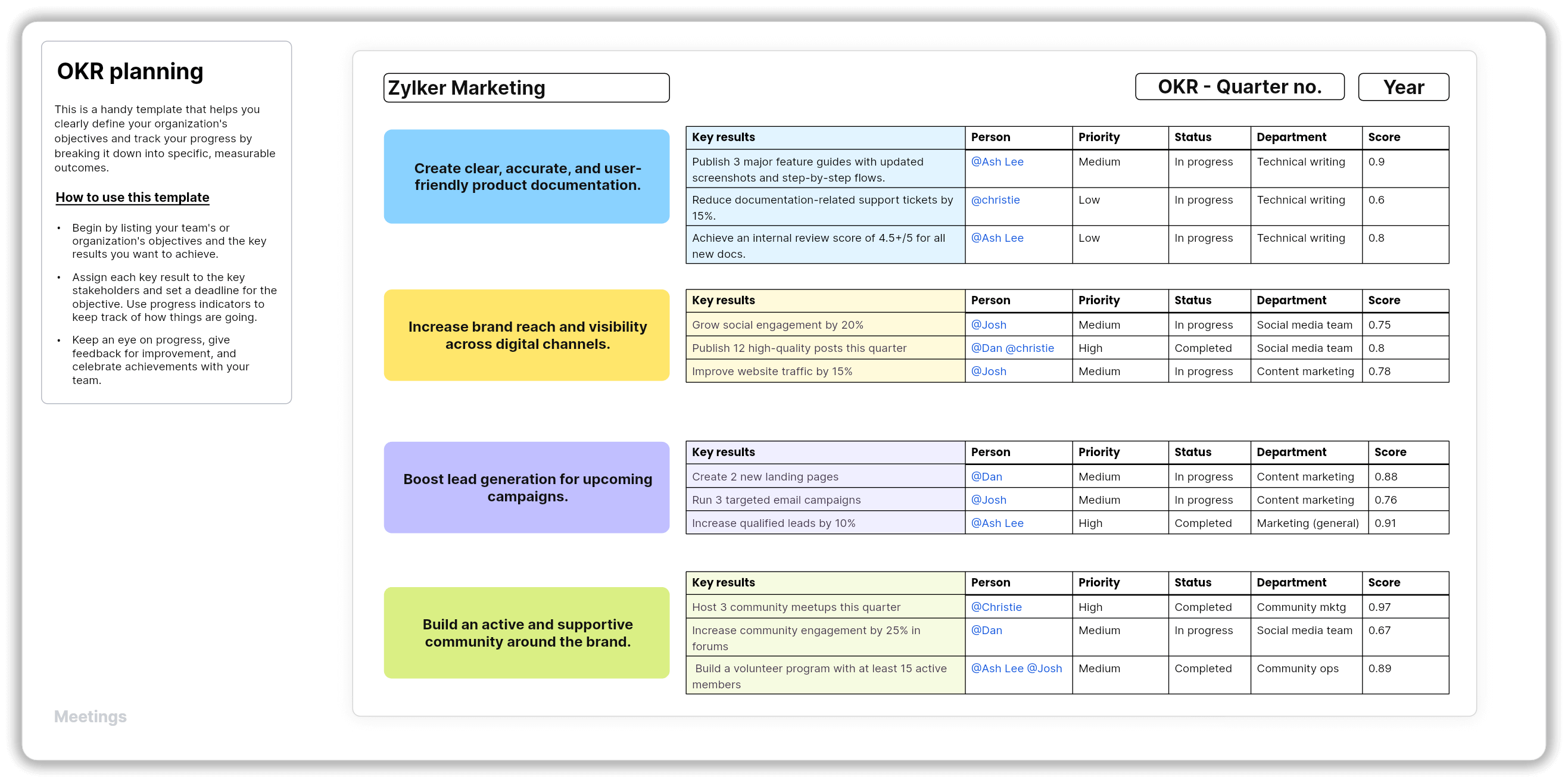
OKR planning
Getting everyone to speak up doesn’t have to be a struggle. With the OKR (objective and key results) planning template, you can clearly visualize your goals and the metrics you want to use to measure success. It helps the whole team see how their work ties to the bigger picture and keeps everyone pulling in the same direction.
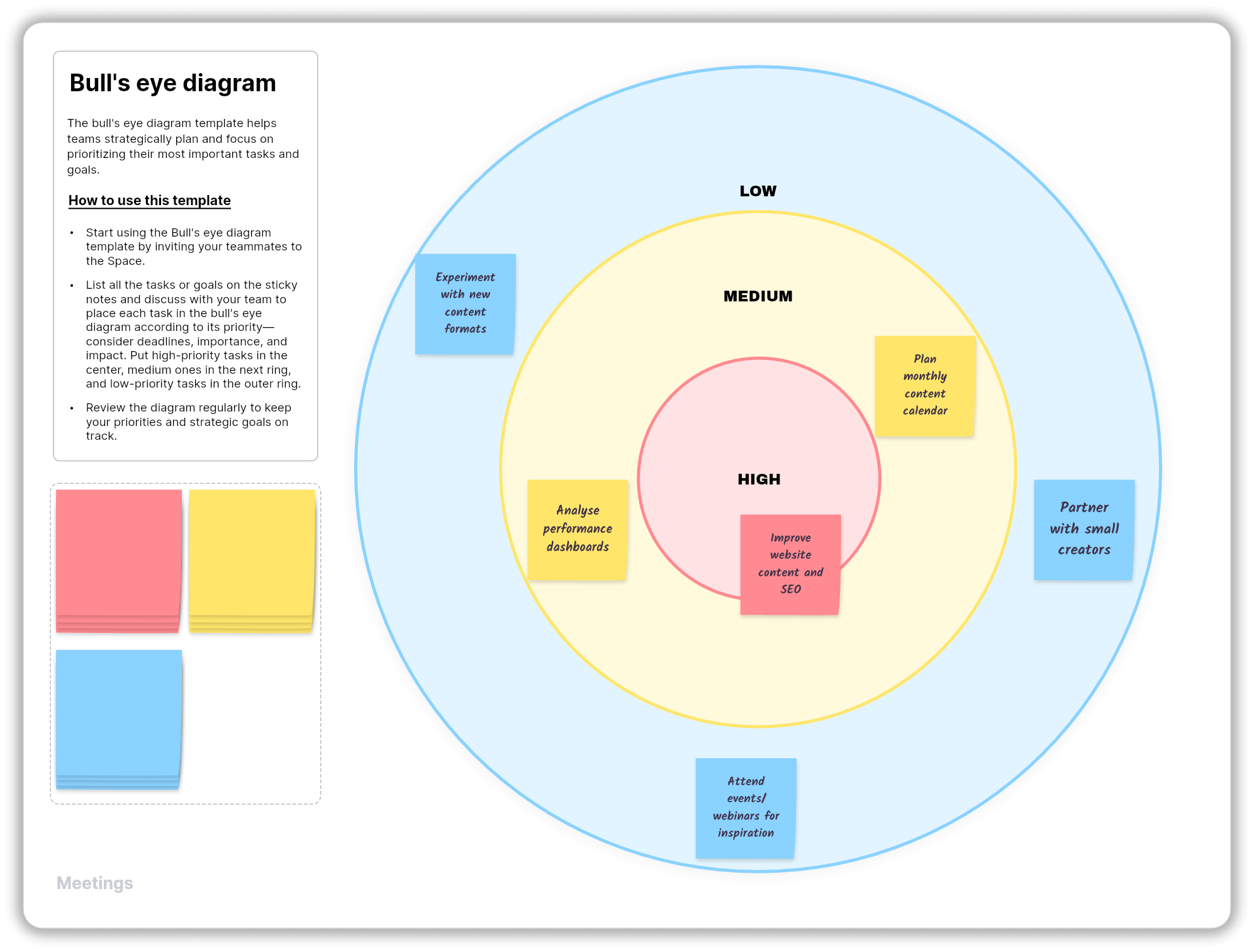
Bull's-eye diagram
Use the bull’s-eye diagram to organize ideas by priority: what’s most important goes in the center, and what can wait goes around the edges. It’s perfect for deciding what to tackle first when everything feels urgent.
You can also explore more meeting templates here.
Top brainstorming templates for teams
Brainstorming is all about exploring every possibility, and with templates, you can think more freely. A few simple prompts—like what problem you’re solving or what ideas you already have—give your team a clear starting point. Instead of jumping around, you move through ideas in a natural flow. Here are a few brainstorming templates you can use to kickstart your discussion.
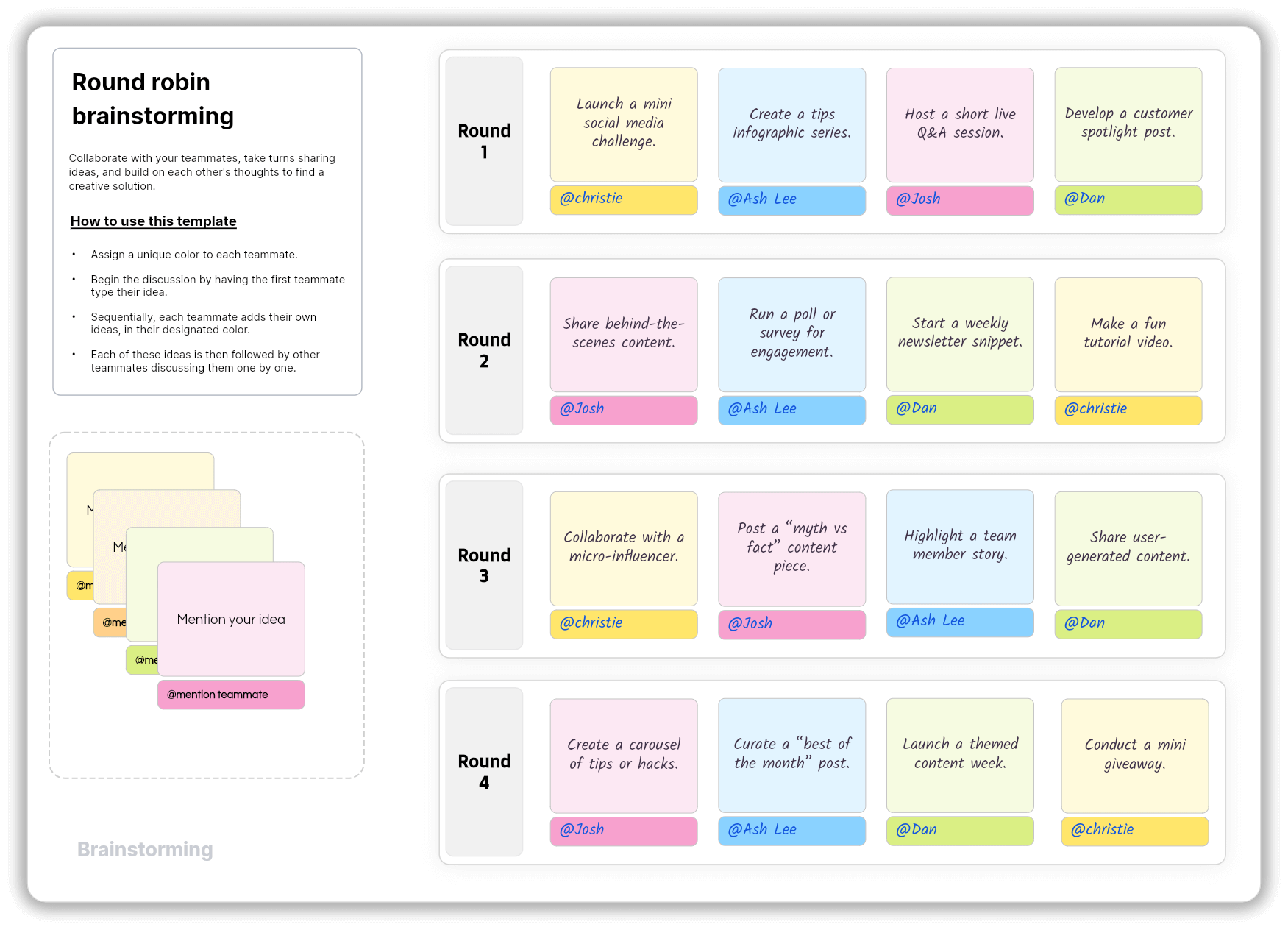
Round robin
Getting everyone involved can be much easier than it seems. With the round robin template, each person speaks one after another in a circle. No one gets left out, and everyone gets a fair chance to add ideas. It works well when you want many different thoughts from the whole group.
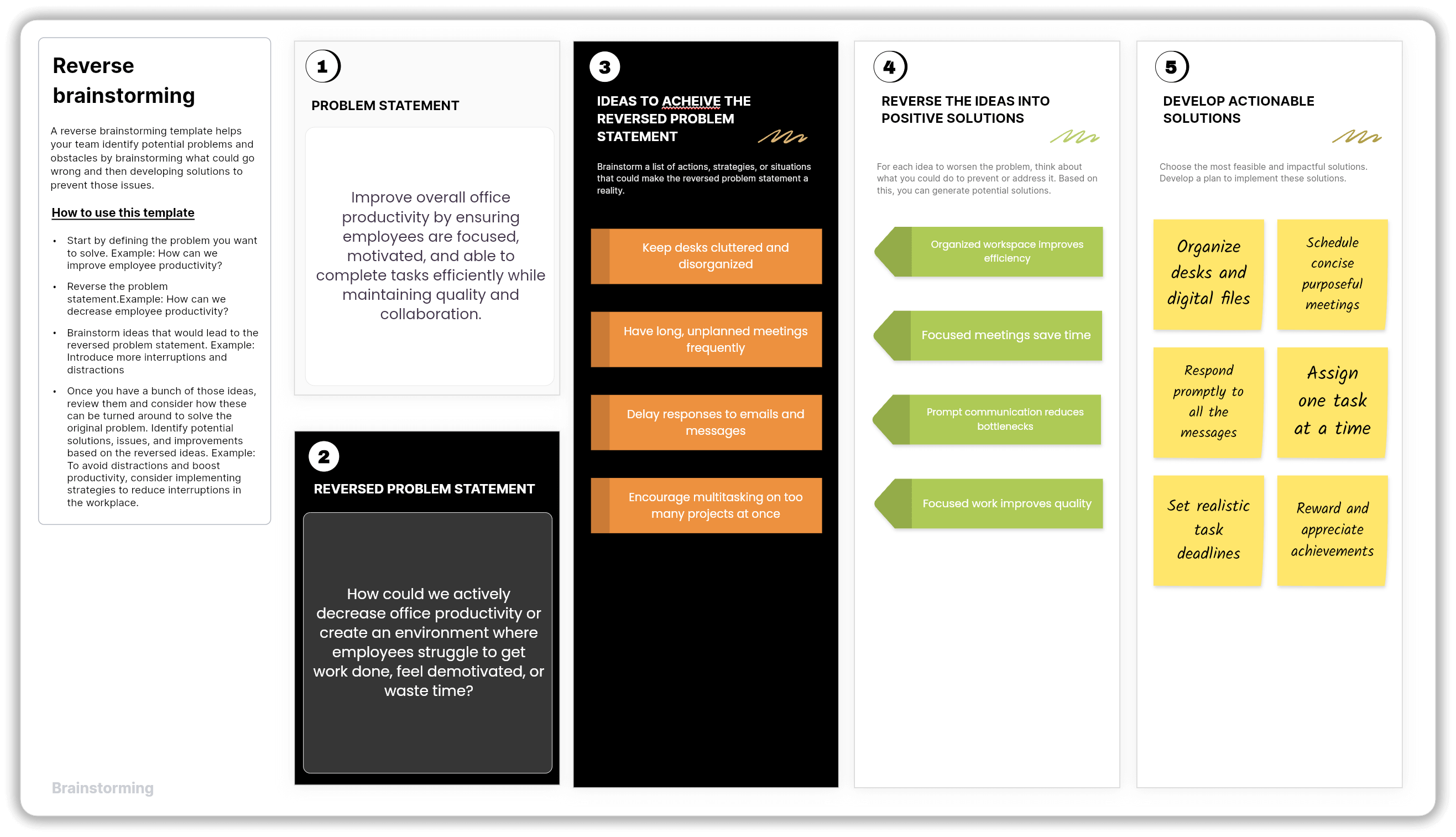
Reverse brainstorming
Finding a new angle starts with changing how you look at the problem. In reverse brainstorming, you ask how to make something worse instead of thinking of a solution. After listing all the bad ideas, you flip them to find real solutions. This often reveals smart ideas that the group may not think of normally.
Affinity diagram
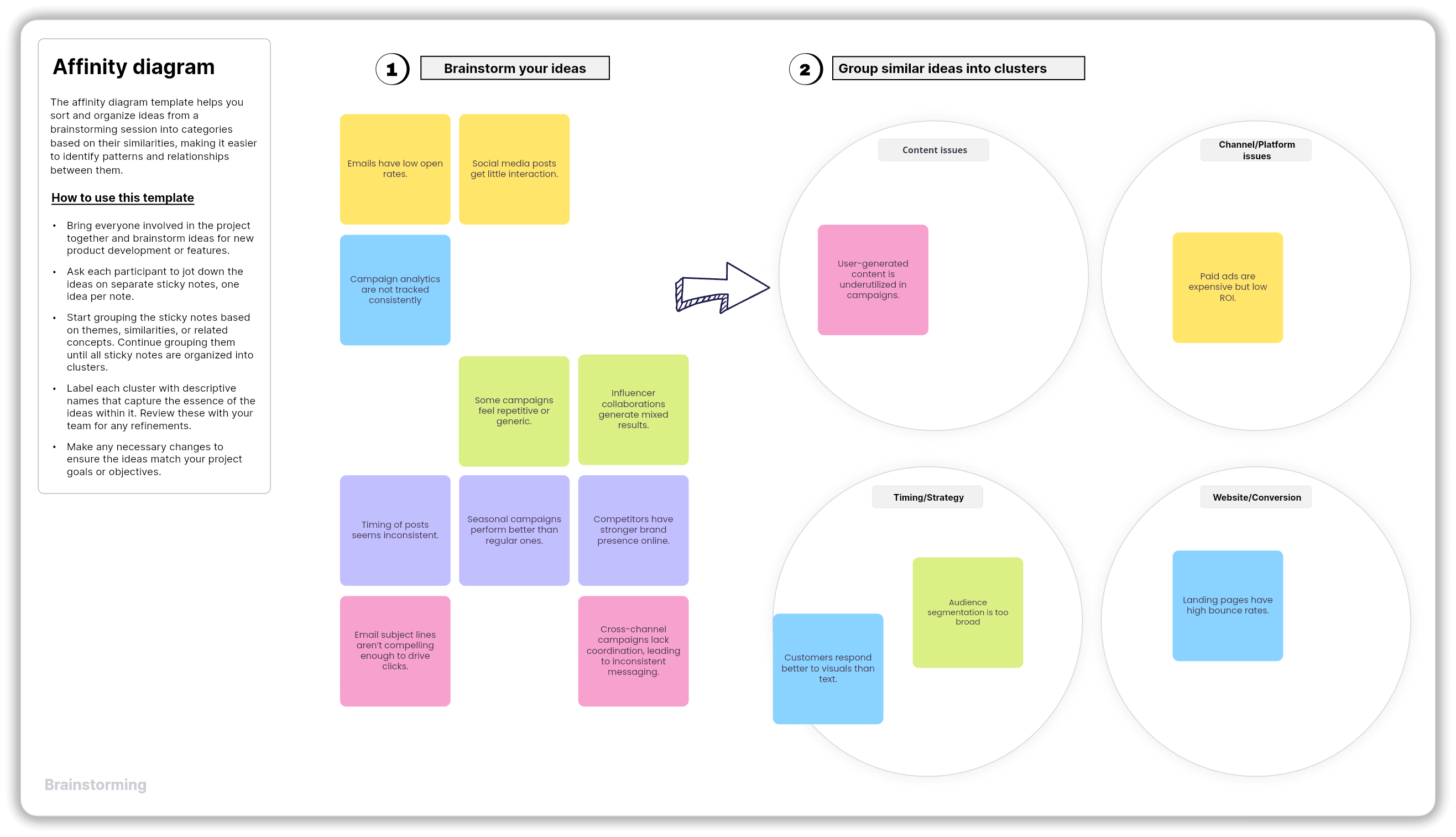
Making sense of too many ideas becomes simpler when you sort it using an affinity diagram. First, write everything down. Then, start placing similar ideas together. Once you group them, patterns become easy to spot. This helps the team understand which topics matter most and what direction to take.
Customer touchpoint map
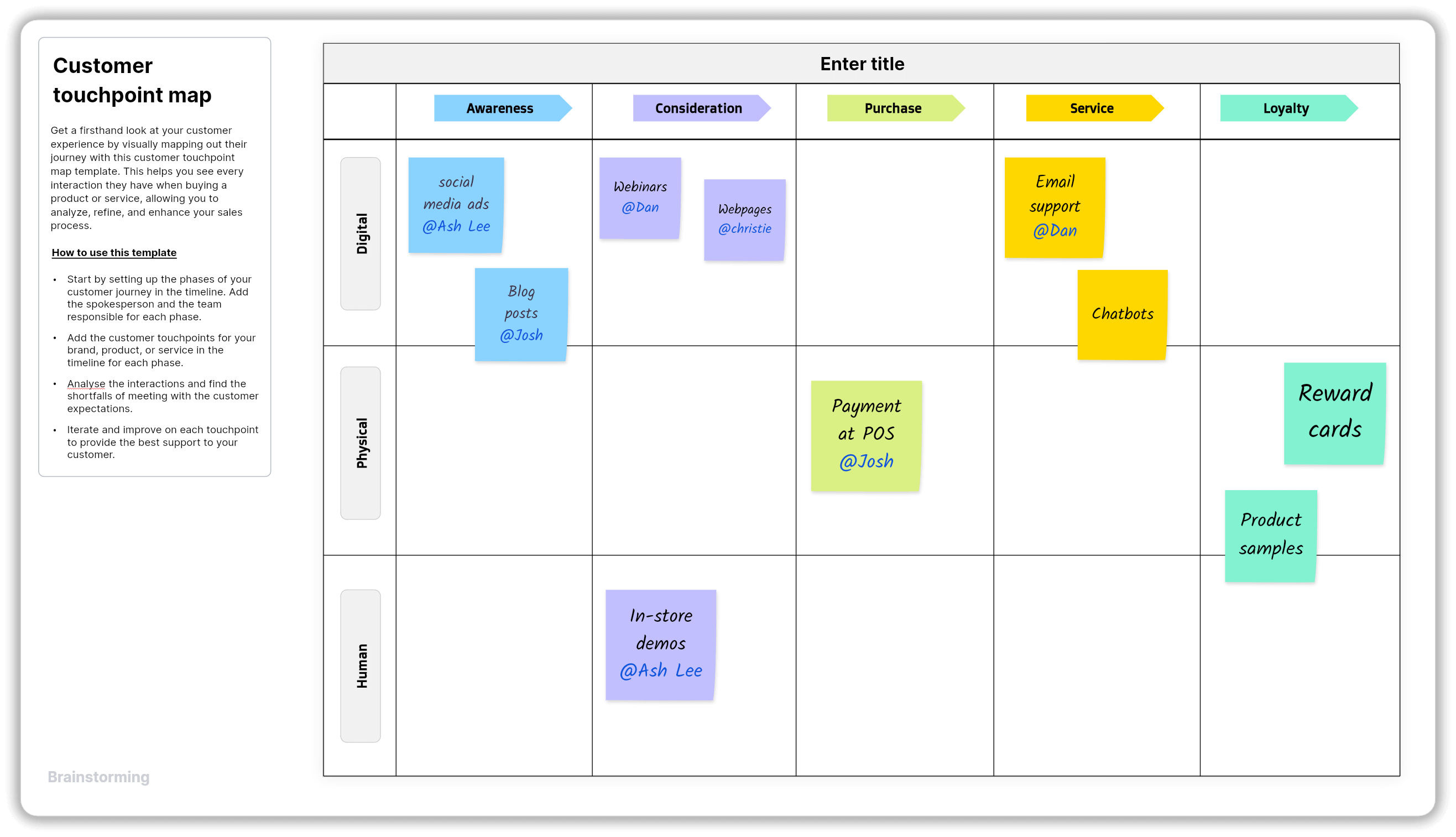
Help your team understand the complete customer journey with this template. List every stage a customer goes through, from finding your product to getting help after they use it. By reviewing each step, the team can see where people get stuck and think of ways to improve their experience.
Tier list maker
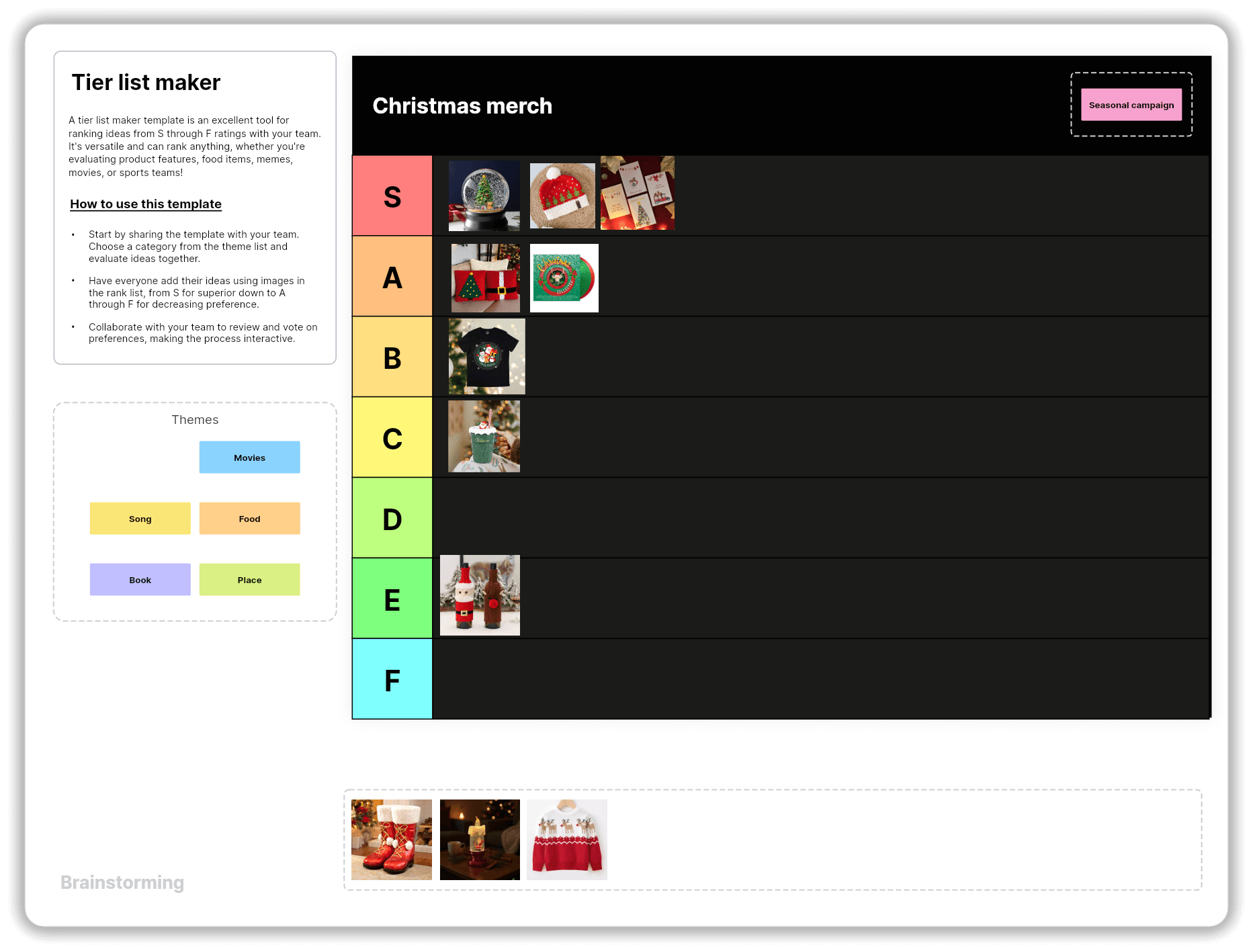
When ideas are laid out visually, prioritizing becomes simple. With the tier list maker, you can sort all options into simple levels such as top priority, important, or nice to have. When the team has many ideas, this template helps everyone see which ones deserve attention first.
You can also check out more brainstorming templates here.
Making team discussions more impactful
Now that you have a clear structure, here are some simple practices that can help you keep ideas flowing, maintain context, and make each discussion feel like a natural continuation of the one before.
Keep it visual
Words can get lost, but visuals stick. Turn every idea, plan, or discussion point into something you can see, such as a flow, a chart, a sticky note, or anything that captures thought in real time. This works especially well during brainstorming because visuals help people build on each other’s ideas faster.
Record and revisit
Not everyone can make it to every meeting, and that’s okay. Recording sessions help your team catch up without missing context or asking for recaps. They also let people replay key discussions when they’re ready to act, turning your conversation into a reusable resource rather than a one-time conversation.
Keep the conversation open
The conversation doesn't have to end when the meeting ends. Leave your workspace open for post meeting thoughts, follow-up notes, and quiet brainstorming. Often, the best ideas come after people have had time to reflect. Keeping the space active ensures they don’t go unheard.
Use the space or board for the whole project
Instead of creating a new board for every meeting or brainstorming activity, keep one shared space that grows with your project. This helps everyone stay in context. You can see how today’s discussion connects to last week’s ideas and where things are headed next. All your notes, plans, and decisions live together, so no one has to dig through old chats or scattered documents.
Tip: In Vani, you can also create separate Zones within a Space as your ideas start to grow. This ensures every piece of information is structured and easy to find when required.
Make sure outcomes are actionable
End every discussion with clear next steps. Note what needs to happen, who will do it, and when it should be done. Keep these action items in your shared space so the team can follow through easily. When outcomes are simple and doable, ideas turn into real progress.
Final thoughts
When team discussions run smoothly, everyone feels the difference. Ideas move faster, decisions get clearer, and people walk away knowing their time mattered. Structure helps make that happen by keeping conversations focused and giving every idea a place to land.
The best discussions balance order and creativity. They turn routine meetings and free-flow brainstorms into meaningful moments that guide teams toward shared goals. That’s when a session stops being just another calendar slot and becomes something that genuinely moves the team forward.