- HOME
- Work culture
- Online whiteboarding: What it is, why teams use it, and how to choose the right tool
Online whiteboarding: What it is, why teams use it, and how to choose the right tool
- Last Updated : April 8, 2026
- 20 Views
- 12 Min Read

Picture this: You’re in the middle of an important strategy presentation. The room is full. Stakeholders are dialed in from different parts of the world. You’ve spent days preparing a turnaround plan for an underperforming product.
You start strong: explaining the idea, drawing connections, and sketching flows on a physical whiteboard. And then it happens. The board fills up. People on the call ask you to zoom in. Someone says they can’t read what you wrote. Another person interrupts to clarify a diagram they couldn’t follow. A few stay silent—not because they agree, but because they’ve lost context.
By the end of the meeting, you realize something important: it wasn’t the idea that failed—it was the way it was communicated. This is exactly the gap online whiteboarding is designed to solve.
If you've ever walked out of a meeting feeling like nothing quite landed the way it should have, this guide is for you.
Why physical whiteboards fall short today
Physical whiteboards were built for a different era, when teams worked in the same room at the same time.
Today, work looks very different. Teams are distributed, fast-paced, and collaborative in nature, and ideas move faster than ever.
That’s where physical boards start to break.
With physical boards, remote teams struggle to collaborate: Over 58% of employees work at least part of the time remotely. A physical whiteboard only works for people in the room—everyone else is left out.
Engagement drops in hybrid meetings: When remote participants can’t clearly see or interact with what’s being shared, they contribute less. Ideas don’t get fully discussed. Alignment suffers.
Ideas don't persist: What gets written on a board often gets erased or forgotten. Studies show employees spend 20–35% of their time searching for information, and much of it gets lost after meetings.
Limited space limits thinking: A fixed board forces teams to compress ideas and restricts exploration, reducing the depth of thinking.
No real-time collaboration across locations: Physical boards don’t support simultaneous input from distributed teams.
That’s why teams are moving to online whiteboarding, where ideas don’t just get captured but are carried forward into real work.
What is online whiteboarding?
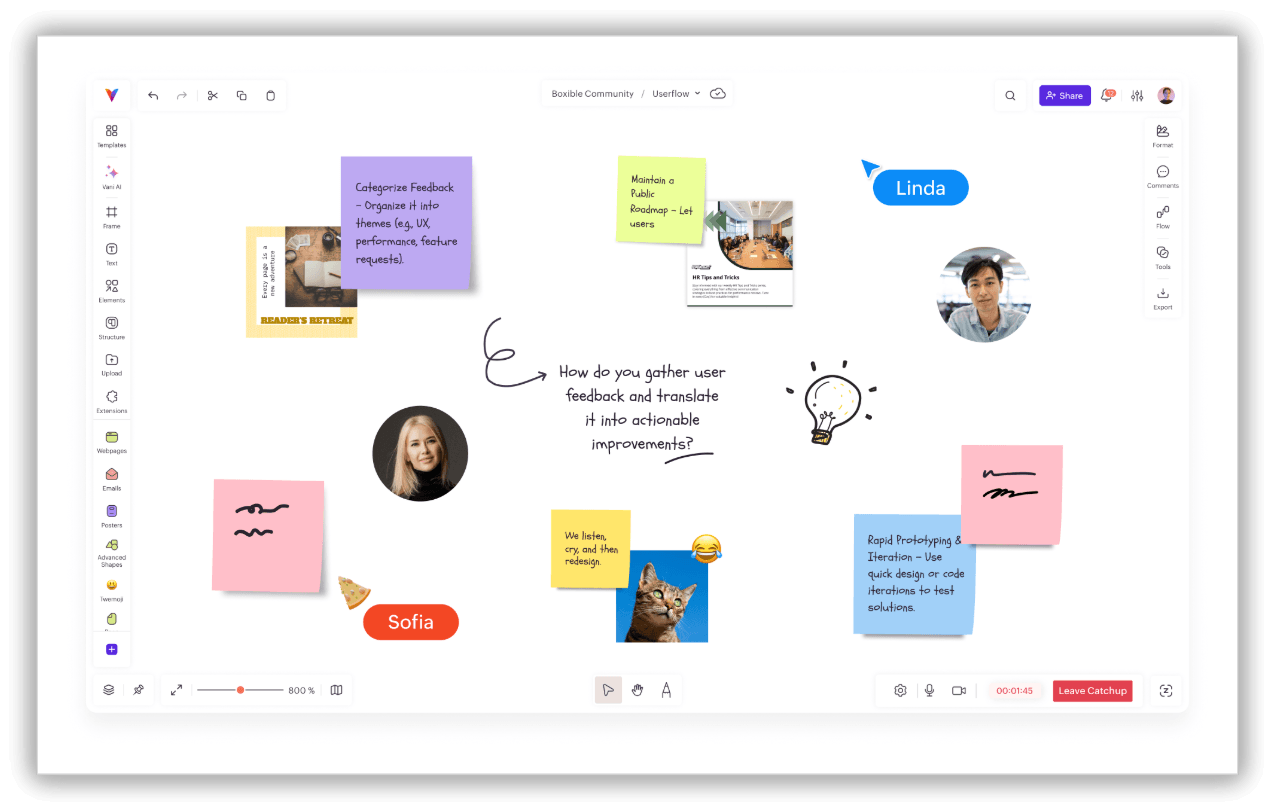
At it's simplest, an online whiteboard is a shared digital canvas where teams can think, plan, and collaborate visually, in real time or asynchronously.
Instead of bouncing between documents, slides, chat threads, and physical boards, everything lives in one place. You can write notes, draw shapes, sketch diagrams, connect ideas visually, leave comments, and collaborate with teammates, all without anyone needing to be in the same room or even the same time zone.
Think of it less like a digital replica of a whiteboard and more like a living workspace. Ideas don't just get written down—they evolve, get refined, get voted on, and eventually turn into real work.
Why modern teams are switching to online whiteboards
Work today is more visual, more distributed, and more collaborative than ever before. Teams are spread across cities and time zones, projects move fast, and the old way of working—long email threads, static slide decks, and scribbled notes from a physical board that nobody photographed—simply doesn't hold up anymore.
Here's what changes when teams move to an online whiteboard.
Ideas become easier to understand
Text alone can only carry so much. When you sketch a workflow, map a process, or connect ideas on a canvas, people understand faster and more accurately. Visuals close the gap between what's in your head and what lands in someone else's.
Real-time collaboration speeds decisions up
Instead of waiting for feedback over email or scheduling yet another follow-up call, teams work together live. Everyone sees changes as they happen. Responses are immediate. Decisions that used to take days can happen in one session.
Everything stays in one place
No more piecing together context from five different tools. Ideas, discussions, diagrams, and plans all live on one canvas.
Remote work doesn't lose context
Distributed teams often struggle with clarity. "Who said what? What changed? What’s the latest version?" A shared whiteboard solves this.
Brainstorming turns into execution
This is where modern whiteboards genuinely stand apart from the physical kind. Ideas don't stop at sticky notes. Teams move from ideation to planning to execution on the same canvas.
What features should an online whiteboard have?
Not all tools are built the same. Some are great for quick ideation but fall apart when you try to use them for structured planning. Others are powerful but overwhelming for everyday use. Here's what to look for when evaluating one:
An infinite canvas gives your team room to think without running out of space.
Real-time collaboration means everyone's changes are visible the moment they happen.
Sticky notes and shapes let ideas flow freely and quickly.
Connectors and diagram tools help map processes, flows, and systems clearly.
Templates save setup time without limiting creativity.
Comments keep conversations attached to the relevant part of the canvas.
Presentation mode lets you walk stakeholders through work without exporting anything.
Integrations connect the whiteboard to the tools your team already uses.
Workflow tools bridge the gap between planning and doing.
Export and sharing options let you take the output beyond the session.
The best modern tools are now also adding AI-powered features, smart templates, and built-in communication to make sessions faster and more structured—which is exactly the direction Vani is heading.
Common use cases for online whiteboarding
One of the biggest strengths of online whiteboarding is its flexibility and how adaptable it is. It’s not built for just one type of work—it shapes around how your teams think, plan, and collaborate. That’s why you’ll find it used across functions, industries, and even completely different types of work, from product development to education.
Let’s walk through how teams actually use it in day-to-day scenarios.
Brainstorming
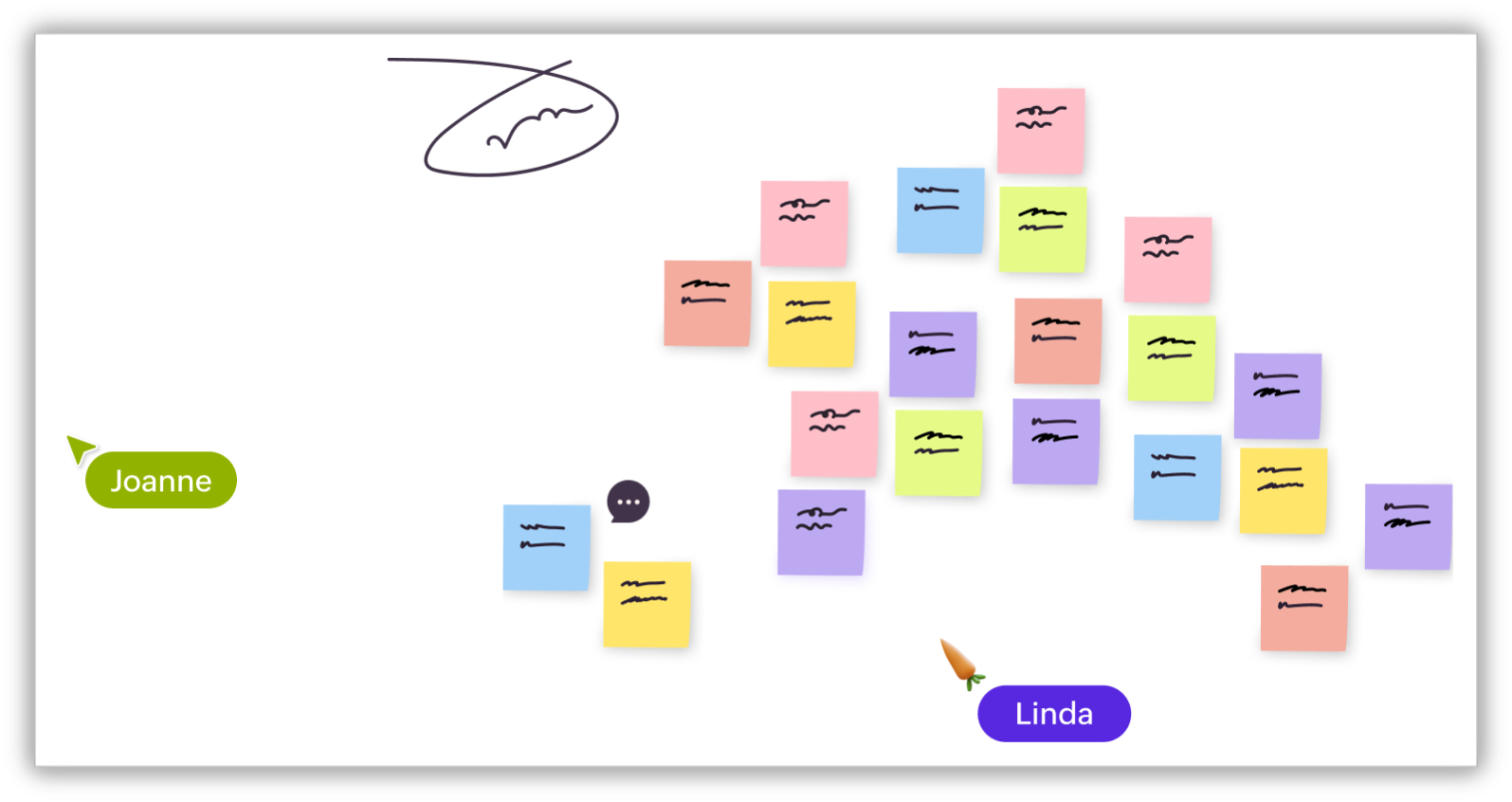
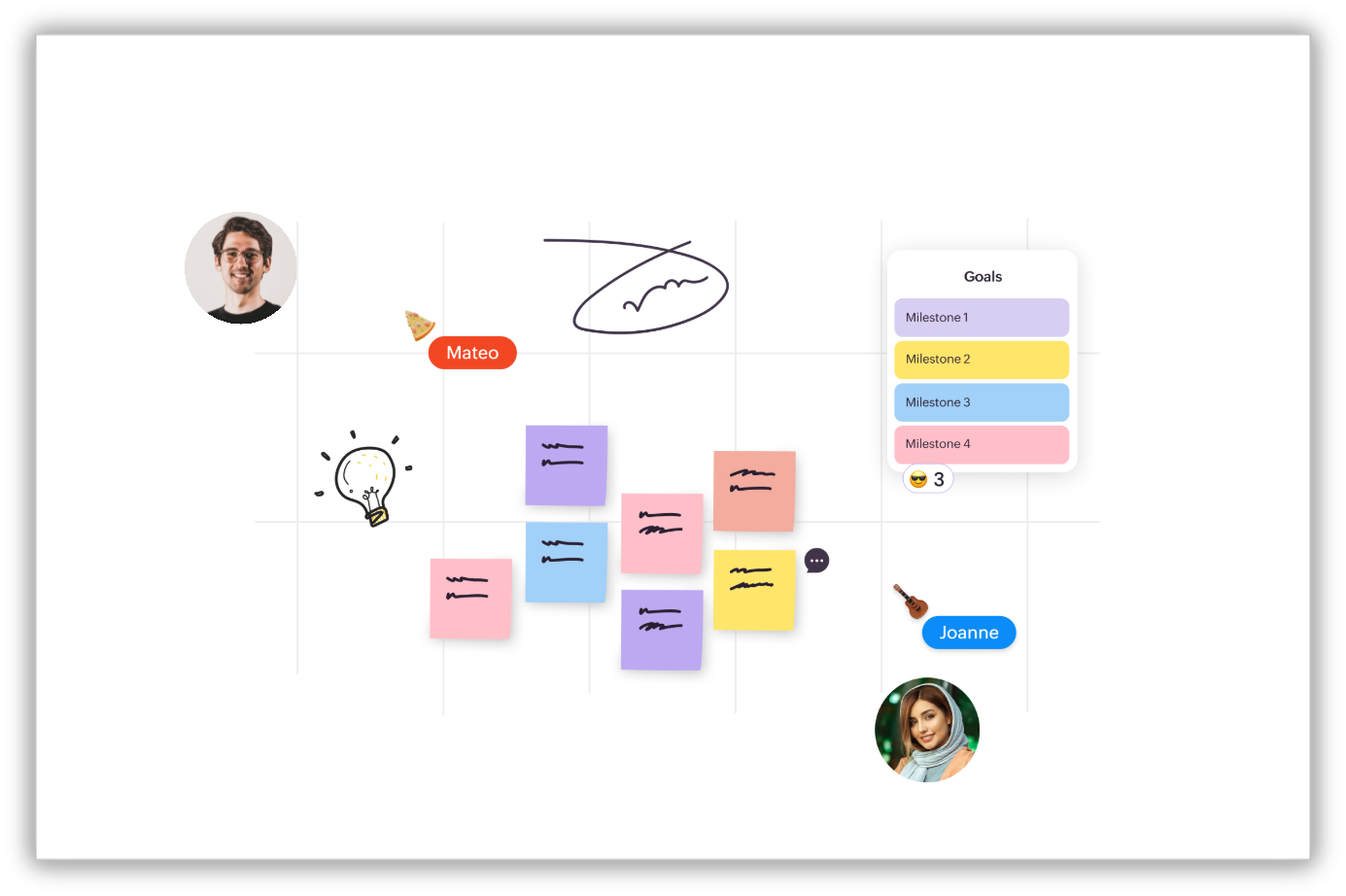
Every team has moments when ideas are flowing, but structure isn’t. Online whiteboards give teams a space to quickly capture everything without overthinking format. Sticky notes, quick sketches, rough connections... everything goes onto the canvas.
Project planning
Planning becomes much easier when you can visualize it. Instead of reading through long documents, teams can map out timelines, break down tasks, and identify dependencies visually. This helps everyone understand not just what needs to be done but how everything connects.
Workflow design
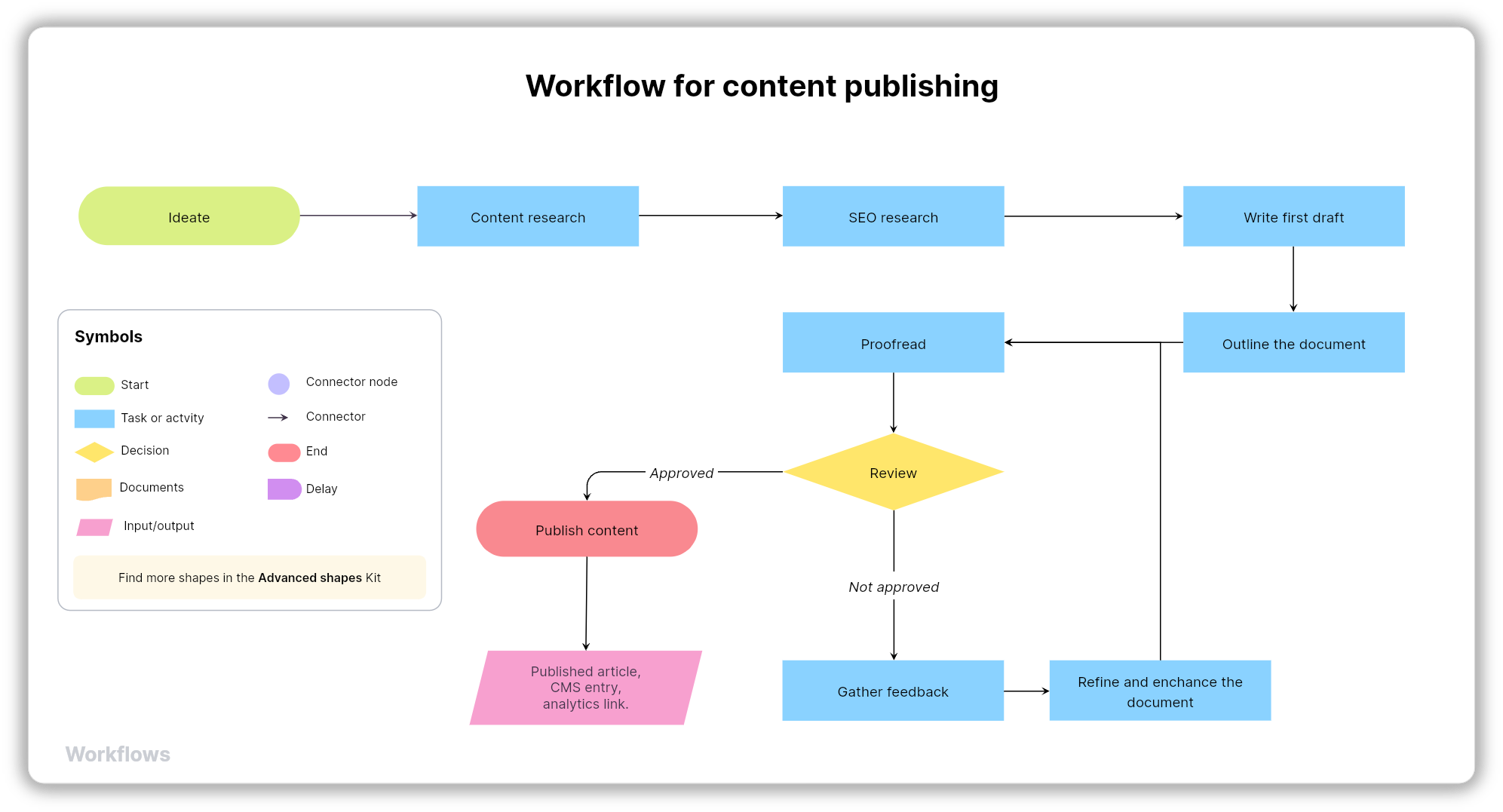
Processes often fail because they’re hard to follow. With a online whiteboard, teams can map workflows step by step, showing how work moves from one stage to another. Whether it’s a sales funnel, onboarding flow, or internal process, visual clarity reduces confusion.
Diagramming
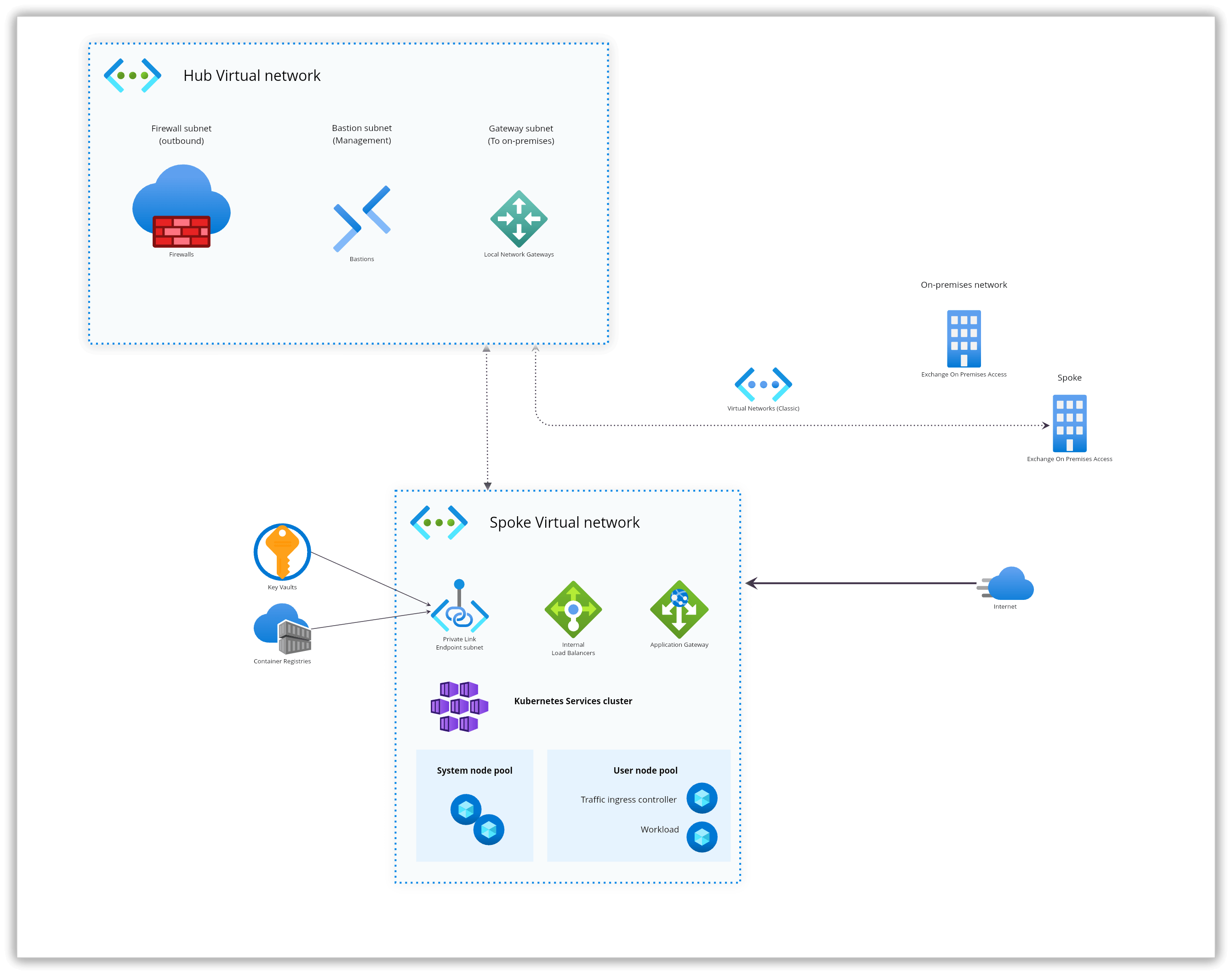
When systems get complex, text explanations fall short. Online whiteboards allow teams to create flowcharts, architecture diagrams, and system maps directly on the canvas. This makes it easier to explain technical ideas to both technical and non-technical stakeholders.
Workshops and meetings
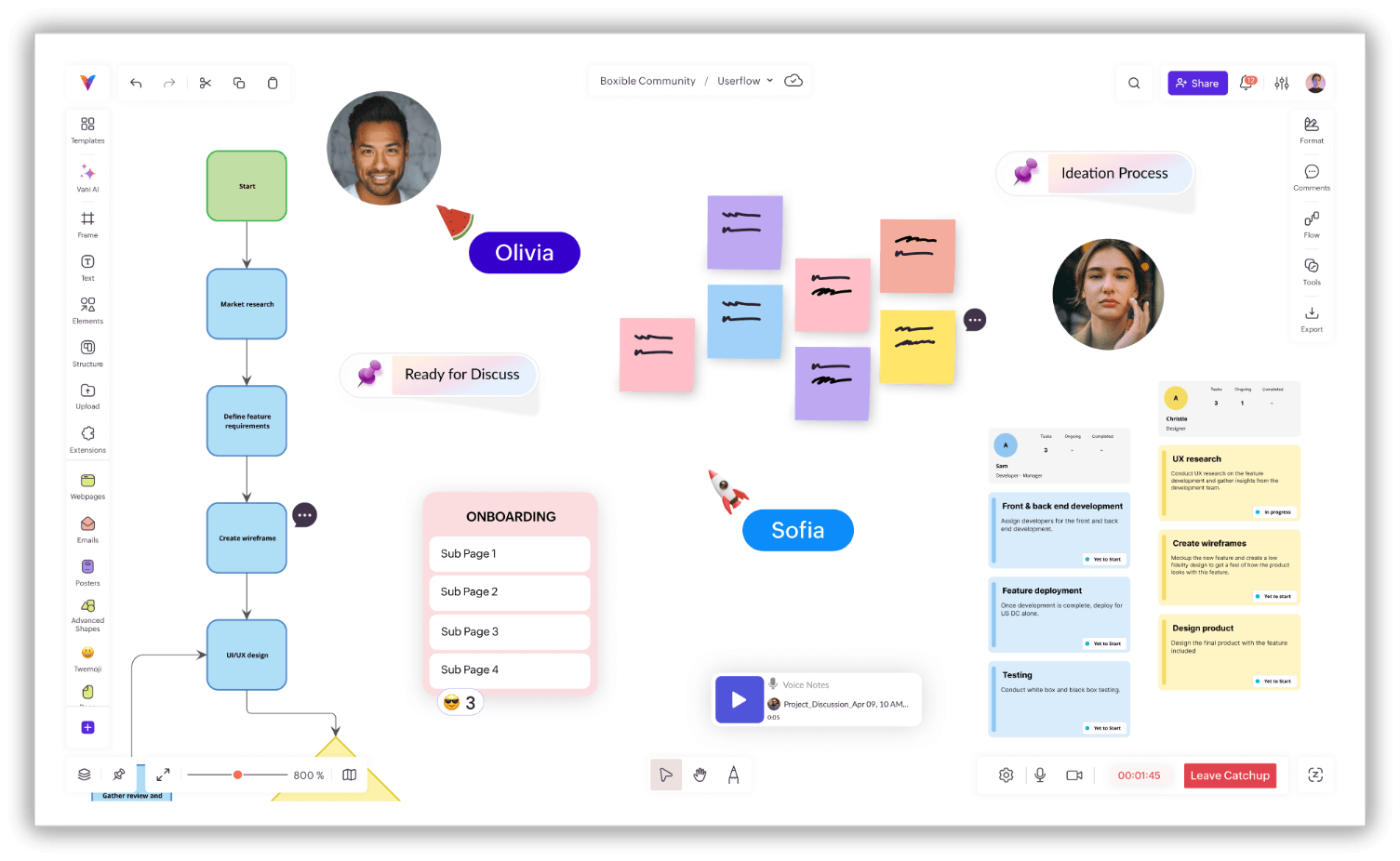
Traditional meetings often turn into one-way conversations. Whiteboards change that dynamic. Facilitators can guide discussions while participants actively contribute by adding notes, voting on ideas, or building solutions together. It turns passive meetings into interactive sessions.
Teaching and training
Learning is more effective when it’s visual. Educators and trainers use online whiteboards to break down complex topics, illustrate concepts, and engage participants in real time. Instead of just listening, learners can see and contribute.
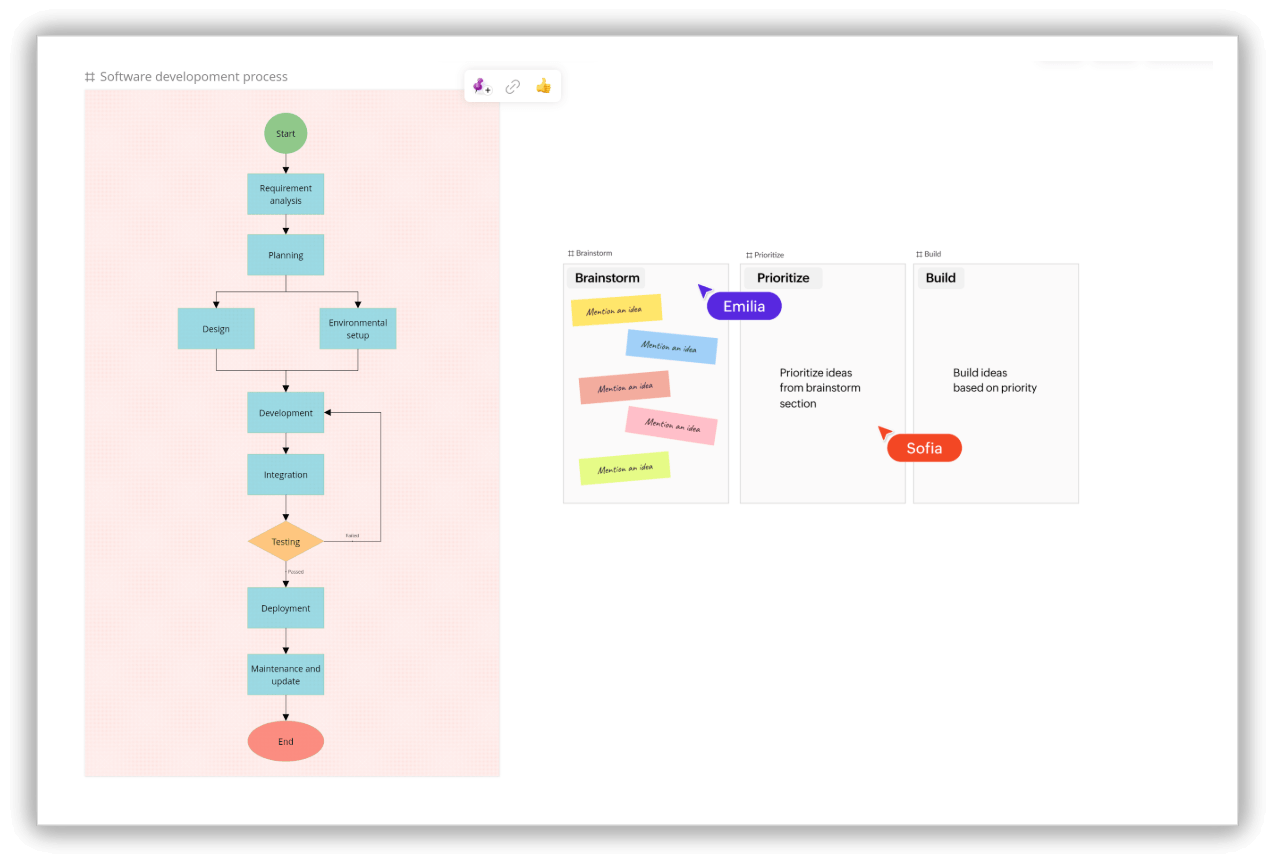
Product and UX design
Design teams rely heavily on visual thinking. Whiteboards help map user journeys, sketch wireframes, and explore ideas collaboratively. It becomes a shared space where designers, product managers, and stakeholders align before moving into detailed design tools.
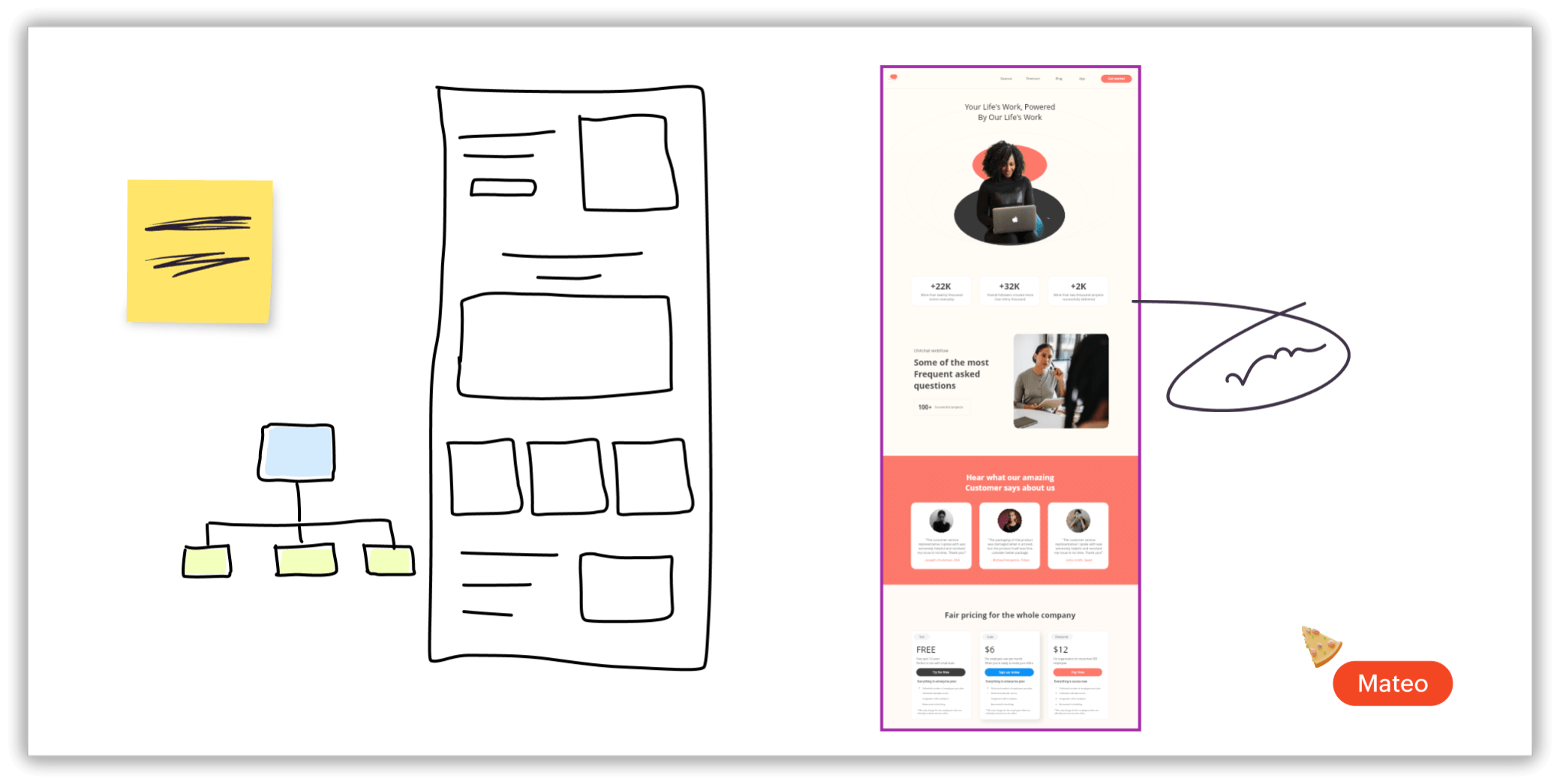
Remote collaboration
When teams are spread across locations and time zones, staying aligned is the hard part. A shared visual canvas acts as a single source of truth. Whether someone joins live or reviews the board later, they see the same context, understand the same decisions, and can contribute without needing to be caught up manually.
Online whiteboard vs. whiteboard software vs. collaboration tools
Modern teams need modern solutions, and that's where an online whiteboard comes in. Many tools may look similar, but they’re built for different purposes. Here are the key differences.
Online whiteboard vs. diagram tools
Diagram tools are structured and rigid. When teams are spread across locations and time zones, staying aligned is the hard part. An online whiteboard tool like Vani acts as the shared visual canvas where you can brainstorm, sketch, and map ideas freely by turning them into diagrams.
Online whiteboard vs. collaboration tools
Collaboration tools like Slack or Teams are built for communication. Online whiteboards are built for visual thinking. The best online whiteboard tools bring both together on one canvas, so you're not switching between where you think and where you talk.
Online whiteboard vs. project management tools
Project management tools help you track what's happening. Online whiteboards help you figure out what should happen and how. Plan visually, map dependencies, and manage tasks—all without leaving the canvas.
If you're stitching together separate tools for brainstorming, diagramming, planning, and communication, a good online whiteboard can replace all of them.
How teams use online whiteboarding in real projects
Across industries and functions, the pattern is consistent: when teams can see the work, they align faster, decide faster, and move forward with more confidence.
Product teams use whiteboards to plan roadmaps, break features into steps, and map workflows so everyone understands what gets built next.
Design teams sketch UX flows, create quick wireframes, and explore ideas together before moving into detailed design tools.
Developers draw system architecture, explain logic visually, and align faster on how systems should work.
Project managers plan sprints, track timelines, and visualize dependencies so nothing slips through.
Marketing teams brainstorm campaigns, map messaging, and connect ideas to execution plans.
IT teams design architecture and document processes.
Consultants present complex strategies in a way that clients can actually follow
Students and teachers use them to make learning interactive and visual.
The common thread is simple: Work becomes clearer when people can see it.
Top online whiteboard tools available in 2026
The market has matured. Here’s a quick look at some popular tools and where they fit best:
Vani
Vani's online whiteboarding focuses on helping teams move from idea to execution on a single canvas. Instead of splitting work across tools, everything—planning, collaboration, and execution—happens in one place.
Best for: End-to-end visual workflows
Miro
Miro is a widely used platform with strong integrations and a large template ecosystem. It's great for flexible collaboration, though boards can become complex over time.
Best for: Large teams and broad use cases
Lucidspark
Lucidspark is focused on brainstorming, with diagramming handled separately in Lucidchart. It's powerful but may require switching between tools.
Best for: Ideation and structured diagrams
Creately
Creately is strong in business process mapping and structured workflows. While it's powerful, the interface can feel dense and slightly complex for new users.
Best for: Business workflows and process mapping
FigJam
FigJam is a lightweight tool built for designers, especially those already using Figma.
Best for: Design and product collaboration
Whimsical
Whimsical is simple, fast, and clean—great for quick diagrams and lightweight work.
Best for: Simple visual work
Mural
Mural is a structured online whiteboard tool designed specifically for running remote workshops and guided collaboration sessions.
Best for: Workshops
How to choose the right online whiteboard
The right tool depends on what your team actually needs. Here is how you can choose the best online whiteboard for your team.
If you need flexible, open-ended collaboration across a large organization, go for Miro or Mural.
If you're focused on design workflows or more into designing, then FigJam would be an ideal solution.
If diagramming and process mapping is your primary use case, Lucid or Whimsical handle that well.
If you want one place for everything—brainstorming, planning, execution, and collaboration—without switching between tools, Vani is built for exactly that.
The question worth asking isn't "Which tool has the most features?" It's "Which tool will my team actually use, consistently, without friction?"
Online whiteboard best practices for teams
Having the right online whiteboard tool is half the equation. How you run your sessions determines whether your team leaves with a next step or with a canvas full of sticky notes with nothing to follow up on.
Here are some common best practices for high-performing teams that consistently use online whiteboards to make decisions faster and retain the output longer.
Organize your canvas for better clarity
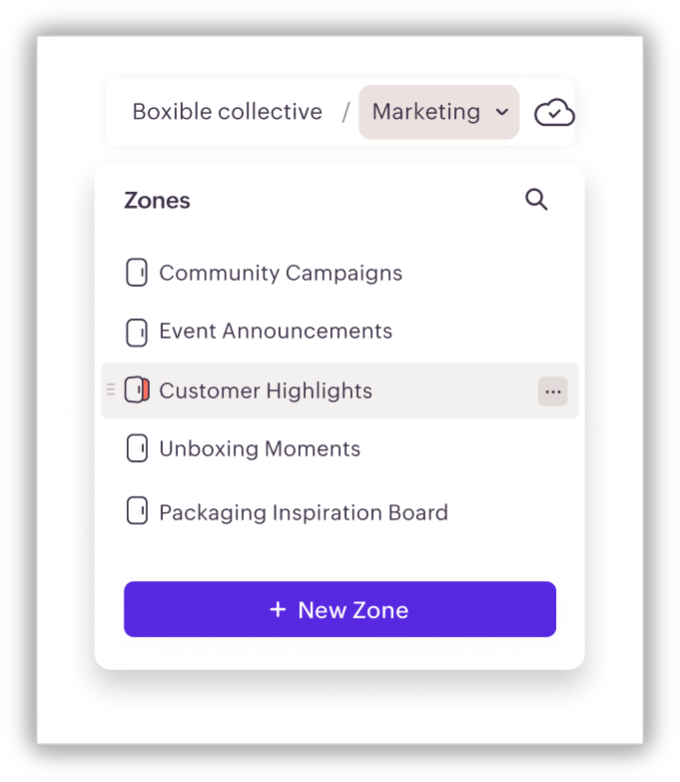
An unstructured canvas creates anxiety, not creativity. Before the session starts, divide the board into clearly labeled zones: a Parking lot for off-topic ideas, a Priorities area for shortlisted items, and a Decisions and owners section for outputs. When people know where to put things, they contribute more freely. Vani's Space and Zone structure makes this kind of organization easy to set up and maintain across multiple sessions.
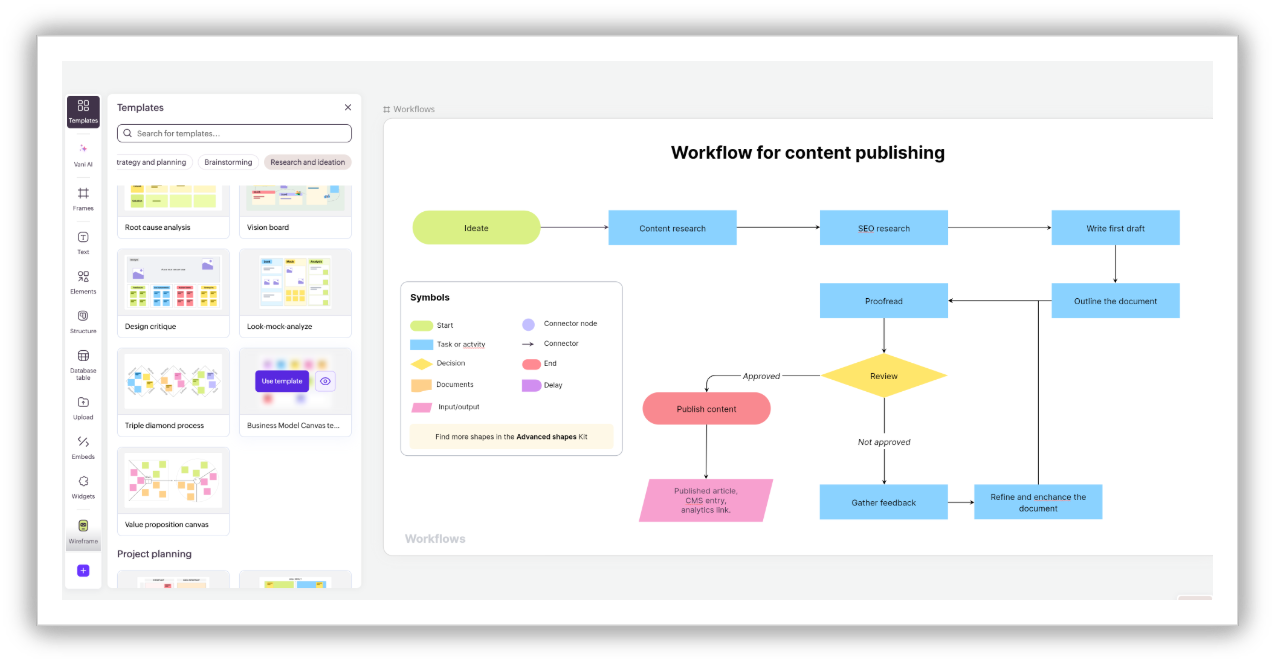
Use templates to cut setup time, not creativity
Templates are scaffolding, not constraints. A retrospective template doesn't tell your team what to think—it tells them where to put it. That distinction saves ten to fifteen minutes of setup and redirects that energy into the actual conversation. Vani's template and Kit library is designed to be customized before the session, so it reflects your team's language and context rather than generic labels.
Capture decisions explicitly, not implicitly
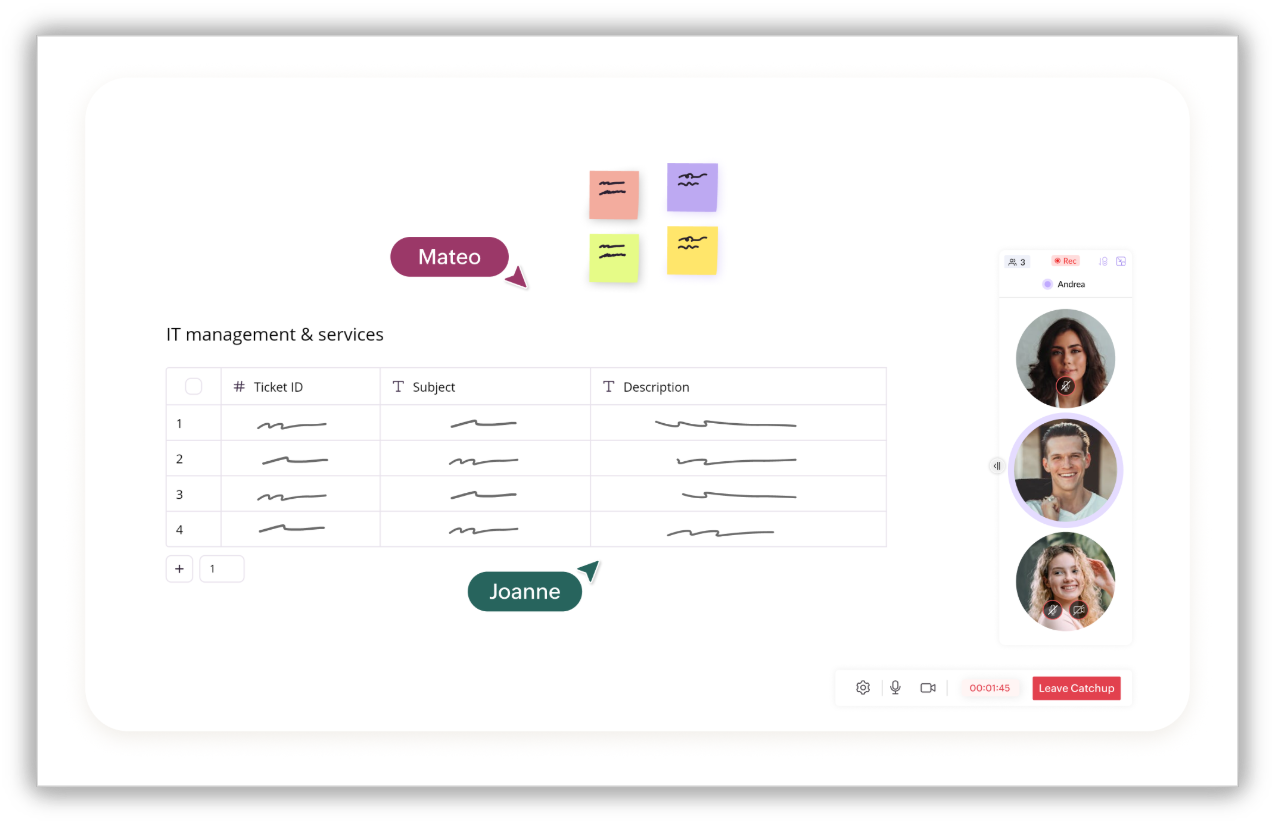
The most common failure point in collaborative sessions is leaving without clear ownership. Don't assume that what ends up on the board translates into action. At the close of every session, use a dedicated Decisions and owners section where each outcome is mapped to a name and a deadline. Vani's database table feature lets you map dependencies, plan tasks, and get AI-powered summaries of the entire canvas, so decisions are documented, not just assumed.
Run async first for distributed teams
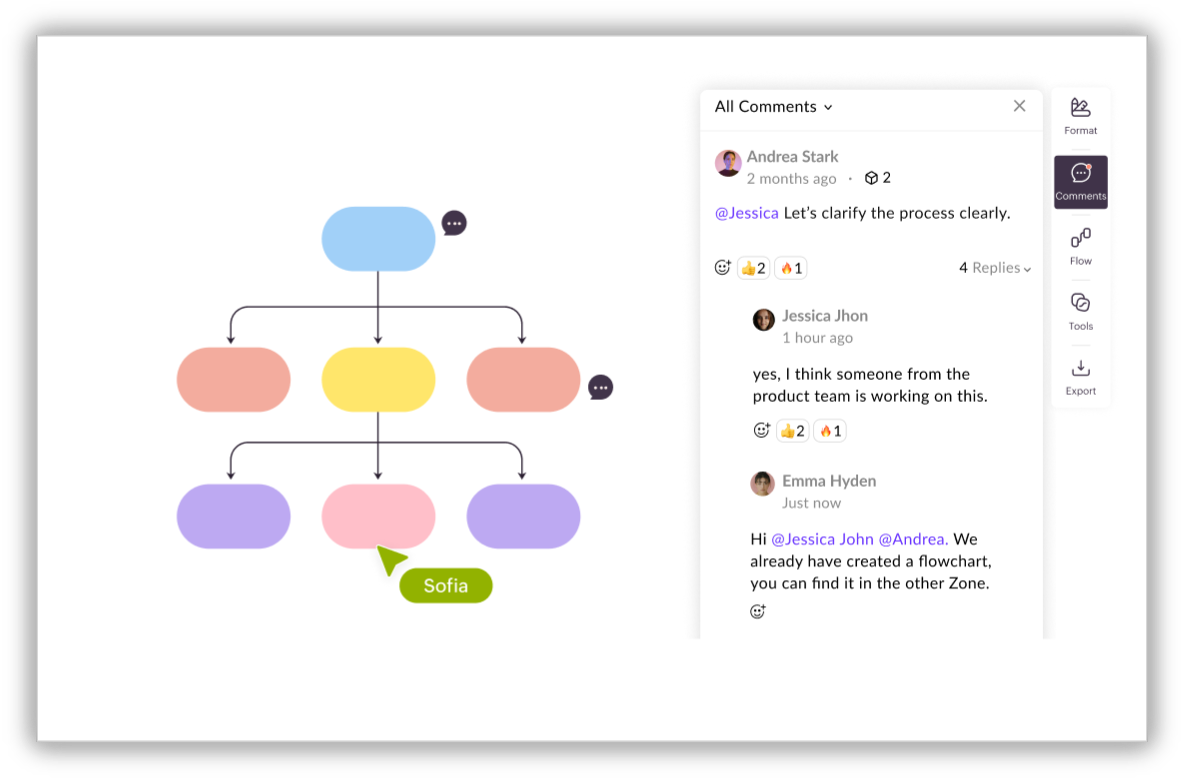
Not every collaboration needs to happen live. For teams across time zones, set up the board in advance with a clear prompt, let teammates contribute over 24 to 48 hours, then hold a short live session just to synthesize and decide. This gives quieter team members more time to think, reduces meeting fatigue, and often produces richer input than a single live session. Vani's commenting and reaction features are built for exactly this; teammates can respond to each other's work without needing to be online at the same time.
Review and export, don't just close
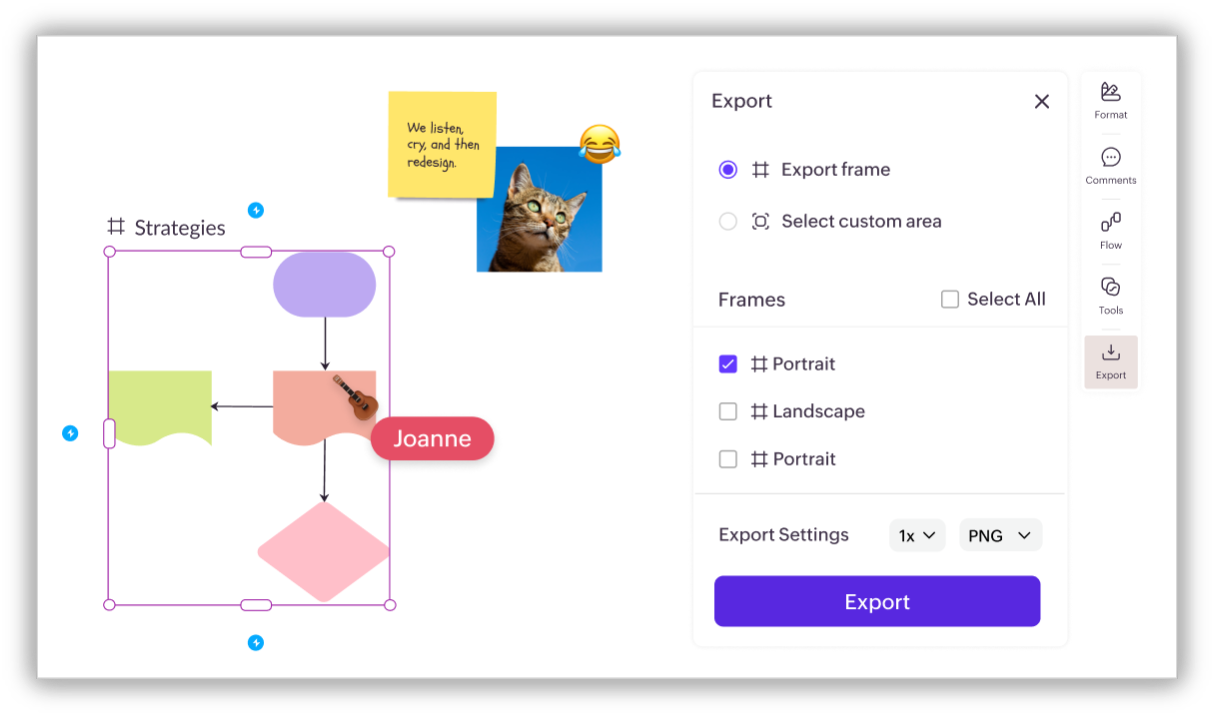
Most teams close a board and never return to it. Build a lightweight closing ritual: spend the last five minutes of every session exporting the key frames as a PDF or PNG, sharing the link with your team, and assigning one person to transfer action items before the next working day. Work that isn't reviewed within 24 hours rarely influences what happens next.
How to get started with Vani's online whiteboard
Most teams waste the first 20 minutes of a collaboration session just figuring out where to start. Vani is designed to eliminate that friction entirely—from the moment you open a board (Vani Space) to the moment your team walks away with a clear output.
Here's how you get started and work with Vani's online whiteboard:
Create your first board (Space)
Sign up for Vani—there's a 30-day free trial with no credit card required. Once you're in, you'll see your dashboard, where you can create an organization and your first Space (Vani's term for a board). Name the Space after your objective—something like "Q3 campaign planning" or "Product roadmap." Inside each Space, you'll find Zones: individual boards that help you keep related work organized in one place.
Start from scratch or choose a template
Vani's template library covers the most common team workflows: brainstorming, strategy planning, diagramming, icebreakers, and more. Pick the one that fits your session, or open a blank canvas if you want full creative control. Either way, you're saving the first ten to fifteen minutes that most teams spend just figuring out structure.
Invite your teammates
Click Share and invite teammates to the Space with granular permissions: view, comment, edit, or share. External users don't need a Vani account to join a session, which removes the usual onboarding friction when you're working with external collaborators.
Collaborate in real time
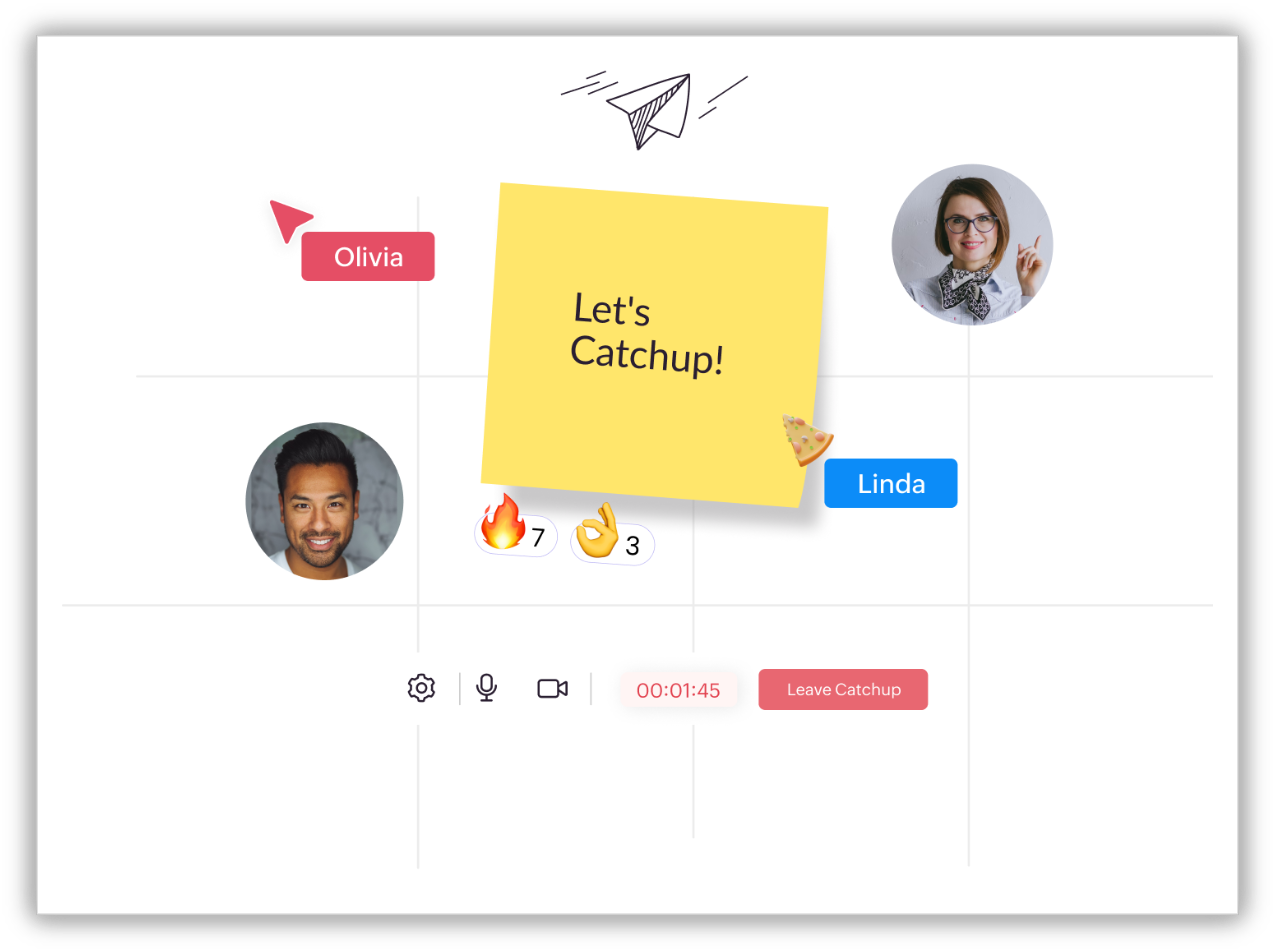
Every teammate gets a named, personalized cursor so you always know who's doing what on the canvas. Use Vani's built-in video feature, Catchup, to discuss work directly without switching to another call tool. Use Flow to present your whiteboard to the team in a structured, guided way.
Do the actual work
Use advanced shapes, connectors, and layout tools to draw workflows, map dependencies, brainstorm ideas, and assign tasks—all on the same canvas. You can see the output from the first idea to the final plan without ever leaving the board.
Export and share your work
When the session ends, export any selected frame or area as a PNG or PDF. Share the Space with external stakeholders using a shareable link—no login required for viewers. You can also add guests with limited access for presenting or reviewing specific parts of the board.
Ready to try it? Sign up for Vani today and run your first session in under ten minutes.
The future of online whiteboarding
Online whiteboarding is moving well beyond brainstorming. The tools that are emerging now support visual planning, structured diagramming, workflow design, real-time collaboration, AI-assisted organization, rich template libraries, and full execution on the canvas—all without leaving a single platform.
As teams become more distributed and work becomes more complex, shared visual canvases are becoming the center of how work actually happens. Not documents, slides, or scattered threads across five different apps—just one connected space where thinking, planning, and doing happen together.
Online whiteboarding isn't just a feature teams are adding to their workflow. It's becoming the workspace itself.
Final thoughts
At its core, online whiteboarding is about clarity—but more importantly, it’s about momentum. It helps teams think faster, align quicker, and move from ideas to execution without friction. Whether you’re planning a strategy, designing a product, or running a workshop, a shared visual canvas doesn’t just improve communication—it changes how decisions get made.
This is where tools like Vani make a real difference. With features like an infinite canvas, real-time collaboration, templates, AI-powered structuring, workflow tools, and built-in sharing, teams don’t just brainstorm—they actually move work forward. No switching tools. No lost context. No scattered ideas. Just one place where thinking turns into action. Because when everyone can see the work—and act on it together—that’s when real progress happens.